Service Call Conditions
SM Appendix 2-11 M047
Appendix:
Trouble-
shooting
Guide
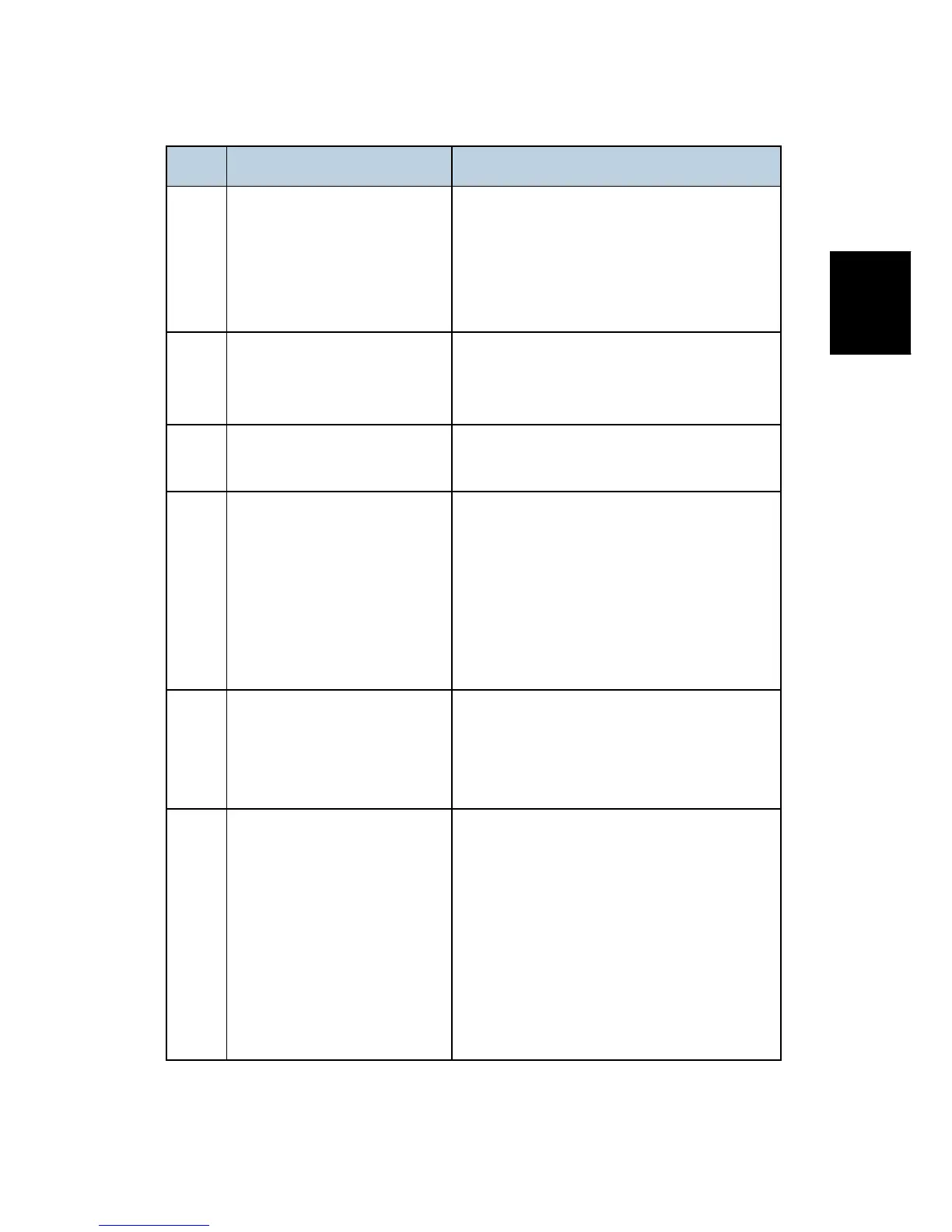
Code Description Required Action
877
HDD Data Overwrite Security
SD card error
Defective SD card (M352)
SD card (M352) not installed
Replace the NVRAM and then install the
new SD card (M352).
Check and reinstall the SD card (M352).
878
TPM system authentication
error
Incorrect updating for the system firmware
Defective flash ROM on the controller board
Replace the controller board.
900 Controller counter error
Replace the NVRAM if the error is
frequent.
920 Printer application error
Defective software
Unexpected hardware resource (e.g., memory
shortage)
Software defective; switch off/on, or
change the controller firmware if the
problem is not solved
Insufficient memory
921 Printer font error
A necessary font is not found in the SD card.
The SD card data is corrupted.
Check that the SD card has the correct
data.
990 Software performance error
Software defective; reboot the machine
Internal parameter incorrect
Insufficient working memory
When this SC occurs, the file name,
address, and data will be stored in
NVRAM.
Note the above data and the situation in which
this SC occurs. Then report the data and
conditions to your technical control center.


 To Next Page