Application Examples
R&S
®
GP-E/GP-S
166User Manual v16.2.1 ─ 01
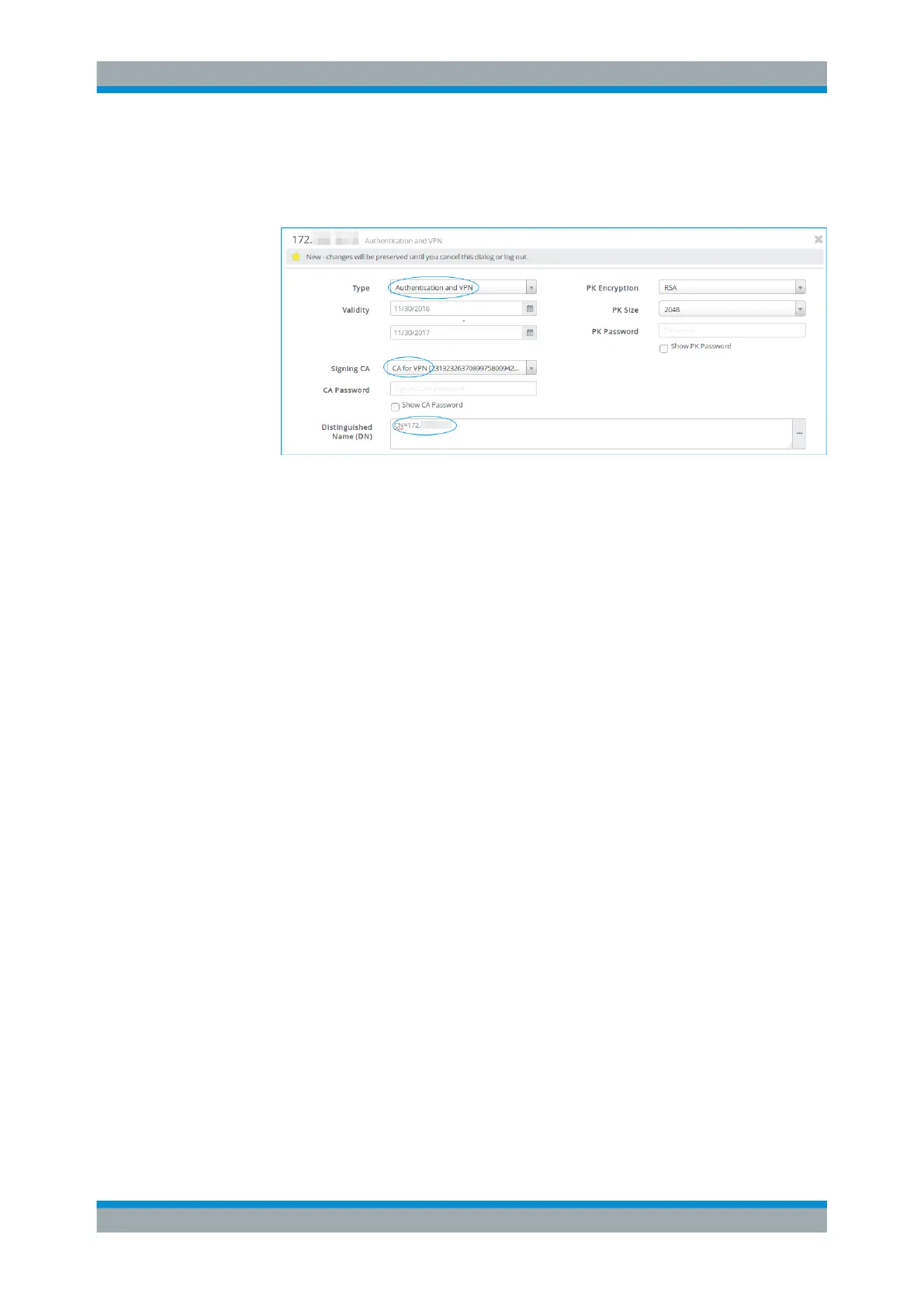
c) Under "Distinguished Name" , enter the name of the gateprotect Firewall that
serves as host, i.e. its IP address or hostname.
d) Adjust the remaining information as necessary for your environment.
Figure 4-30: Sample VPN certificate settings.
e) Click "Create" to add the new certificate to the list of available certificates.
5. Create the client certificate with the following settings:
a) Under "Type" , select Authentication and VPN.
b) Under "Signing CA" , select the CA created in step 2.
c) Adjust the remaining information as necessary for your environment.
d) Click "Create" to add the new certificate to the list of available certificates.
Exporting certificates
1. Export the client certificate as described under Chapter 4.10, "Handling Certifi-
cates", on page 153.
Select the PKCS12 format for the client certificate.
Important: The VPN certificate for the client has to be exported with a "Transport
Password" to be able to export the private key.
VPN Setup Examples



 To Next Page