Application Examples
R&S
®
GP-E/GP-S
167User Manual v16.2.1 ─ 01
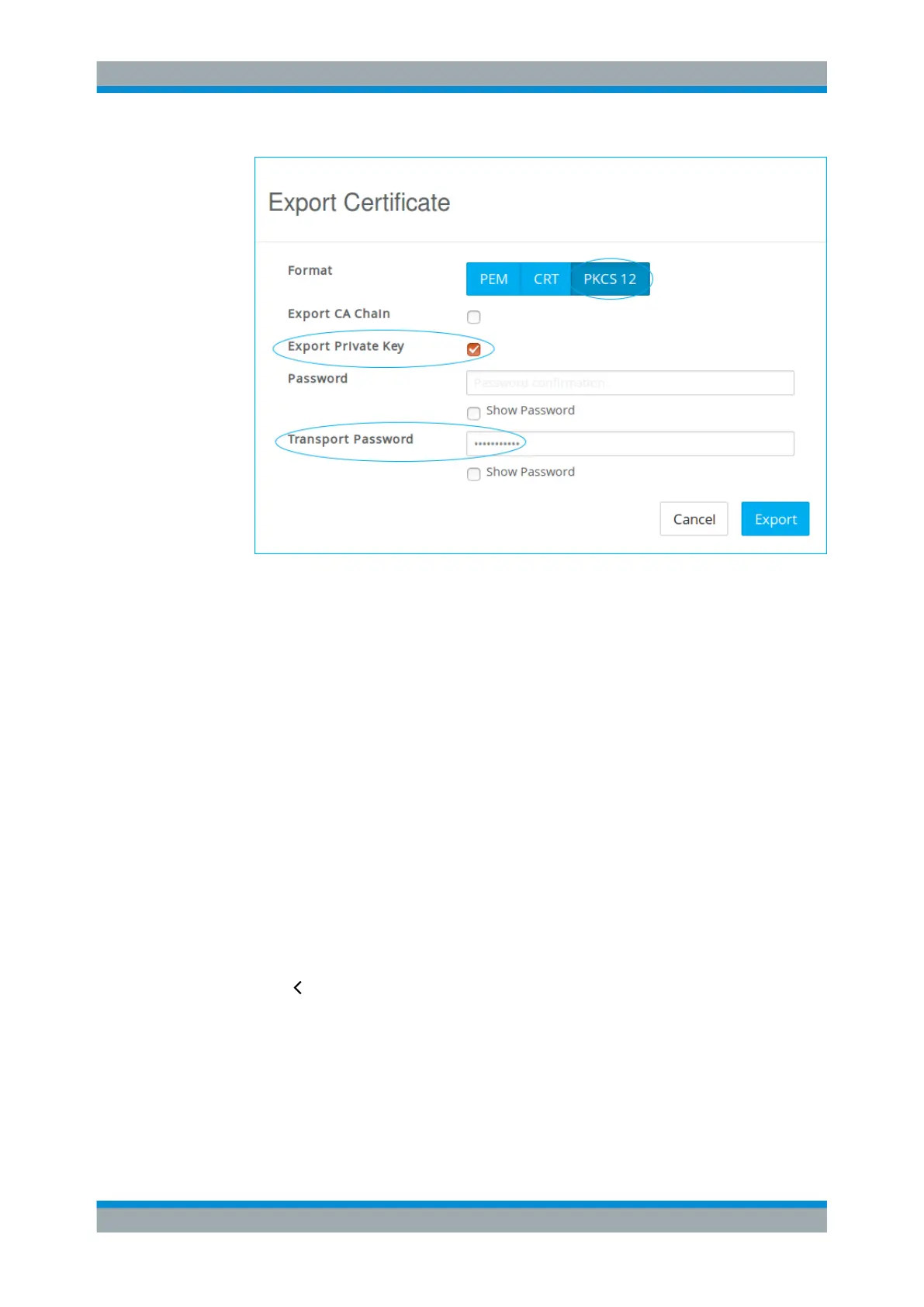
Figure 4-31: Exporting the VPN certificate.
2. Export the CA as described under Chapter 4.10, "Handling Certificates",
on page 153.
Select the CRT format for the CA.
For more information, see Chapter 3.4.8.1, "Certificates", on page 122.
Setting Up the iOS Client
Import the certificates and set up the client for IPsec.
Follow the steps below to set up a VPN connection to gateprotect Firewall on iOS 9.
1. Make sure that you have an active network connection (Wi-Fi or cellular data net-
work).
2. Go to "Settings > General > VPN".
3. Tap "Add VPN Configuration..." .
4. Tap "Type" and select IPsec.
5.
Tap " Back".
6. Import the certificates created under "Creating VPN Certificates for iOS Clients"
on page 165 via email or by downloading them from a web server.
7. Enter the following information (see Figure 4-32):
a) Under "Description" , enter a name for the new VPN connection.
VPN Setup Examples



 To Next Page