43
Creating a Patch
Quick Start
Setting Up the Oscillators (OSC1/2)
The oscillator sections produce the original sound, either by playing back an internal
PCM wave or a sampled wave, or by generating an analog modeling wave.
Selecting a Wave
1
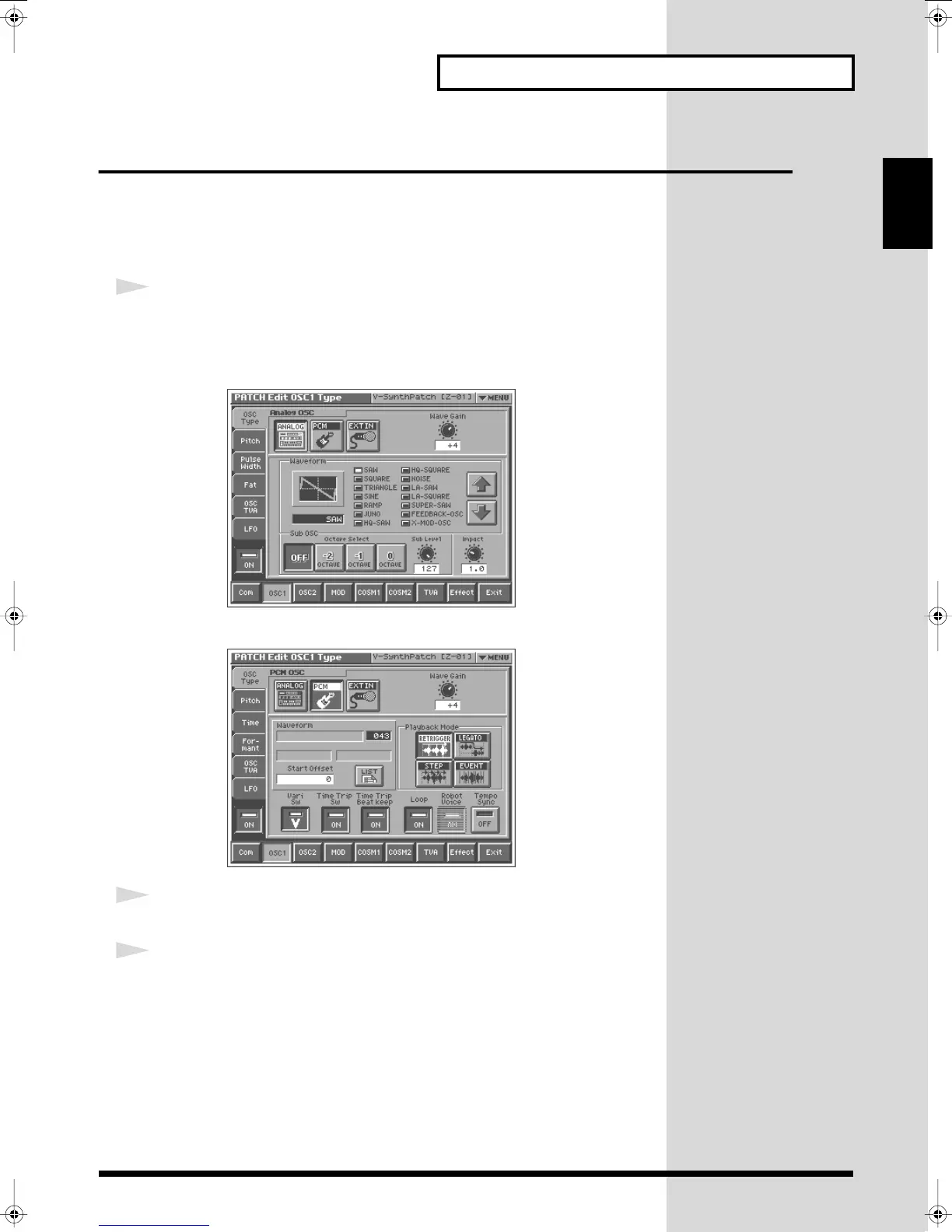
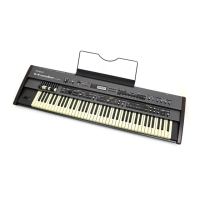
In the lower part of the screen, touch <OSC1> (or <OSC2>).
A screen like the following appears. If a different screen appears, touch the <OSC
Type> tab at the left side of the screen.
Analog oscillator
fig.Q-28_60
PCM oscillator
fig.Q-29_60
2
Touch either <ANALOG> or <PCM> to select the type of oscillator.
3
In the Waveform area, select the wave you wish to use.
Make your selection while playing the keyboard to hear the sounds.
Reference_e.book 43 ページ 2005年3月10日 木曜日 午後5時6分



 To Next Page