49
Creating a Patch
Quick Start
Saving Patches You’ve Created
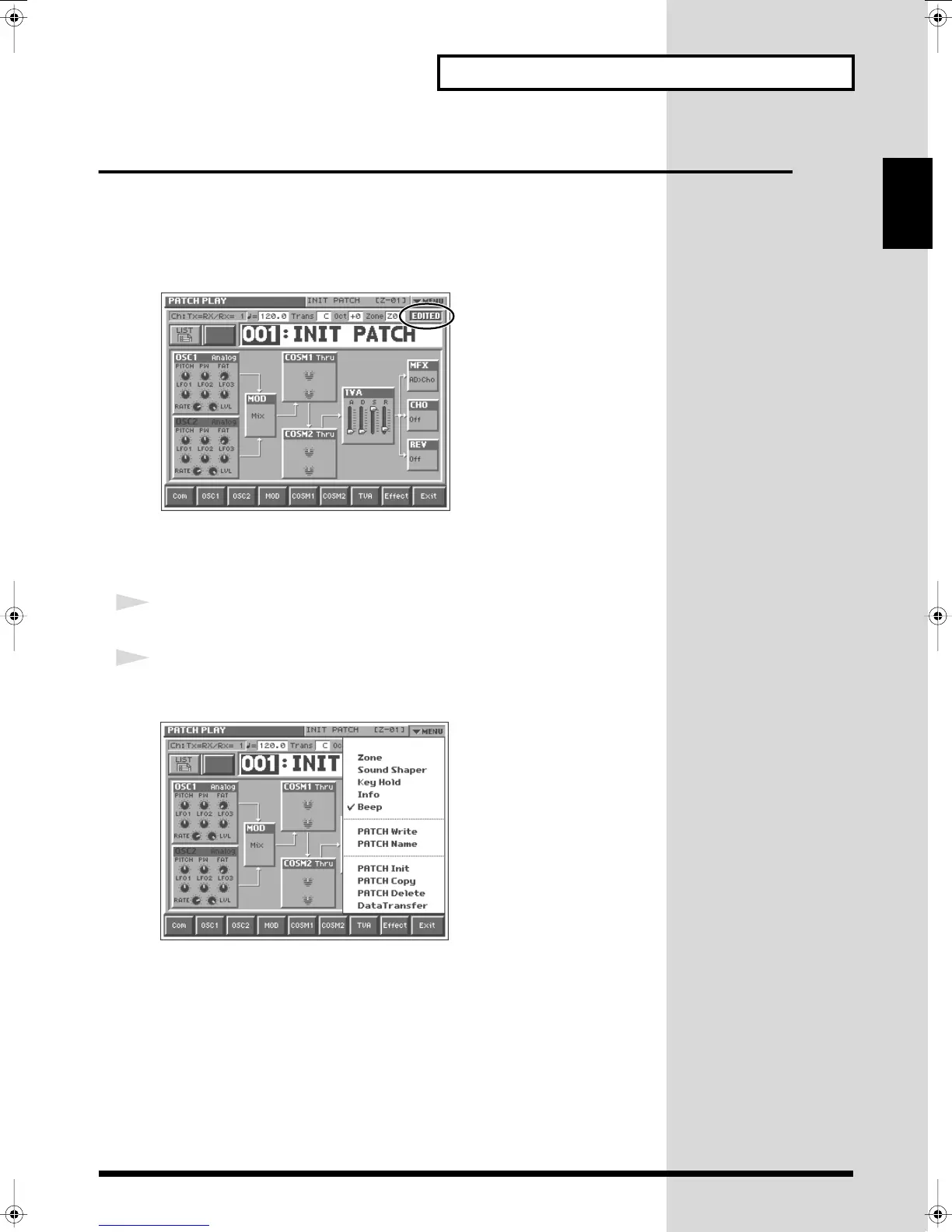
When you edit the settings of a patch, the PATCH PLAY screen displays <EDITED>
to remind you that the patch’s settings have been modified. If <EDITED> is
displayed, you will lose your edited patch settings if you switch to another patch or
turn off the power. If you want to keep a patch whose settings you have edited,
assign a name to the patch and then perform the
Save
operation.
fig.Q-36
Naming Patches (PATCH Name)
Before you save your patch, give it a new name as follows.
1
Make sure that the patch you want to name is selected.
2
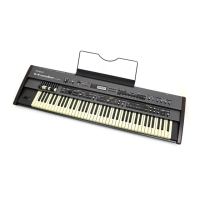
Touch <
▼
MENU> in the upper right of the screen.
A pulldown menu appears.
fig.Q-37_60
Reference_e.book 49 ページ 2005年3月10日 木曜日 午後5時6分



 To Next Page