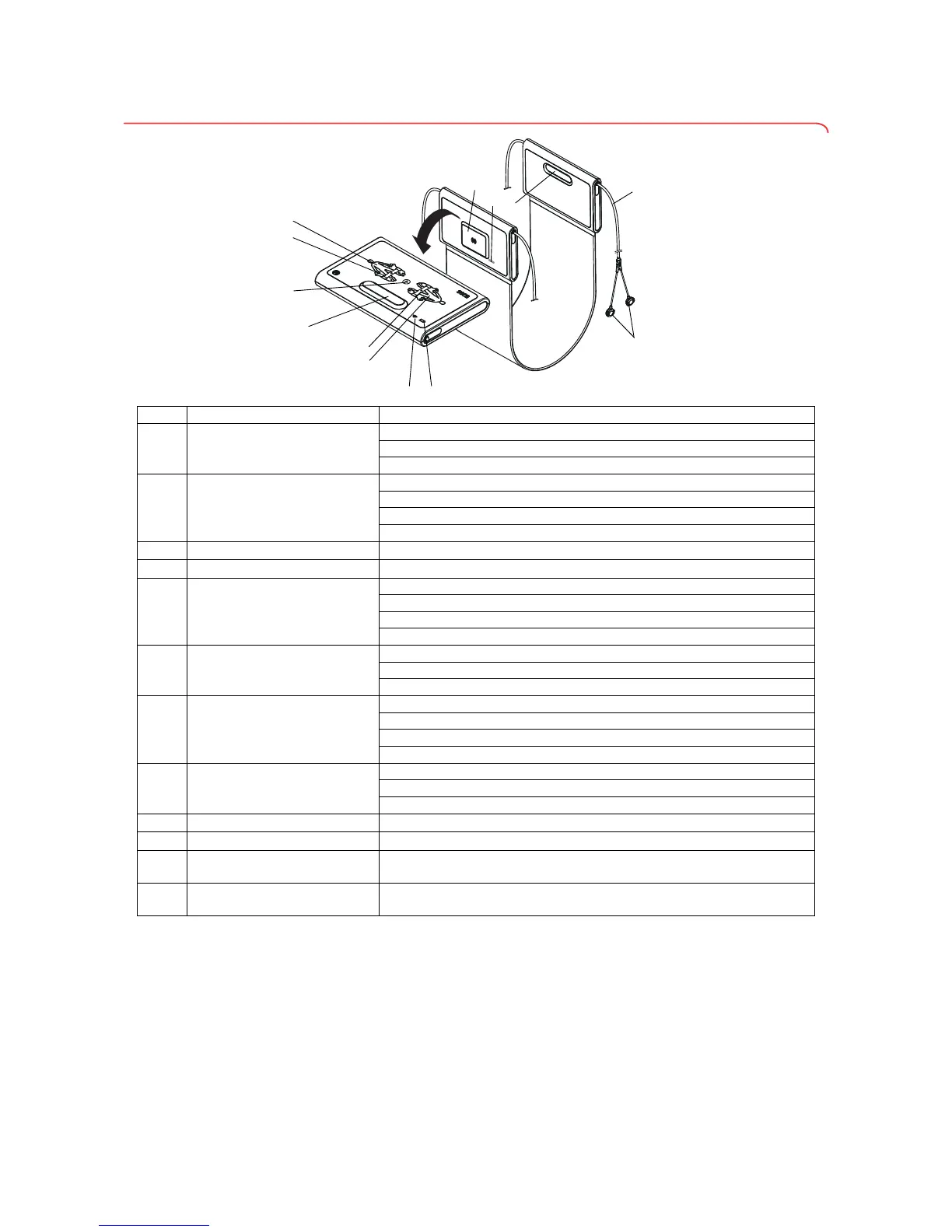
No. Control Function
A
LEDs, electrodes on left
LED green: electrode contact good
LED green, flashing: measurement in progress
LED red: electrode contact poor
B
Button with LED,
patient position left
Enter patient position
LED green: seca patient file loaded, patient position selected
LED green, flashing: end of measurement
LED red: no seca patient file loaded
C
Start button Starting measurement
D, K
Magnetic catch For folding up measuring mat for transport/storage
E
Button with LED,
patient position right
Enter patient position
LED green: seca patient file loaded, patient position selected
LED green, flashing: end of measurement
LED red: no seca patient file loaded
F
LEDs, electrodes on right
LED green: electrode contact good
LED green, flashing: measurement in progress
LED red: electrode contact poor
G
LED, WiFi
LED green: WiFi connection to monitor OK
LED green, flashing: WiFi connection being set up
LED red: no WiFi connection to monitor
LED off: WiFi deactivated
H
LED, charging status
LED green: rechargeable battery full
LED green, flashing: charge rechargeable battery as quickly as possible
LED red: rechargeable battery discharged
I
Electrode connections For connecting to electrodes
J
Electrode cable For transmitting signals from electrodes to the measuring mat
L
Infrared interface
Automatic data transmission: monitor/measuring mat
Alternative if no WiFi available
M
Inductive charging interface
with magnetic catch
For charging measuring mat rechargeable battery



 To Next Page