70 •
3.3 Setting up a connection to the seca analytics 115 PC software
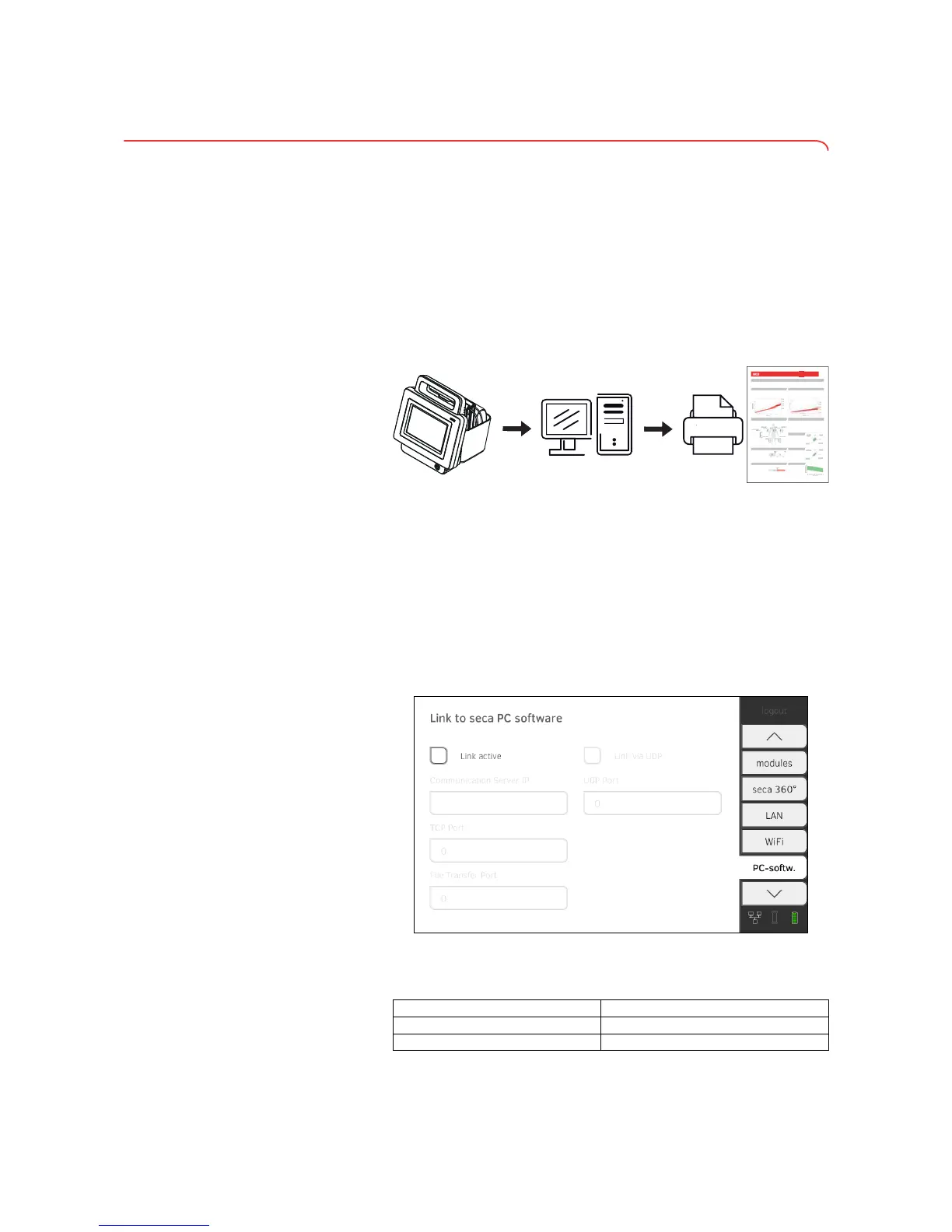
Introduction On the PC softw. tab, you can connect the device to the seca 115 PC soft-
ware either via UDP or manually. The functions below are then available.
• Synchronize patient and user data automatically➔ Activating automatic
synchronization.
•
seca directprint: issue results reports directly from the device on a net-
work printer ➔ Viewing the evaluation.
NOTE:
• You specify the network printer for the seca directprint function
directly in the
seca 115 PC software
• Settings you make in this tab are active directly. You do not need to
save or confirm them.
• Also observe the Administrator Manual for the
seca 115 PC soft-
ware.
Setting up PC connection on an
automated basis (UDP)
1. Press the PC softw. tab.
The
Connect via UDP checkbox is activated at the factory.
2. Press the Link active checkbox.
The function is activated.
3. Adapt default settings if necessary.
➔ Introduction
➔ Setting up PC connection on an automated basis (UDP)
➔ Setting up PC connection manually
seca 115
Server/Stand-Alone-PC
(seca mediator service)
Network-Printerseca 525
LAN/WiFi
LAN/WiFi
XQWHUVXFKXQJVHUJHEQLVVH
3DWLHQWHQGDWHQ
,'
1DPH
$OWHU
*HVFKOHFKW
'DWXP
=HLW
%RG\0DVV,QGH[
*HZLFKW
*U|H
%RG\0DVV,QGH[
)HWWPDVVH)HWWIUHLH0DVVH
)HWWPDVVH )HWWIUHLH0DVVH
)0*UHQ]HQDXI%DVLVYRQ%0,*UHQ]HQ
6NHOHWWPXVNHOPDVVH
(QHUJLH
5XKHHQHUJLHYHUEUDXFK 2SWLPDOH(QHUJLHDXIQDKPH
3K\VLFDO$FWLYLW\/HYHO 7KHUDSLHGDXHU
*HVDPWHQHUJLHYHUEUDXFK 7KHUDSLH]LHO
%RG\&RPSRVLWLRQ&KDUW
)HWWPDVVH,QGH[)0,
)HWWIUHLH0DVVH,QGH[))0,
)OVVLJNHLW
*HVDPWN|USHUZDVVHU7%:
([WUD]HOOXOlUHV:DVVHU(&:
+\GUDWLRQ(&:,&:
%,9$
5HVLVWDQ]5
5HDNWDQ];F
9LV]HUDOHV)HWW7DLOOHQXPIDQJ
9LV]HUDOHV)HWW
7DLOOHQXPIDQJ
3KDVHQZLQNHO
3KDVHQZLQNHO
3HU]HQWLOH
$QWHLODP.|USHUJHZLFKW 6HLWH_(LQ]HOPHVVXQJ_3ULQWRXW_
VHFDB
3KLOOLSS3UHQ]ORZ
PlQQOLFK
NJ
P
NJPð NJ NJ
1RUPDOEHUHLFKLQNJ
IUP
ƃ
NFDO
NFDO
NJPð
NJPð
O
O
ȍ
ȍ
O
P
Input field Default setting
UDP Port 20011
File Transfer Port 20012



 To Next Page