68 •
3.2 Setting up WiFi connection (mobile operation)
Introduction If the device is to be used on a mobile basis, e.g. on a hospital ward, you can
integrate the device in your WiFi network and set up a connection to the
seca 115 PC software.
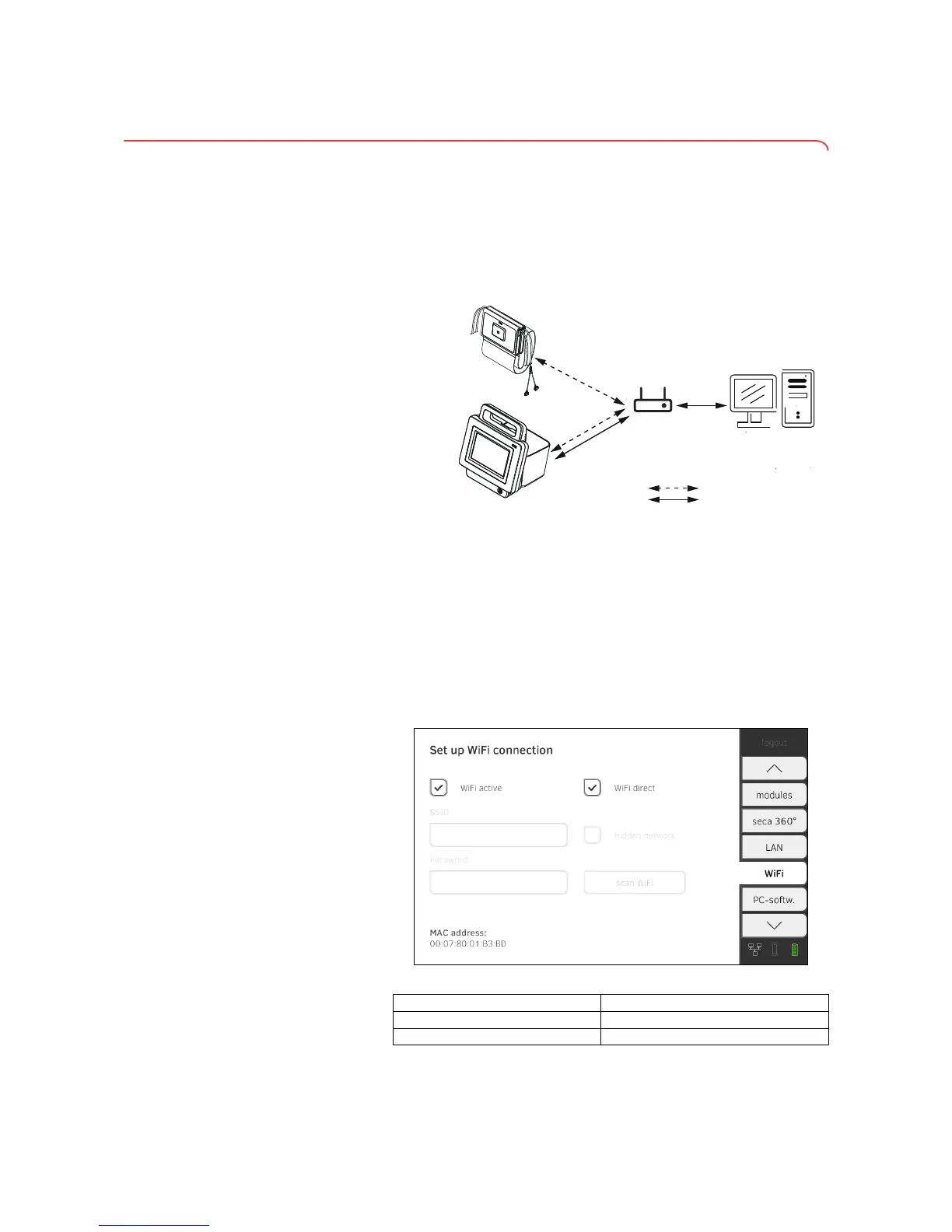
The monitor and the PC software communicate via the WiFi connection. The
monitor and the measuring mat likewise communicate via the WiFi connec-
tion. It is not possible for the measuring mat and the PC software to commu-
nicate directly.
NOTE:
If you and the device leave the reception range of the WiFi router, the
monitor and the measuring mat will automatically switch to a direct
WiFi connection.
Setting up a WiFi connection 1. Ensure that the measuring mat is correctly suspended in the storage
compartment of the monitor.
2. Press the WiFi tab.
3. Ensure that the following functions are active:
➔ Introduction
➔ Setting up a WiFi connection
➔ Deactivating/activating WiFi



 To Next Page