32 •
9. Press the appropriate ethnicity.
10. Press the save button.
The seca patient file has been created and is displayed.
NOTE:
If you realize that patient data need changing, contact your adminis-
trator.
11. Enter the basic parameters ➔ Entering basic parameters.
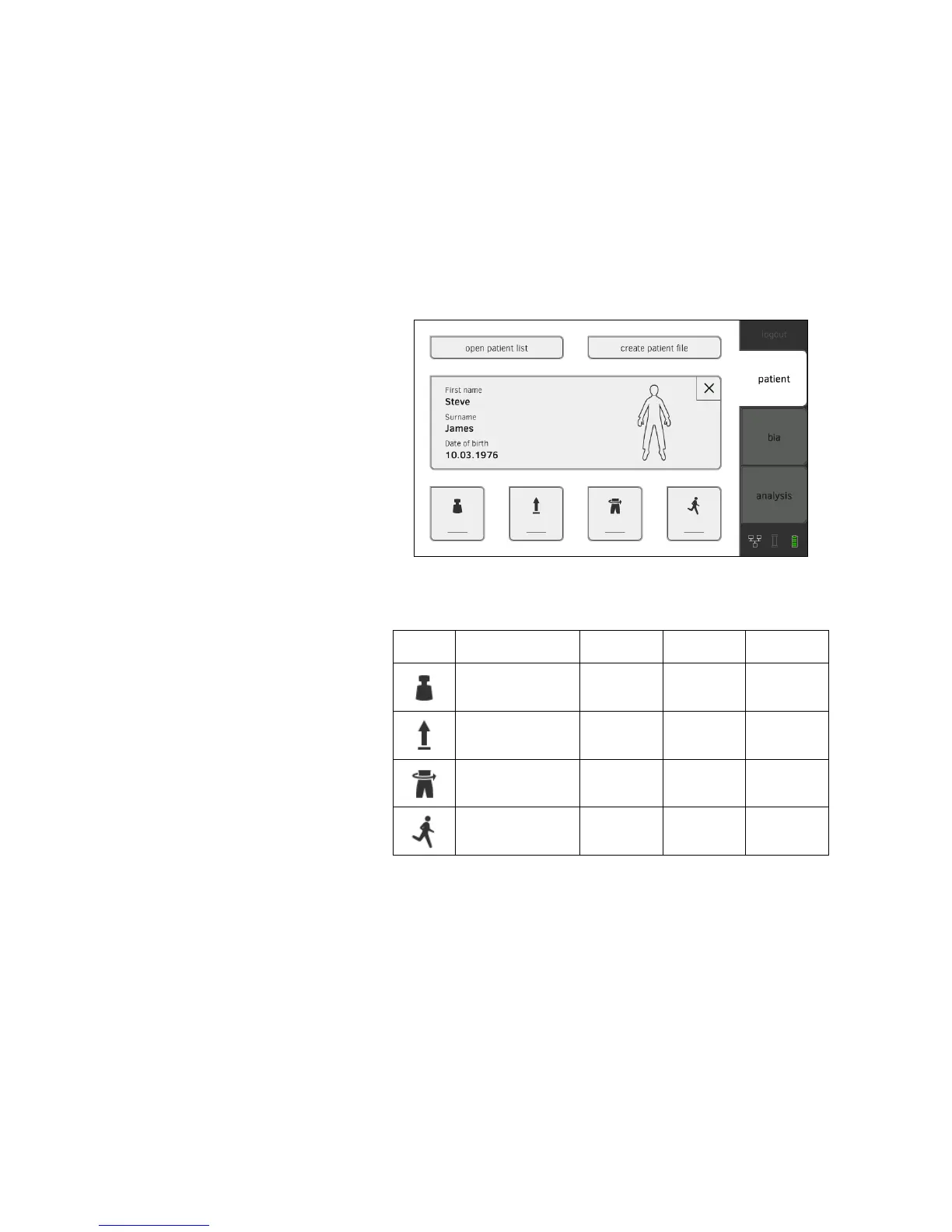
Entering basic parameters After you have called up ➔ Calling up seca patient file or created ➔ Creating
a seca patient file a new seca patient file, you must enter basic parameters so
that the device can evaluate the measurement correctly.
You can enter the values for basic parameters manually or take them from
other sources:
• = possible, - = not possible
1. Ensure that the measuring mat is correctly suspended in the storage
compartment of the monitor ➔ Suspending measuring mat in storage
compartment.
Button Meaning
Enter
manually
seca 360°
Adopt value
Re-use old
value
Weight •••
Height •••
Waist
circumference
•-•
Physical Activity
Level (PAL)
•-•



 To Next Page