64 •
Setting display brightness and
volume
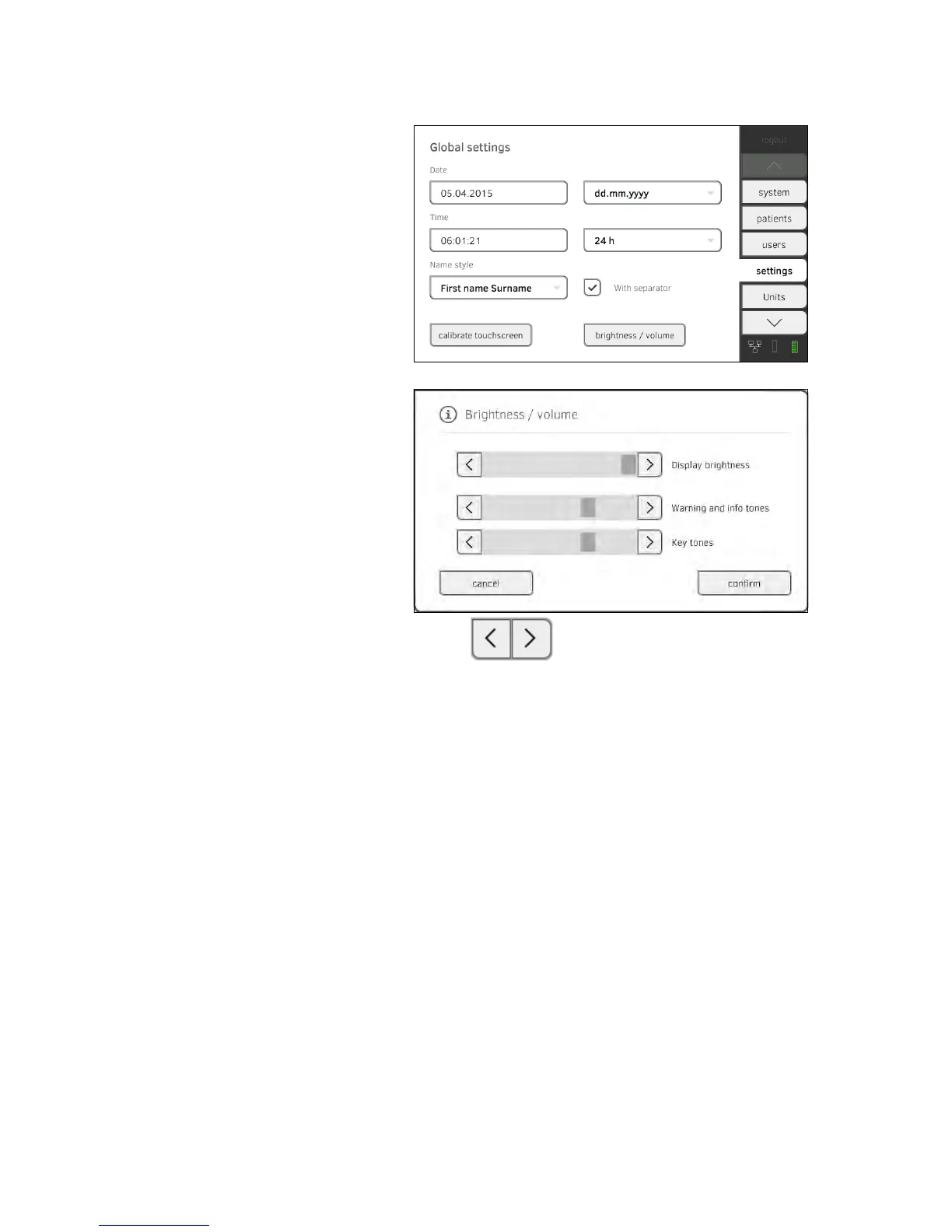
1. Press the settings tab.
2. Press the
Brightness/volume button.
3. Press the buttons as appropriate.
► Set display brightness
► Set volume for warning and information sounds
► Set volume for button sounds
Amended settings can immediately be seen/heard each time a button is
pressed.
4. Press the
confirm button.
The settings will be saved.



 To Next Page