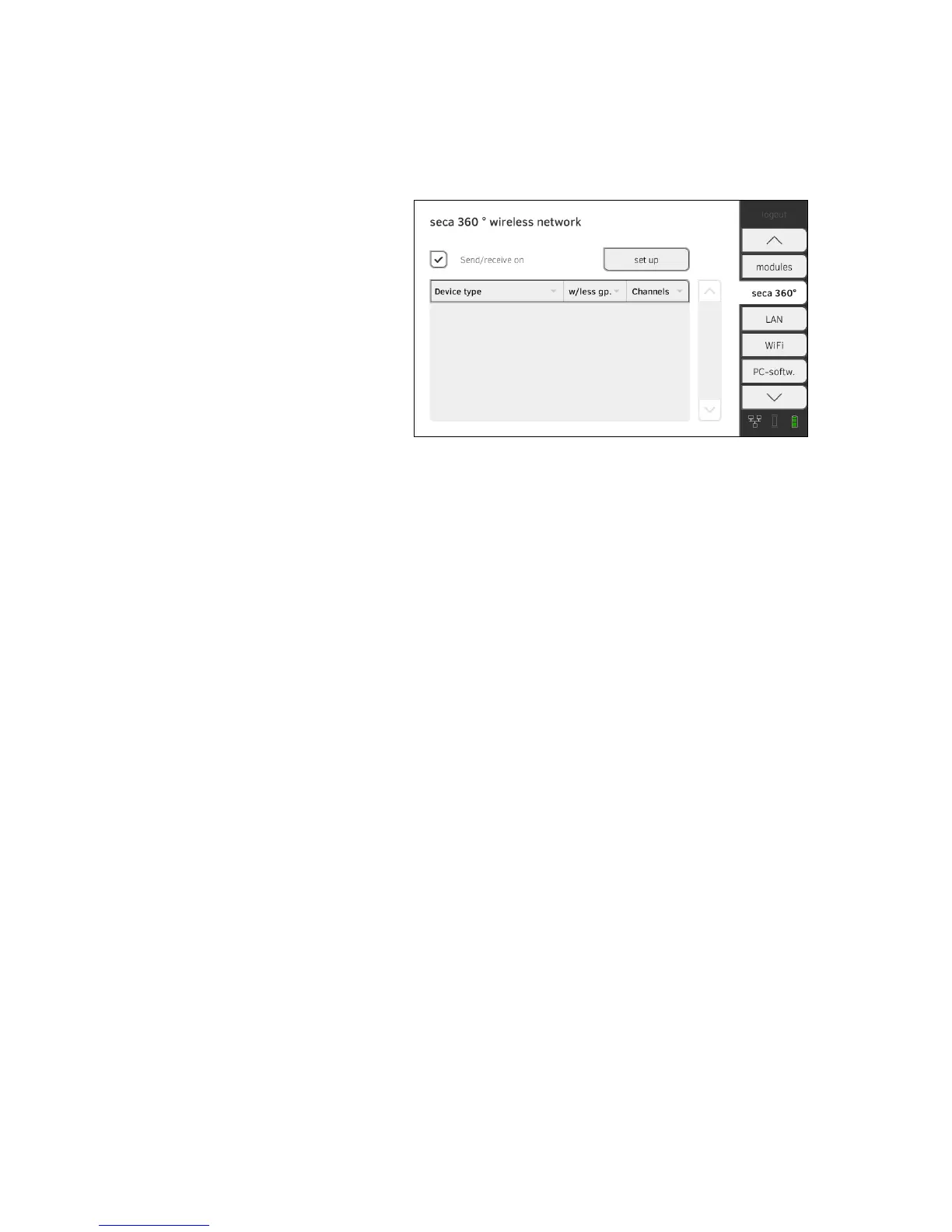
Setting up a seca 360° wireless
connection
1. Ensure that the seca 360° wireless modules of the seca 525 and all the
devices you want to connect to the seca 525 are activated.
2. Switch off all the devices you want to connect to the
seca 525.
3. Press the seca 360° wireless network tab.
4. Press the
set up button.
5. Press one of the three wireless groups.
The device searches for
seca 360° wireless devices which are switched
on.
The device will suggest three wireless channels.
ATTENTION!
Incorrect device assignment
Only one example of a device category (e.g. personal scale or length
measuring device) can be integrated in each wireless group.
► Take note of the Technical Data in the section of the Instructions for
Use entitled ➔ seca 360° wireless system.
ATTENTION!
Data transmission interference
The proposed channel numbers can be edited. This function is
intended purely for special reception situations. Devices may be
assigned to the wrong wireless groups or unreliable wireless connec-
tions may arise.
► Only change the channel numbers if the proposed channel numbers
do not result in a reliable wireless connection.
► Ensure that the new channel numbers are not being used for other
wireless groups.
► Ensure that the channel numbers are at least 30 apart from one
another.
6. Switch on all
seca 360° wireless devices you wish to incorporate in the
wireless group.
When devices are detected, a beep will be heard.
Detected devices will be displayed on the monitor.
7. Press the
finish button once all seca 360° wireless devices have been
detected.



 To Next Page