54 •
FOR ADMINISTRATORS: CONFIGURING SECA 525
English h
NOTE:
• This part of the user documentation contains information about
configuring the device for measuring mode and for integration in a
PC network.
• The functions described in this section are accessible exclusively to
users with administrator rights.
• Follow the information in the Instructions for Use.
1. PREPARING CONFIGURATION
ATTENTION!
Faulty configuration
During configuration, data are transmitted to the measuring mat via
the infrared interface. The infrared interface is located in the storage
compartment of the monitor.
► Ensure that the measuring mat is correctly suspended in the storage
compartment of the monitor throughout the entire configuration
process ➔ Suspending measuring mat in storage compartment.
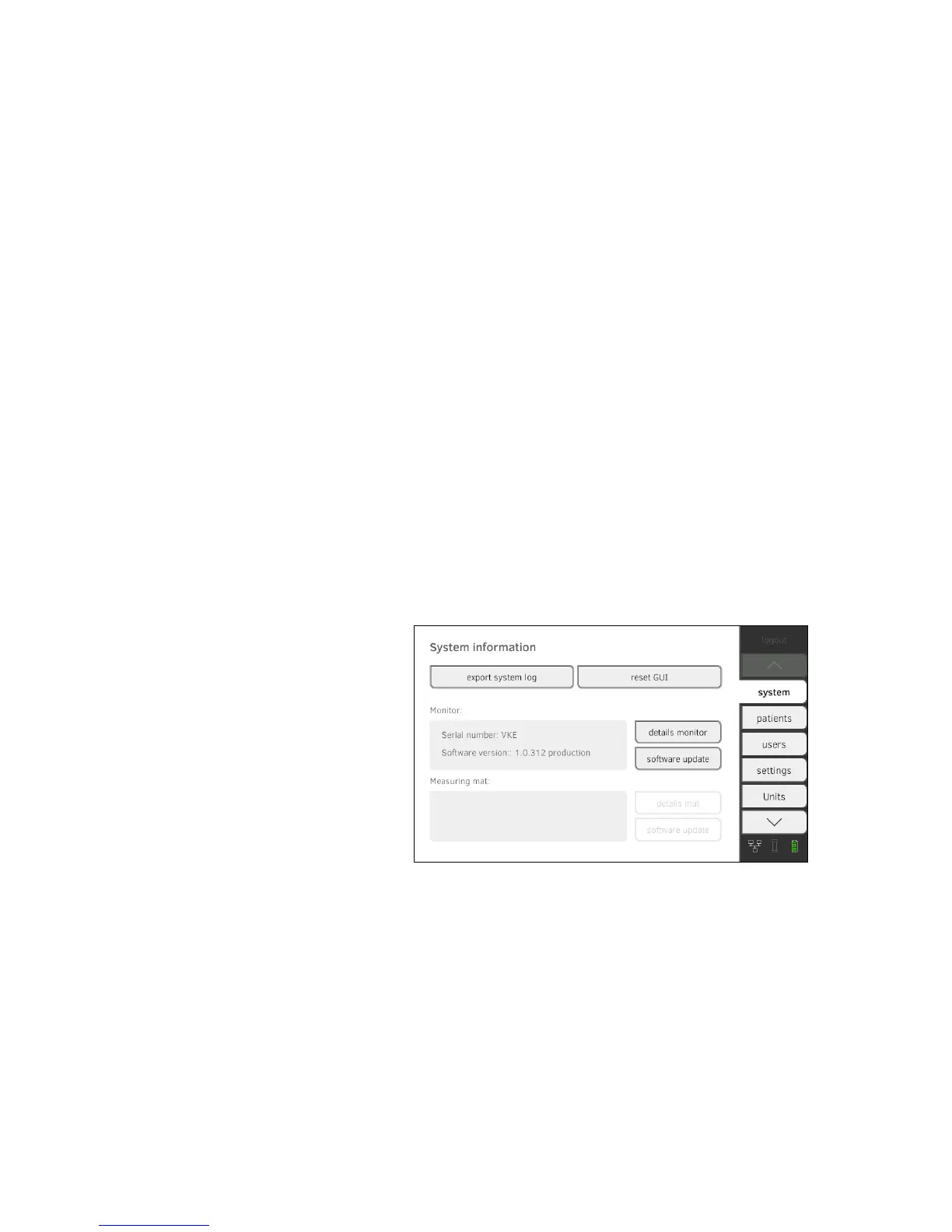
1. Switch on the device ➔ Switching system on/off.
The measuring mat switches on automatically.
2. Log on as the administrator (default user account: "admin"; password
"1357") ➔ Logging in.
The administrator area is displayed.
➔ Preparing configuration ➔ System data
➔ Measuring mode ➔ Instructions for use for seca 525
➔ Data connection


 To Next Page