62 •
2.4 Modifying default settings
Making regional settings ATTENTION!
Loss of data, misinterpretation of measurements
The settings for date and time are not automatically synchronized with
the settings in the
seca 115 PC software. Different date and time
information may lead to measurements being misinterpreted.
► Ensure that the same settings for date and time are made both on
the device and in the
seca 115 PC software.
1. Press the
settings tab.
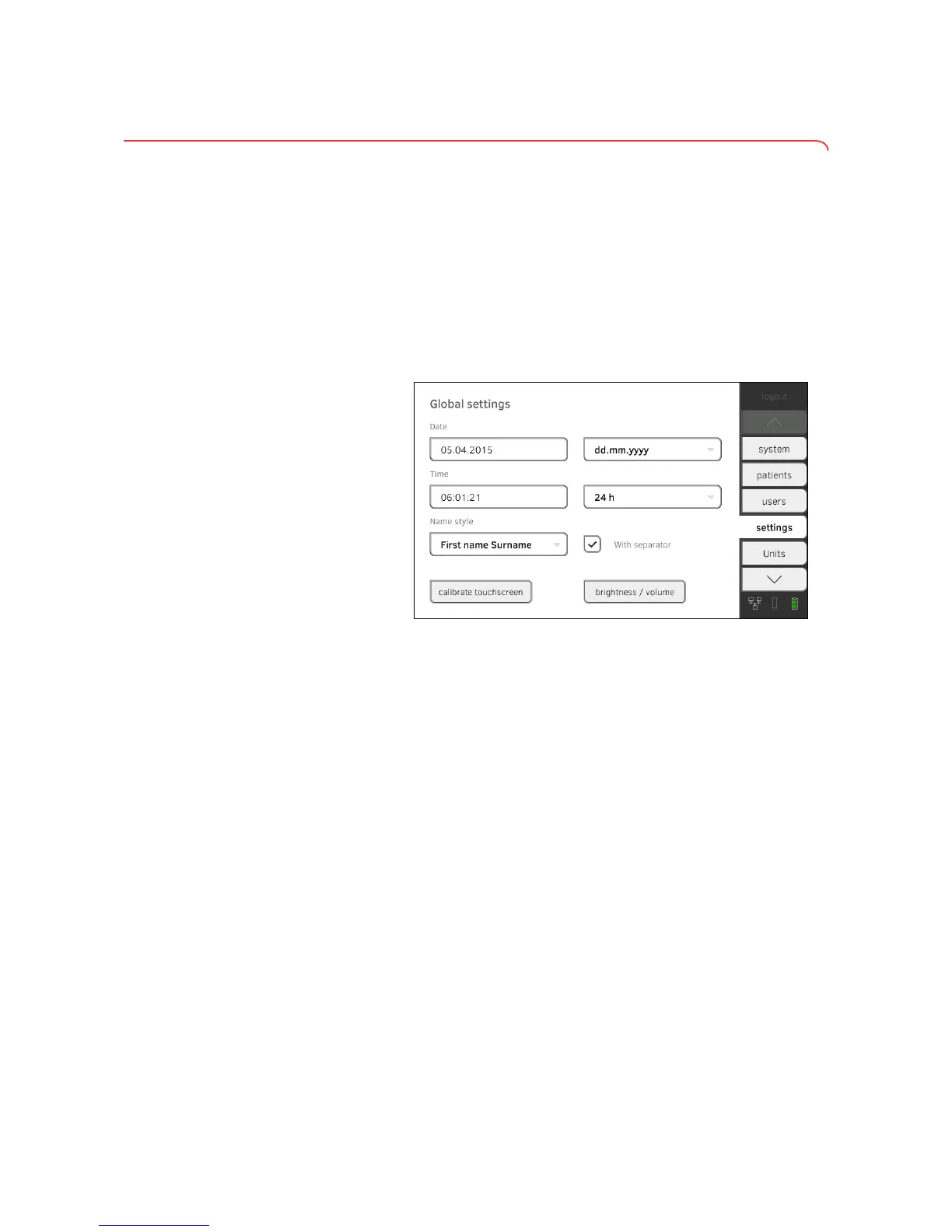
2. Specify the regional settings by pressing the relevant input field.
► Enter date
► Select date format
► Enter time
► Select time format
► Select naming convention
► Activate/deactivate name separator.
The settings will be transmitted to the measuring mat.
NOTE:
• The dialog language cannot be specified on this tab. The dialog lan-
guage is assigned to each user individually ➔ Setting up a user
account.
• Settings you make in this tab are active directly. You do not need to
save or confirm them.
➔ Making regional settings
➔ Calibrating touchscreen display
➔ Setting display brightness and volume



 To Next Page