Kingfisher Plus+ Hardware Manual
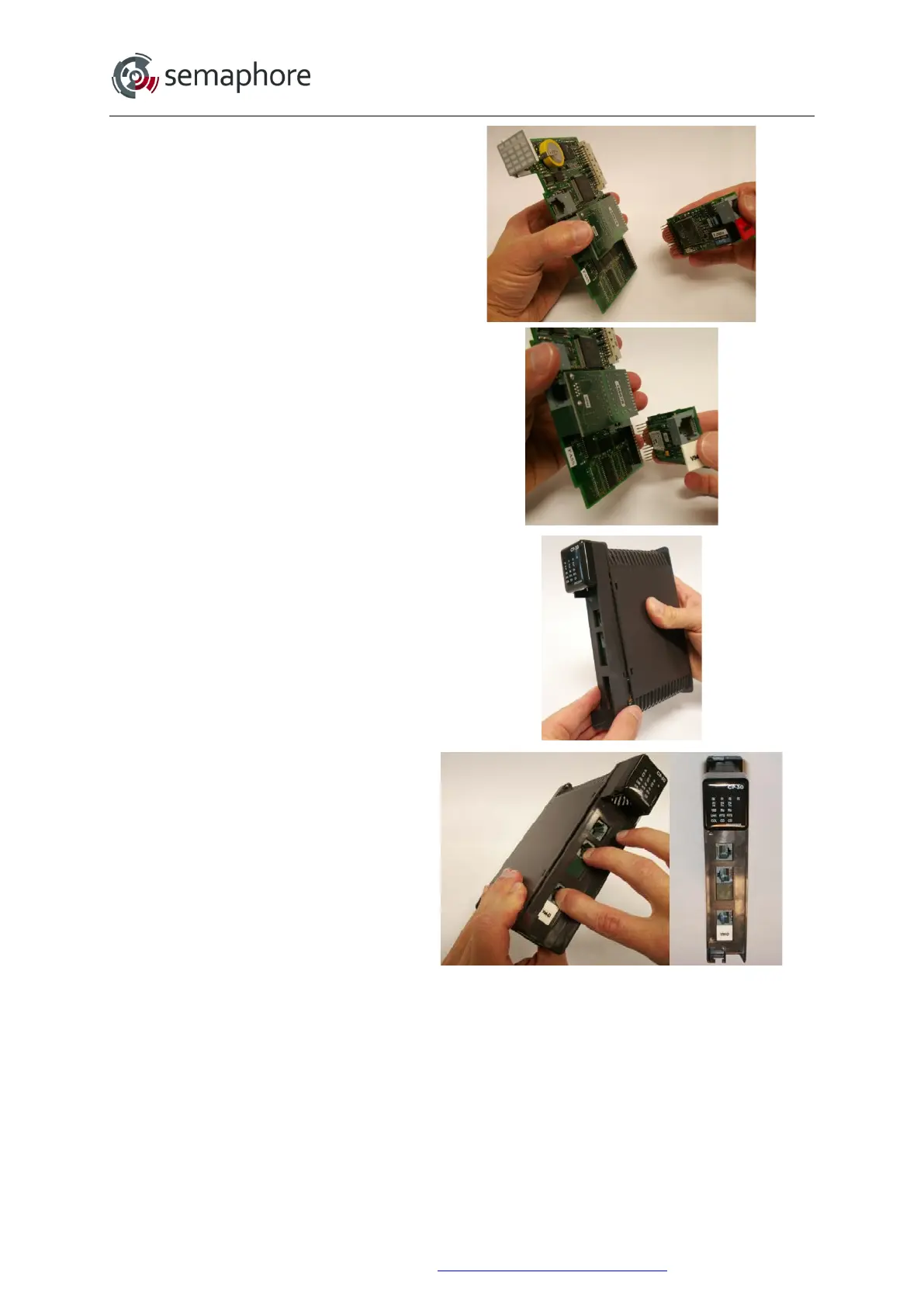
6. Unplug the old option board (if
applicable) and insert the new option
board.
Please ensure that all of the option
board pins line up with the socket.
7. Slide the circuit board into the
channel on the left side of the case.
Hook the top of the cover into the
case.
8. Press the bottom of the cover onto
the case. At the same time, please
ensure that the option boards line up
with the cutouts.
Ensure the cover is fully inserted and
that the 4 tabs have all engaged.
Hardware Manual Version 7.16
http://www.servelec-semaphore.com/
Page 98


 To Next Page