| 3 - System planning
Multi-Room Mode setup with both SL Rack Receiver DW and SL
Multi-Channel Receiver DW
When installing SpeechLine Digital Wireless in several rooms, it is crucial that you perform
the following steps one after the other and room by room. When installing SpeechLine Digital
Wireless devices in one room, all devices in all other rooms must be switched off.
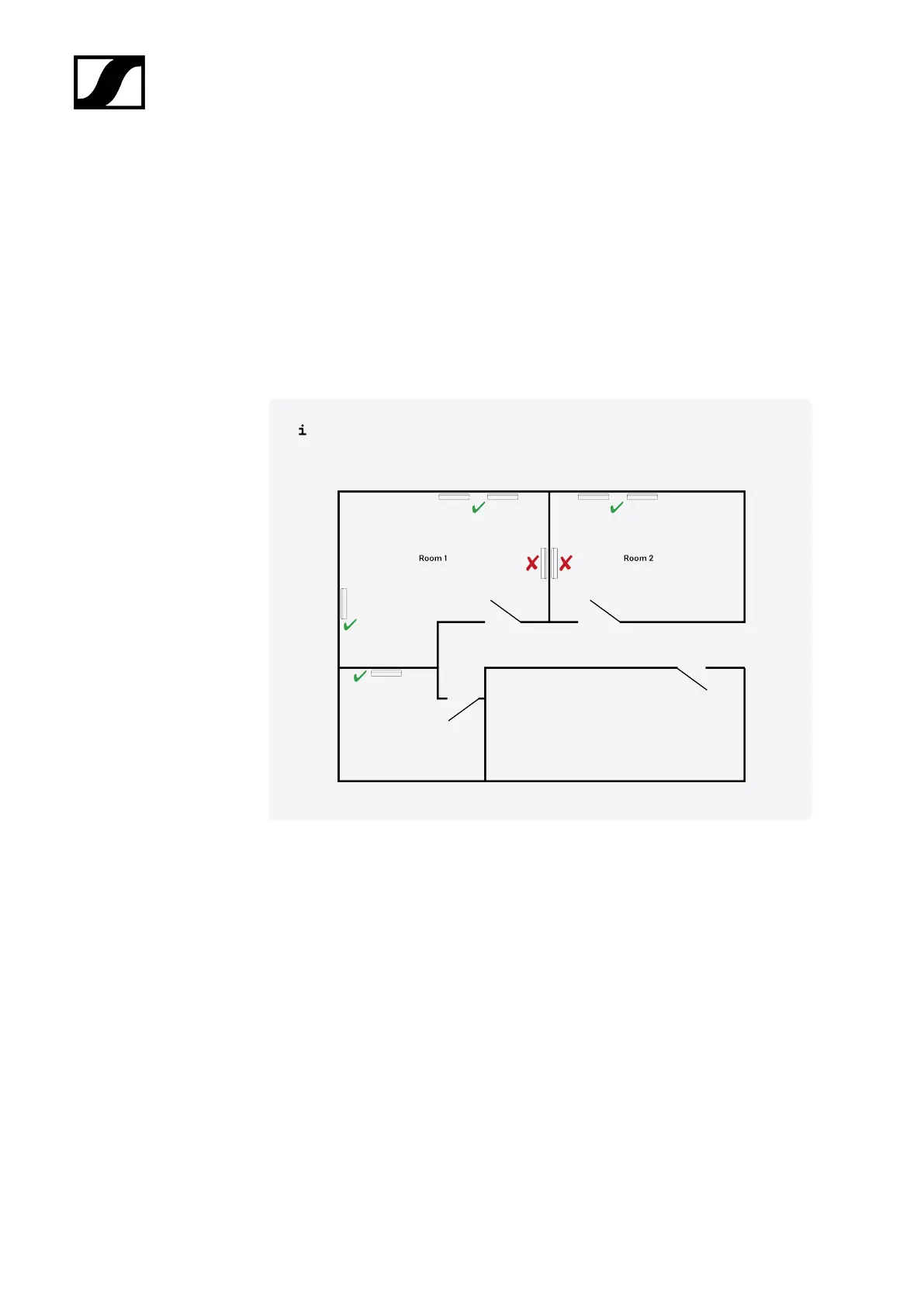
▷ Install all SL Multi-Channel Receiver DW units of one room to a wall or the ceiling with
the front sides of the receivers facing into the room.
Note: to ensure the Master/Follower functionality the receivers should be
installed side to side and not back to back, as indicated in the following
illustration.
▷ Install all SL Rack Receiver DW units in one rack and connect all cables (power, audio
and LAN) (see Installing receivers in a rack and Connecting the receiver).
▷ Mount all antennas for the rack receivers as recommended and feasible (see
Recommendations on antenna mounting).
▷ Connect a LAN cable supplying PoE to the Dante I / PoE / Ctrl RJ-45 socket of the
first SL Multi-Channel Receiver DW (see Connecting the receiver).
➥ This receiver will become the Master.
▷ Pair all transmitters.
▷ Set the RF power level of the receiver to the recommended RF power level according
to the room size as indicated in the Sennheiser Control Cockpit.
▷ Perform a walk test to ensure the best reception coverage.
▷ If necessary adjust the RF power level and repeat the walktest for verification.
▷ Connect a LAN cable supplying PoE to the Dante I / PoE / Ctrl RJ-45 sockets of all
other SL Multi-Channel Receiver DW units of the room (see Connecting the receiver).
68










 To Next Page