| 4 - Instruction manual
Installing receivers in a rack
This chapter describes how to install a single receiver or two receivers side by side in a rack.
You can also set up the receiver without installing it in a fixed location. You can find more
information about setting up the receiver under: Setting up the receiver.
NOTICE
Danger due to high temperature, mechanical loading or electric
leakage currents
When rack mounted, a receiver can be damaged by excessive heat or
mechanical stress.
▷ Make sure that the temperature within the rack does not exceed
the permissible temperature limit specified in the specifications.
▷ Make sure that the receivers in the rack are not subject to
mechanical stress.
▷ Make sure that circuits are not overloaded by providing
overcurrent protection if necessary.
▷ Make sure that the sum of the leakage currents of all power
supply units do not exceed the allowable limit values by
grounding the rack via an additional ground connection, if
necessary.
You need the GA 4 mounting kit to install the receiver in a rack, see GA 4 mounting kit.
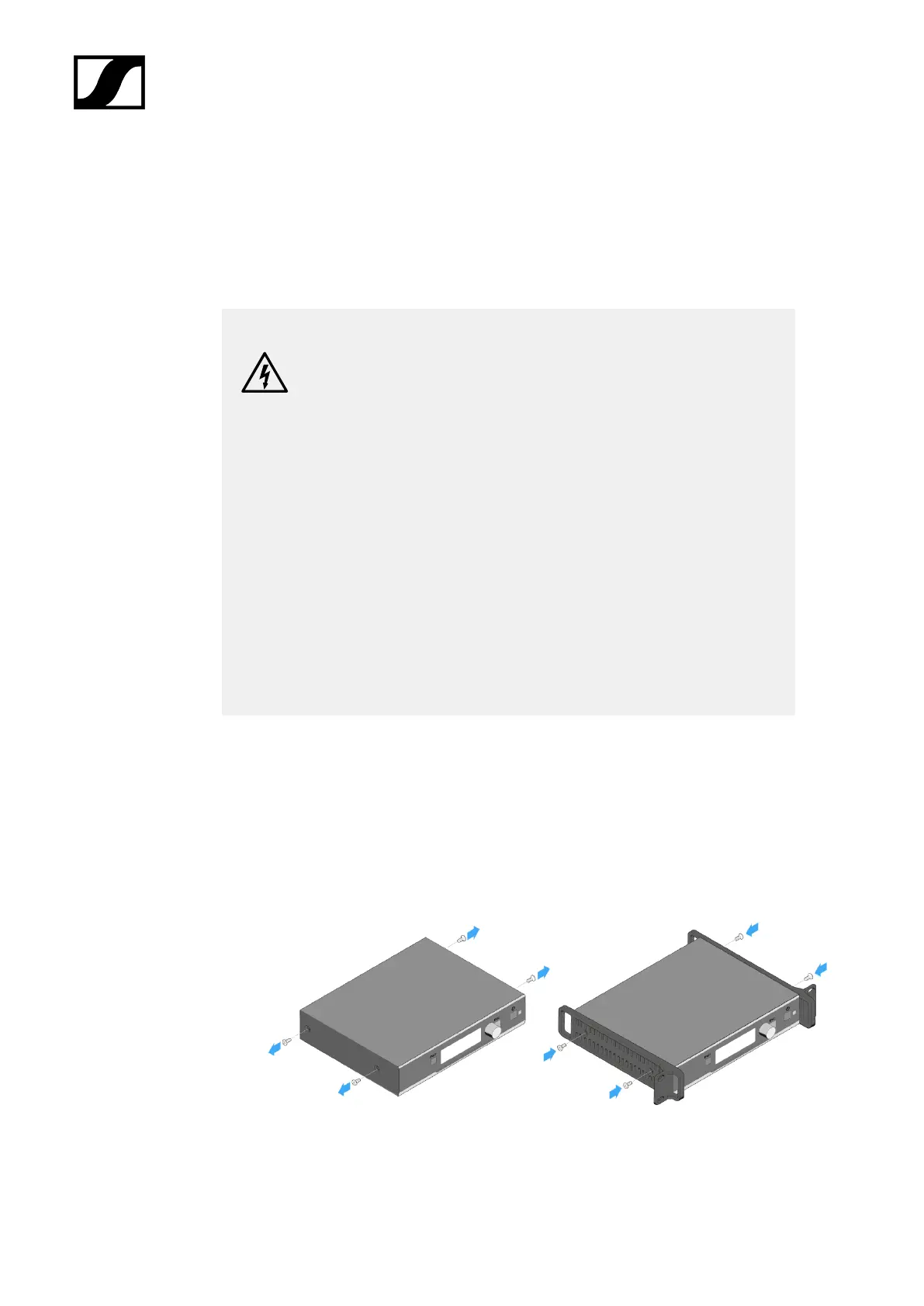
Fastening the mounting angles (to install a receiver)
▷ Unscrew and remove the two recessed head screws on each side of the receiver.
▷ Secure the mounting angles to the sides of the receiver using the previously removed
recessed head screws.
➥ Make sure that the angled ends of the mounting angles point forward.
87










 To Next Page