From play mode, you always have to enter pattern edit while the pattern you want is playing.
It also means you can edit a pattern that isn’t currently playing.
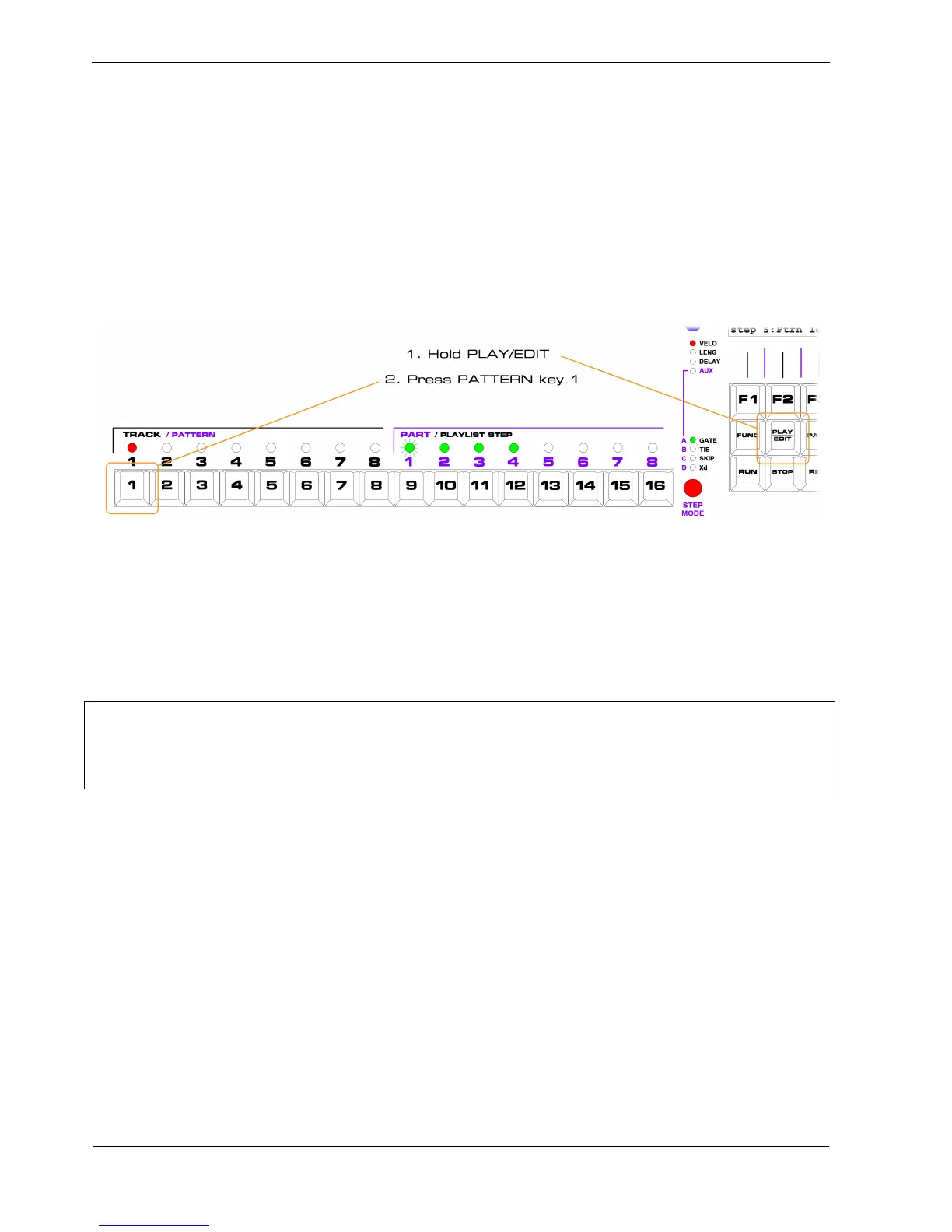
To enter pattern edit from playlist edit:
• hold the PLAY/EDIT key
• press the PATTERN key for the pattern number you wish to edit
In this case you want to edit pattern 1, like this:
In pattern edit, set the last step of the pattern to step 6.
If you don’t know how to do that, revisit the chapter on pattern edit.
Save the pattern, and as you leave pattern edit, you will return to playlist edit.
*TIP When you are in pattern edit for a pattern that is not currently playing, the “blip” that normally
runs across the step LEDs is replaced by a “blanking blip” – each step LED goes out briefly on the
current position in the pattern that is actually playing.
When you see the normal blip re-appear, you know the pattern you are editing is live.



 To Next Page