Setting the MIDI Channel for P3 Tracks
The “MIDI chan” soft-key is used to enter the MIDI channel select page, where you can configure the
MIDI output channel for each of P3’s tracks.
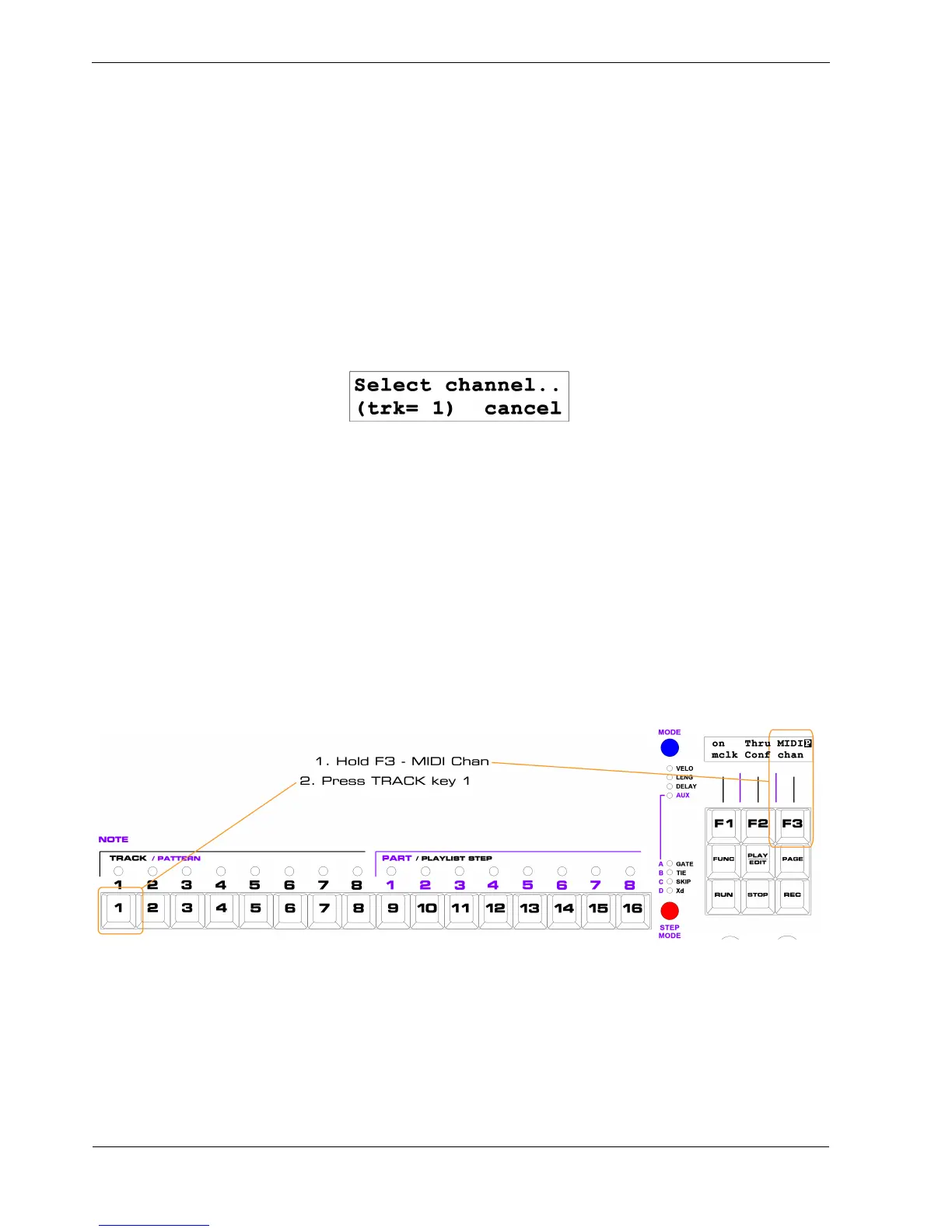
To enter the MIDI channel select page for a track:
• hold the “MIDI chan” key, F3
• press the TRACK key , 1 to 8, for the track to configure
All of the step LEDs will go out, except for one in red, and the display will look something like this:
Only soft-key F3 is active in this page, to “cancel” the channel selection page.
“(trk= n )” on the bottom left of the display confirms the num ber of the track you are changing.
The LED above the step number of the current MIDI channel for the track will be red.
To change the MIDI channel, press the step key for the desired channel number, 1 to 16.
Or, press “cancel”, F3, to leave the MIDI channel selection page without changing the channel.
For example, let’s say track 1 is assigned to MIDI channel 5, and you want to change it to channel 10.
First, enter the MIDI channel select page like this:
This will bring up the MIDI channel select page for track 1.



 To Next Page