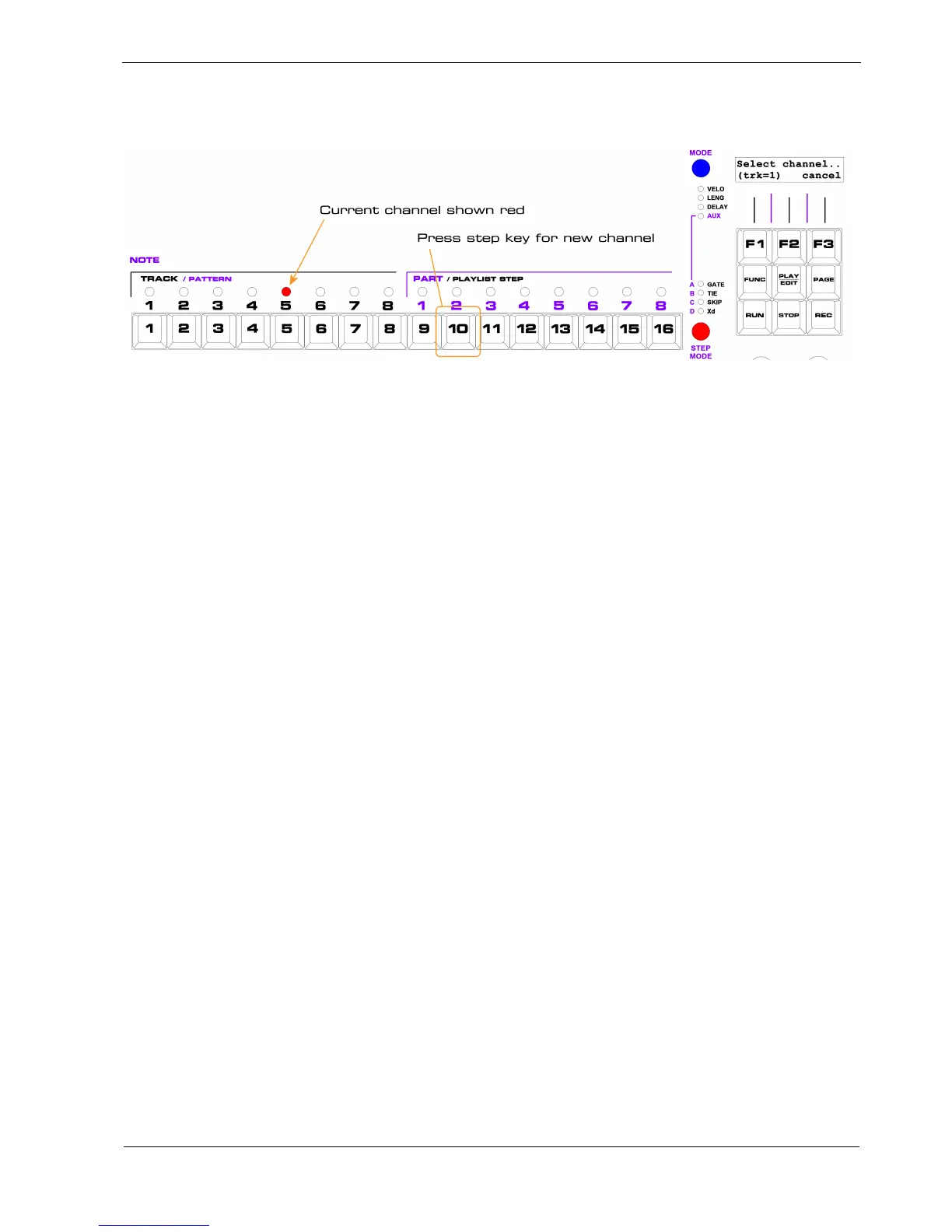
In the MIDI channel select page, step LED 5 will be red, showing track 1 is currently on MIDI channel
5:
Press step key 10, and track 1 will be assigned to MIDI channel 10. The step 10 LED will light red
briefly. Then P3 will exit the channel select page, and the step LEDs will return to the current track
and part status.
MIDI Channel Scope
MIDI channel selections for each track are global by default, meaning that they are the same for all
banks.
However, you can enable different channel settings for each bank, using the “Mchans per bank” user
config option.
User config options are described in the section on play mode page 7.
Special Channels
As well as the MIDI channel settings for each track, there are two other special purpose MIDI channels
used by P3.
One is used for sending an optional program change message when a new bank is selected
Another channel may be used for sending and receiving special P3 remote control messages.
To configure the bank program change channel, use the “MIDI Chan” soft-key with step key 9. The
bottom left of the display will show “(pgm)” while you make this selection.
To configure the remote control channel, use the “MIDI Chan” soft-key with step key 10. The bottom
left of the display will show “(rem)” while you make this selection.



 To Next Page