F2 - MIDI Thru and Record Config
Pressing “Thru Conf”, F2, brings up the MIDI Soft-Thru and Record channel configuration page.
Here you can configure whether M IDI messages arriving at P3's MIDI input are passed through to the
MIDI output, and re-route them to a single channel if required.
You can also configure the MIDI channel for real-time recording input from a keyboard or other MIDI
controller.
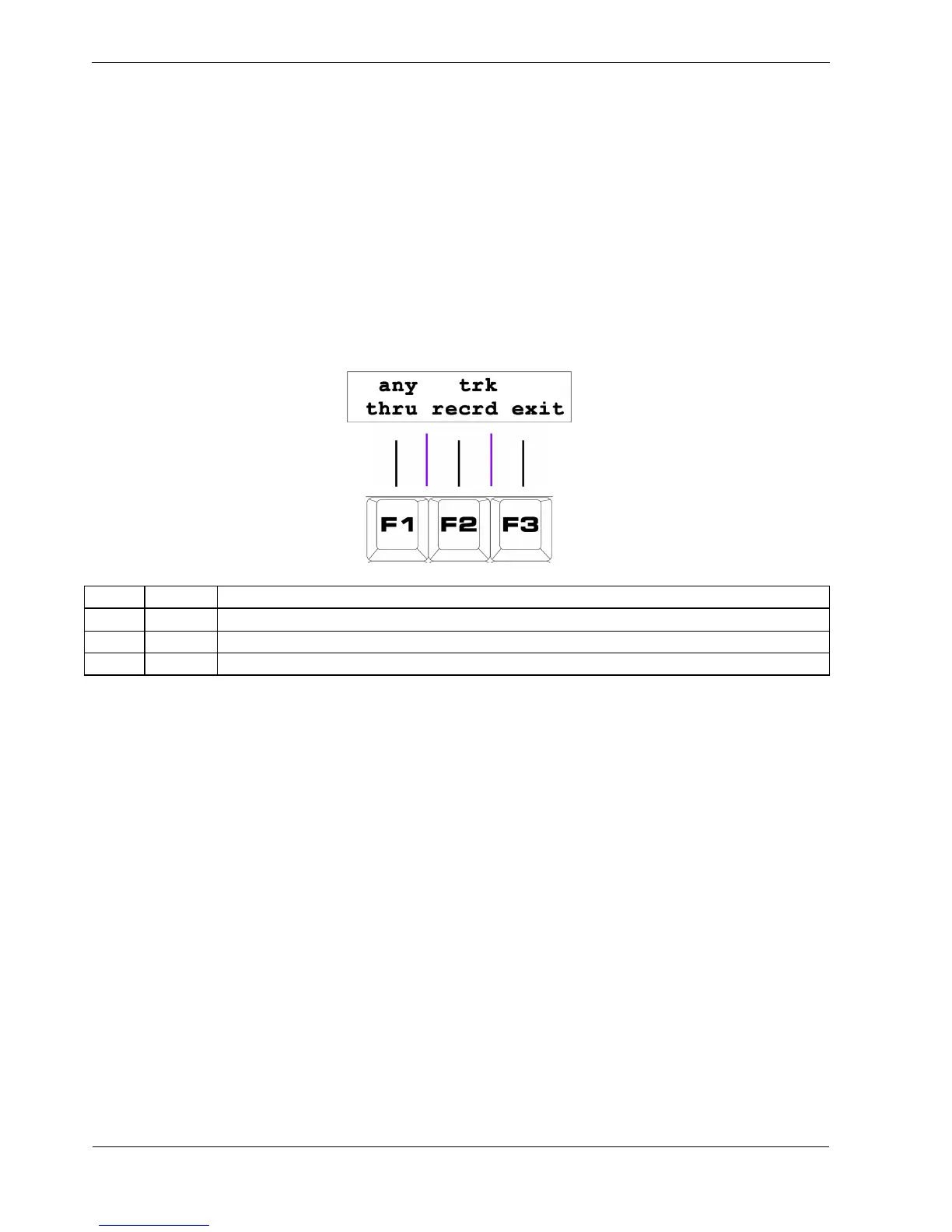
The “Thru Conf” page will look something like this:
Key Label Function
F1 thru Configure soft-thru channelisation
F2 recrd Configure the real-time record channel
F3 exit Return to play mode
F1 - Soft-Thru Channelisation
The first option, “thru”, is the soft-thru channelisation setting.
This can be “any”, “off”, or a MIDI channel number from 1 to 16.
To select “any” or “off”:
• press and release the “thru” soft-key, F1, by itself.
Repeated presses toggle between these two values.
To select a specific MIDI channel number:
• hold the “thru” soft-key, F1
• press the step key for the MIDI channel to be used
Turning this option “off” means no incoming MIDI messages will be passed.
A setting of “any” means P3 will echo any incoming MIDI messages straight to the MIDI outputs.



 To Next Page