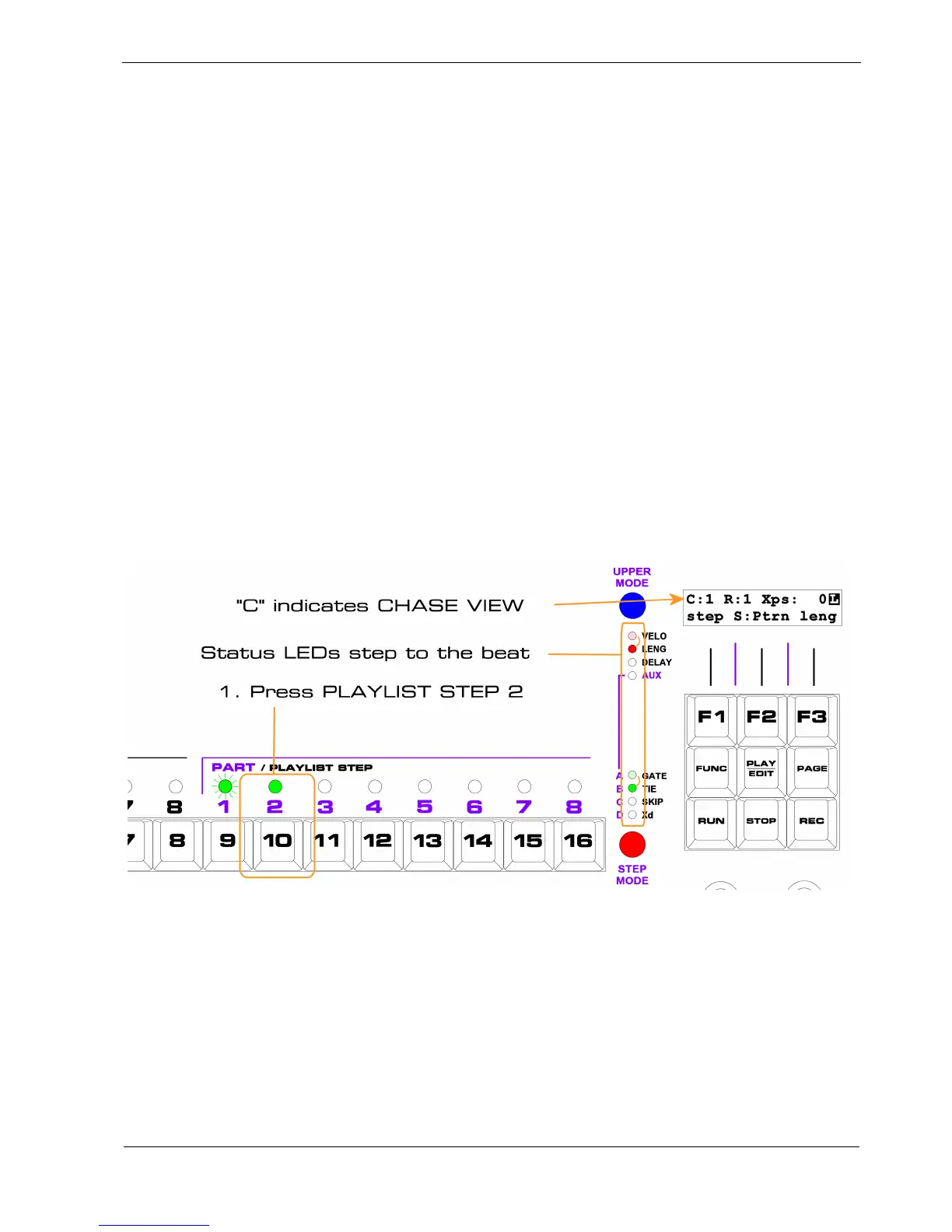
This makes Chase view better suited to looking at what’s in your playlist rather than trying to edit it –
unless you’re quick.
As a visual aid to show that you are in Chase view , aside from the “C” in the display, one each of the
UPPER MODE and STEP MODE status LEDs light up and “chase” downwards by one step on each
beat.
Edit View
In Edit view you can select any playlist step directly in order to edit it, or just to view the values of
repeats, transpose and sync without having to wait for that step to come round.
The step you chose to edit will remain selected, even though the playlist continues to play as normal.
To select Edit view all you need to do is press the PLAYLIST STEP key for the step you want to edit.
Let’s continue with our example by using Edit view to look at step 2 in the playlist.
Select Edit view for playlist step 2 as follows:



 To Next Page