GB SGM Technology for lighting
User’s Manual 1.00 Pi
lot 3000
- 104 -
Attributes and Parameters keys
The Attributes keys allow to choose the attribute to which applying the effect in the Pallette family. Once
applied the Attribute effect desired, the four red cells will show the Parameters of the effect. The below
encoders modifies the parameters of the effect at will.
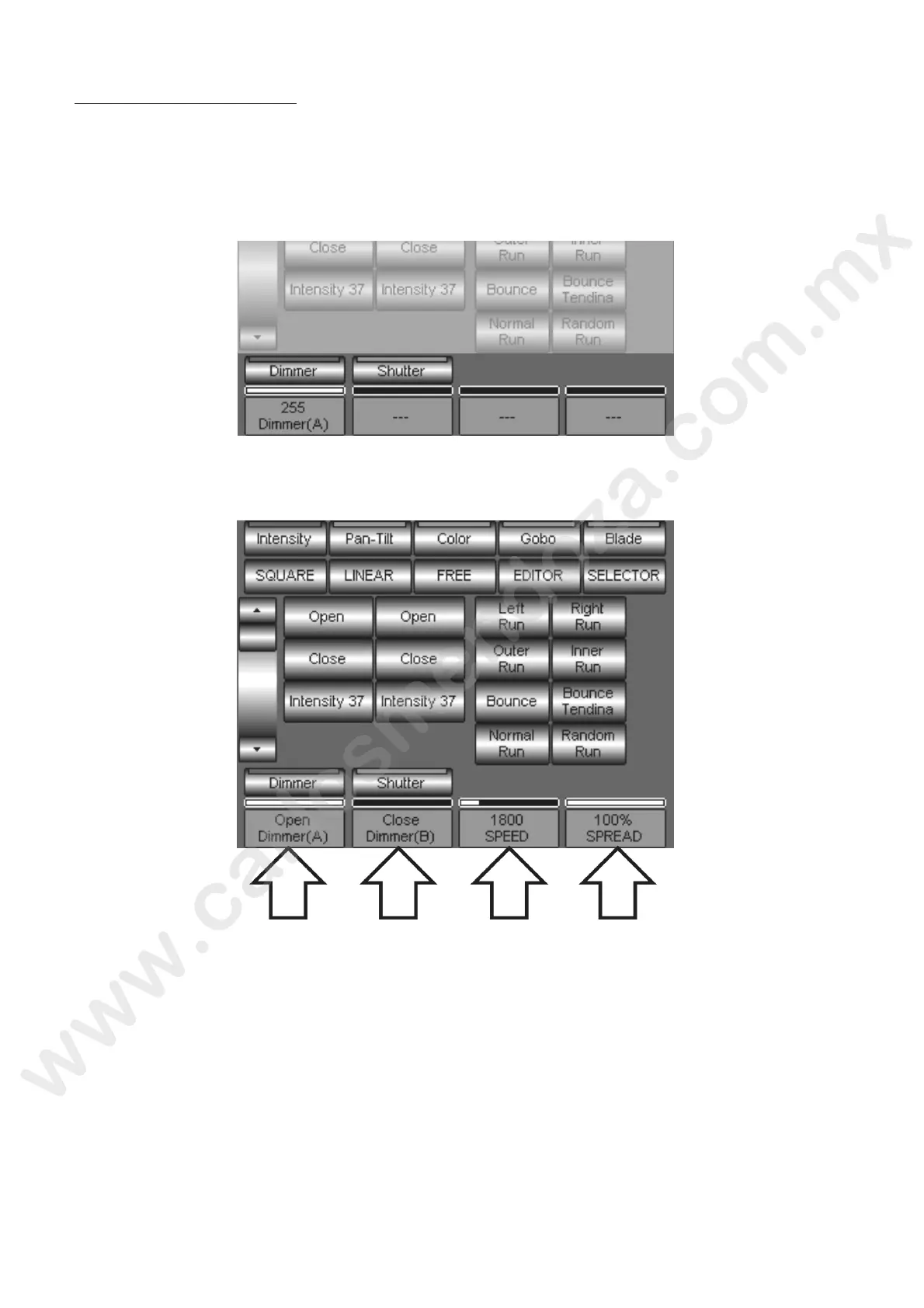
In the below figure we will show an example of the Dimmer Attribute selection without the application of
any effect.
Once applied the effect, al the cell will show the relevant parameters.
The figure shows now the effect applied to the Dimmer Attribute and the relevant parameters now are:
(A): Eff ct Margin. In the above figure it handles of the “Open” Palette
(B) Effect Margin. In the above figure it handles of the “Close” Palette
Speed: Effect Speed
Spread: it decides the eventual delay time between an oscillation and the next one. At value 100% the
effect will never stop.



 To Next Page