GB SGM Technology for lighting
User’s Manual 1.00 Pi
lot 3000
- 106 -
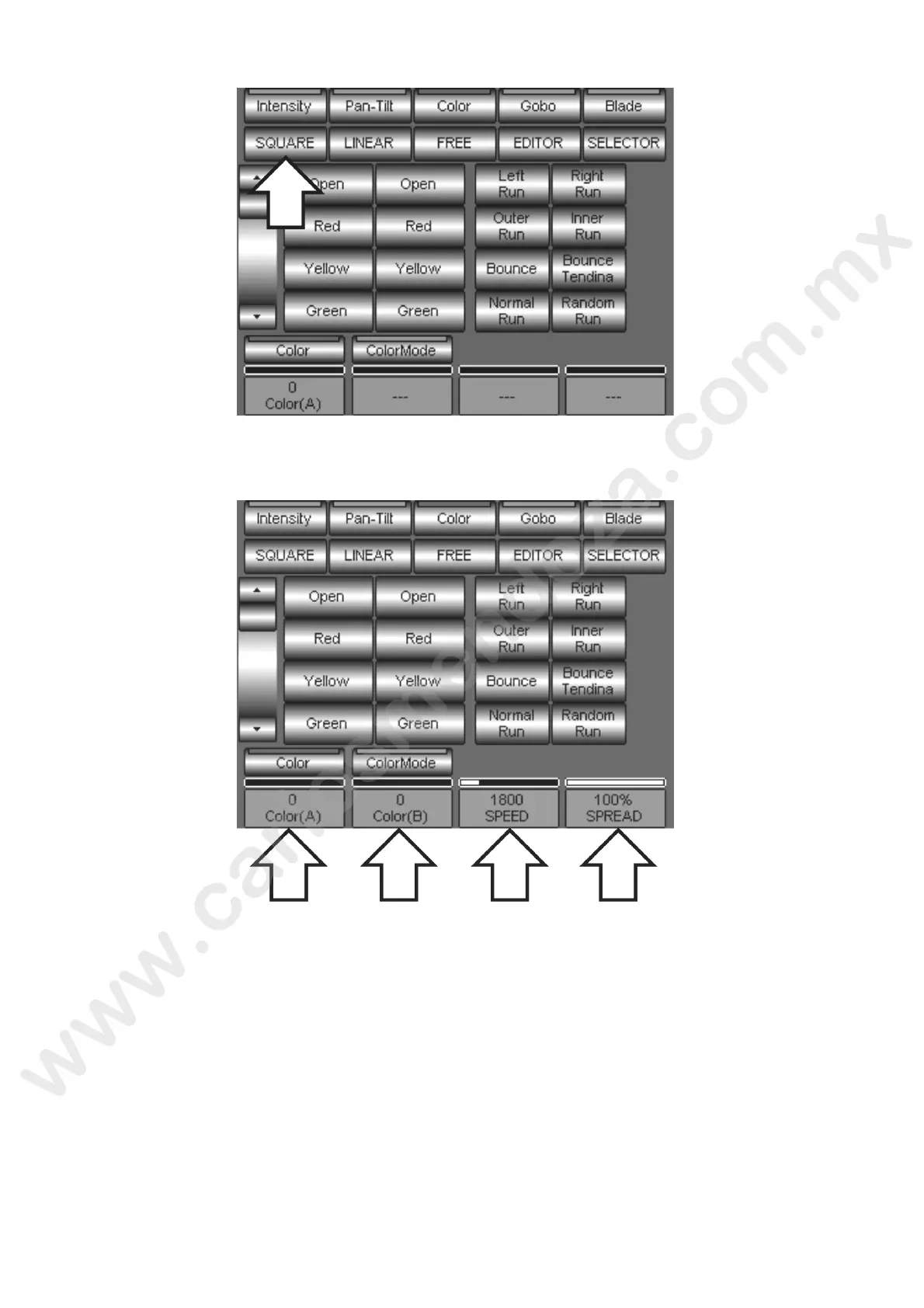
In our example we decide to apply a SQUARE WAVE oscillator by pressing the SQUARE key. Please
note that once chosen the oscillator, all the relevant parameters cells are tivated.
The first parameter to be set is the range of values related to the Attribute where the effect has to
move , You have to determine the points (A) and (B) between which the oscillation will take place. You
will onl have to move the encoders to set the effect “starting” (A value) and the “arrival” color (B
va ue).
Ins ead of using the encoders, it is also possible to set the values “A” and “B” by pressing the Palette
eys respectively from the Left (A) column to the Right one (B).



 To Next Page