GB SGM Technology for lighting
User’s Manual 1.00 Pi
lot 3000
- 108 -
CREATING A DIMMER EFFECT
At this point we will describe how to create a Dimmer effect consequently to the Color effect just created.
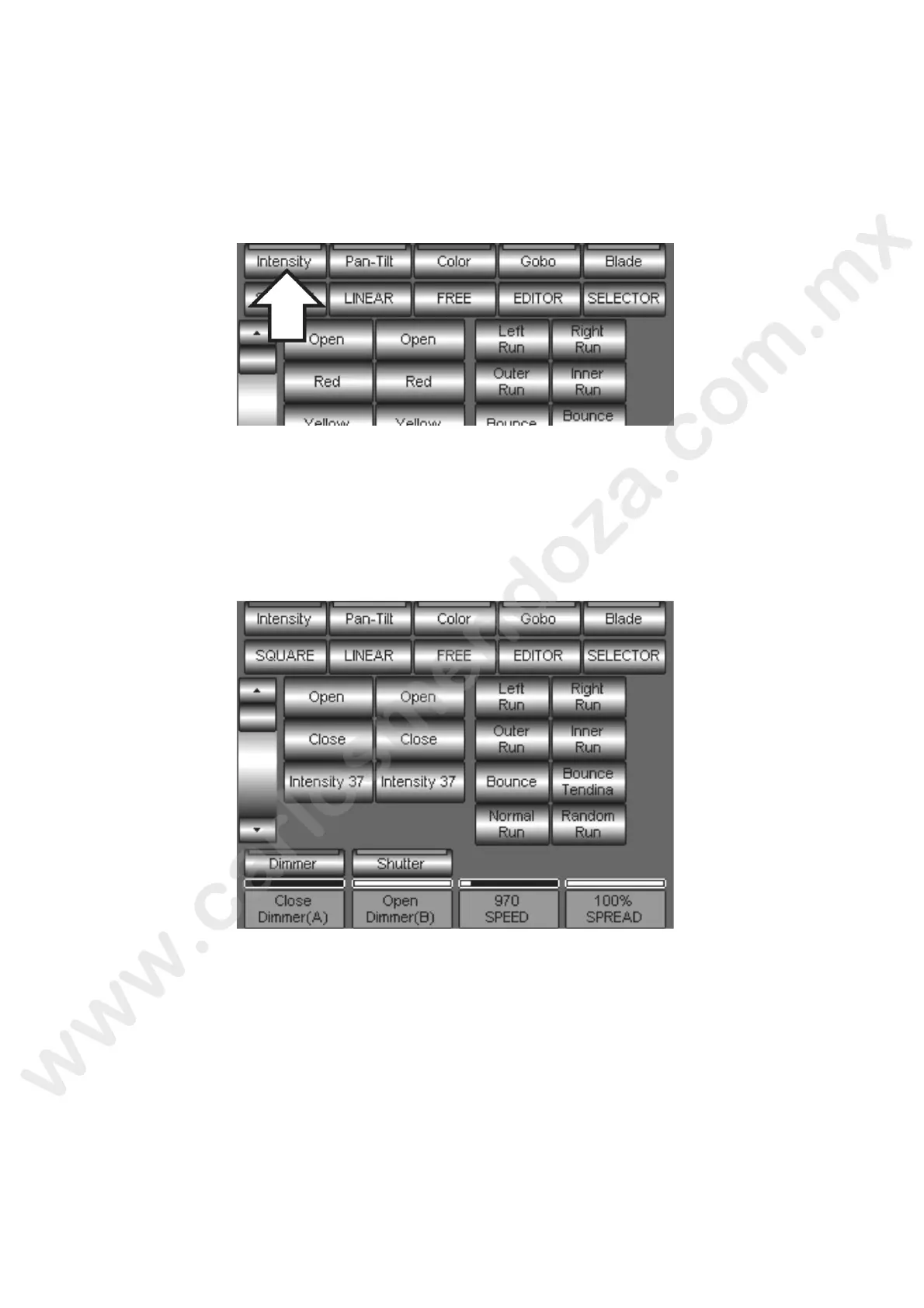
From the Shape Engine panel press the Intensity Palette key to visualize the relevant Attributes and
so to “Dimmer”.
Select the Dimmer Attribute to assign a LINEAR oscillator
Define the limit “A” and “B” values by means of the relevant encoders, as already described for the
Color effect.
In addition, it will be possible to assign Palettes to the limits “A” and “ ” In the below example we
have assigned the Close and Open palette.
Then define the SPEED value to fix the effect speed desired
Choose the phase displacement type to apply a specific sequential order to the effect (Left Run or
Right Run Etc.).



 To Next Page