GB SGM Technology for lighting
User’s Manual 1.00 Pi
lot 3000
- 28 -
An empty “Address Patch” field means that any fixture hasn’t been patched, yet.
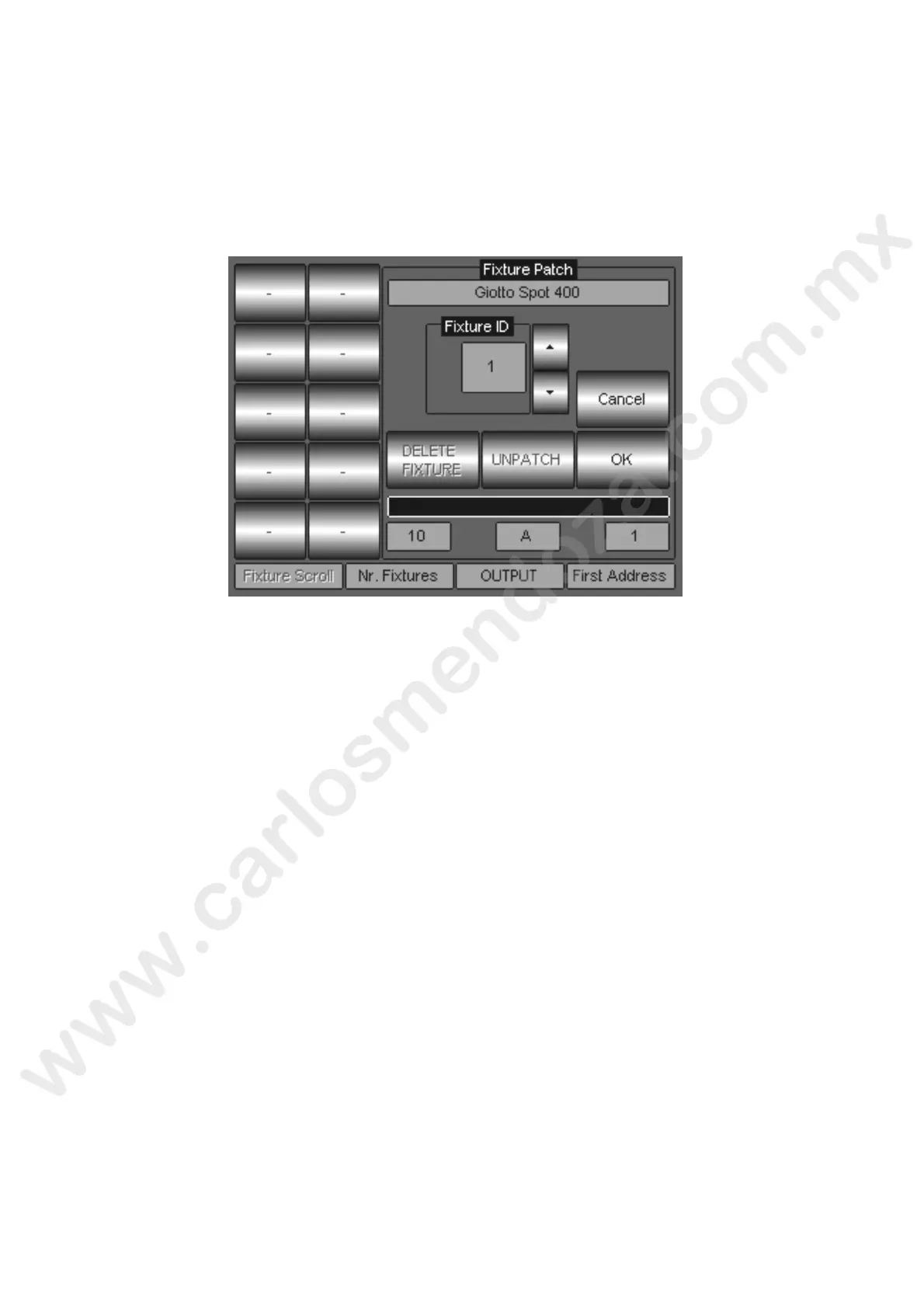
Push the Giotto Spot 400, as showed in the picture above, to carry on with patching procedure.
Once the type of fixture has been chosen, is important to define the following parameters:
The total quantity of fixtures intended to be used
Which of the 2 DMX outputs (A or B) will be used with the fixtures
The DMX address for the first fixture.
The “Fixture Patch” field appears soon after the sele tion of the fixture type and allows completing
the patching procedure by using the encoder wh els allocated to the relevant parameters above
mentioned:
The Second Encoder Wheel: will be u ed o set the fixture’s quantity
The Third Encoder Wheel: will be u ed to set the DMX Universe output A or B
The fourth Encoder Wheel: wil b used to set the DMX start address
The above picture shows a quantity of 10 Giotto Spot 400 patched to DMX output A with the first
DMX start address 001. The the 9 fixtures will automatically be patched by the Pilot 3000, taking
into consideration the number f DMX channel used by each fixtures.
Pushing the “OK” key w l save and confirm the Fixture Patch just made.
Wait for the progress bar, located underneath the “OK” key, to complete the storing procedure
before to proceed
When ready, the “Ad ress Patch” field will appear again showing the fixture patched and the relevant
information about DMX addresses and outputs, as showed here below.
Pushing th Cancel key, will stop the Patching procedure.



 To Next Page