SGM Technology for lighting GB
Pilot 3000 Us
er’s Manual 1.00
- 37 -
Path
The “Path” feature is defining how an Attribute will react when following a given fade-time across
two Cues.
The reactions an Attribute can have are three different kind:
Linear
Snap Start
Snap End
The Linear option must be chosen when the Attribute has to move from a value to another
with a linear reaction which is directly proportional to the Crossfade time.
The Snap Start option must be chosen for those Attributes which require an instant change
of their status when enabling a Cue and at the beginning of the Fade time set for each Cue
The remaining Fade time will be ignored by these Attributes.
The Snap End option must be chosen for those Attributes which require an instant change of
their status when enabling a Cue and at the end of the Fade time set for each Cue. The
flowing of the Crossfade time will not cause any change of the status of the Attri ute until
the timing will reach the end.
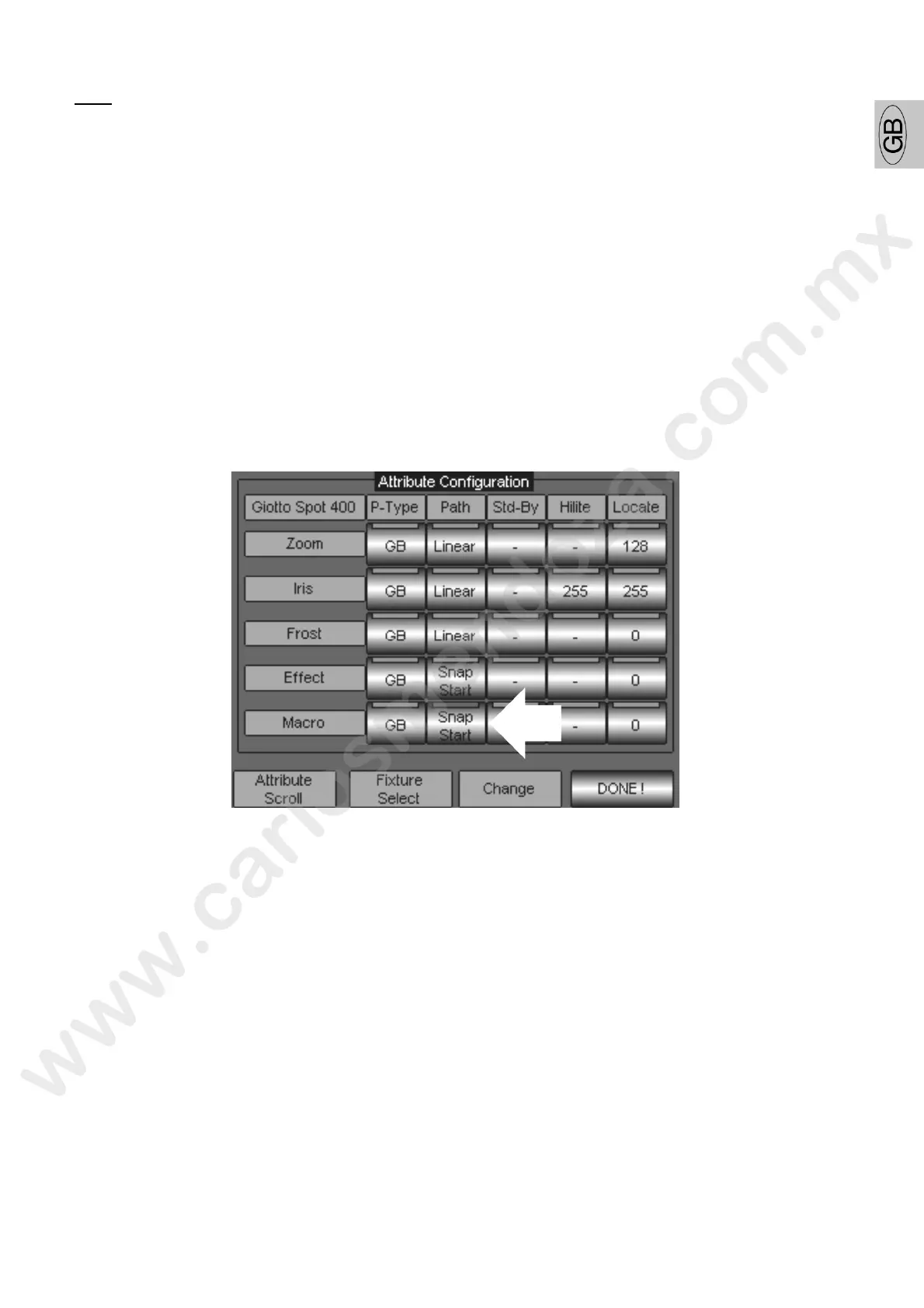
To modify the connection b tween an Attribute and its Path, proceed as follows:
Scroll the Attributes by means of the Encoder wheel “Attribute Scroll” until visualizing the
Attribute to b modi ied (in the example of the “Macro” figure).
Push the touc key of the Path type (in the picture indicated by the arrow) from the “Path”
column.
Scroll thr ugh the 3 available options by using the Encoder Wheel “Change” until the required
one has been found (for example Snap End). The options available will be showed on the touch
key.
Push DONE! to confirm
Wait to the end of the updating procedure showed by the progress bar.



 To Next Page