SGM Technology for lighting GB
Pilot 3000 Us
er’s Manual 1.00
- 39 -
Stand-By
Stand-By is the status always reached by the Attributes of the Fixtures configured after two precise
commands:
CRL ALL
RELEASE
The “Clear All” command is normally used to end a programming phase.
The “Release” command is used to close the Playback activity of one or more registers which are controlling
the Cues.
When these commands are activated, the Fixtures involved by the editor or the Playback assume a precise
ph
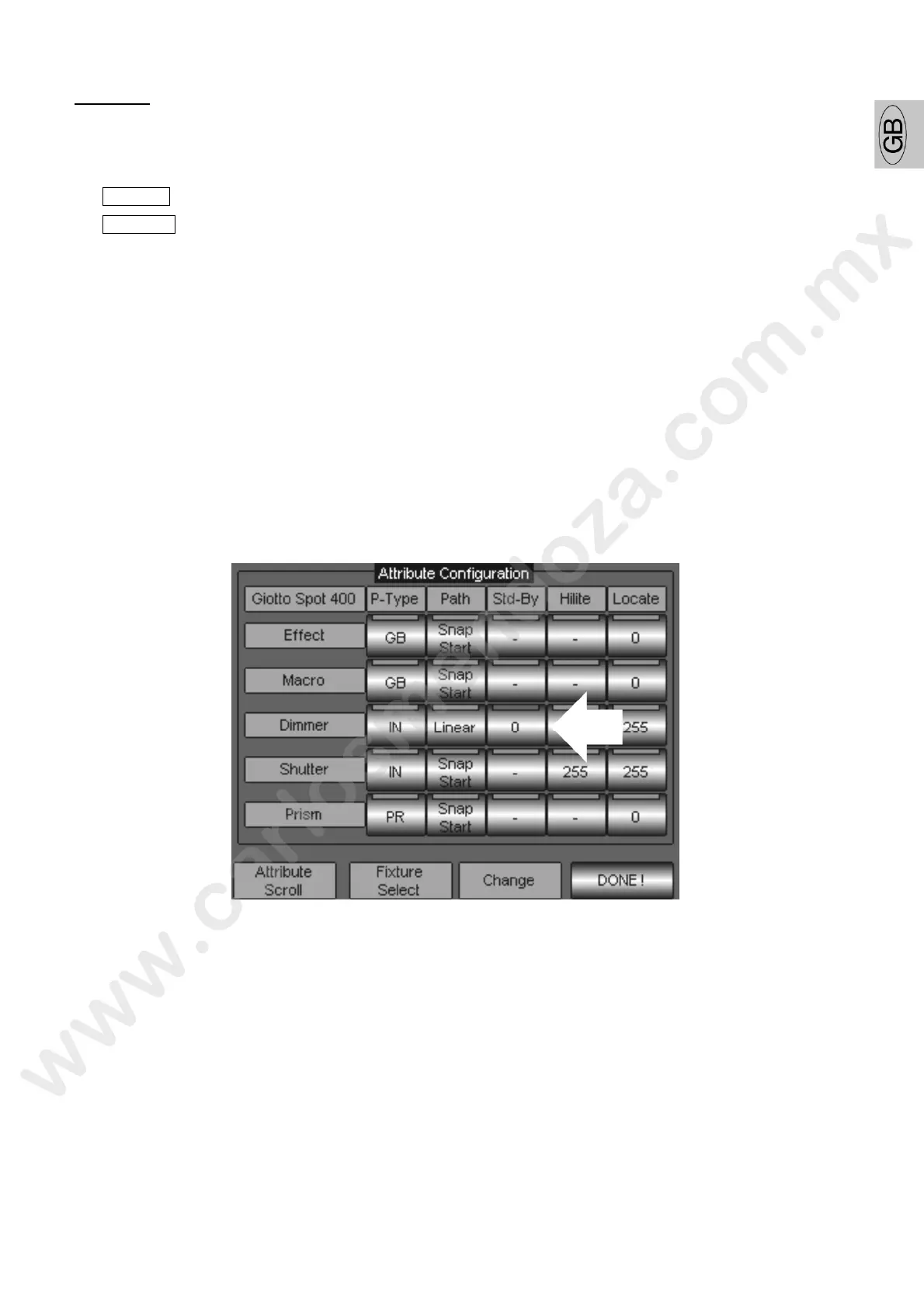
ysical status delineated in the “Stand by” column of the Fixture Configuration panel.
Normally the Stand-by status acts closing the Dimmer channel only, leaving all the other attributes in the
same status as when they were active through the Playback or the editor. This ca be easily deduced by
the fact that in the Stand-by column all the attributes are marked by the “Empty” sta us easily recognizable
by the symbol”’-”. Only the dimmer has value “0”.
Many operators give other values to the attributes, in order to bring th fix ure to a precise status when
“release” them (i.e. Pan 128 Tilt 128).
To modify the association Attribute – Stand-By proceed as follows:
S roll th the wheel “Attribute Scroll” until visualizing the Attribute to be modified (in the example of
“Dimmer” figure).
ress the key of Stand-by type (in the picture indicated by the arrow) from the “Std-By” column.
Assign a value (from 0 to 255) through the Wheel “Change” visible on the key itself, until setting the
value desired.
Press DONE! to confirm
Wait the scroll bar until completing the new configuration saving.



 To Next Page