GB SGM Technology for lighting
User’s Manual 1.00 Pi
lot 3000
- 40 -
HI Lite
Very often when programming intelligent projectors you need a fast way to quickly find a fixture in use,
especially if the rig is composed by a very high number of units. Hi-lite is a command acting on the
selected projectors into the Editor. This means that the action activated by the Hi-lite command is not
“captured” by the editor in the programming phase therefore it is not possible to “store” it in a Cue
.Normally the Hi-Lite main function is to open the dimmer at the maximum luminous intensity of the
fixture/s selected in the editor for a quick identification of their position on the stage. So the attributes
normally controlled by the Hi-Lite command are Shutter and Dimmer. In many occasions there can be the
necessity that the Hi-Lite command, besides “liting” a fixture, cancels every eventual color in order to
recognize it in a more evident way.
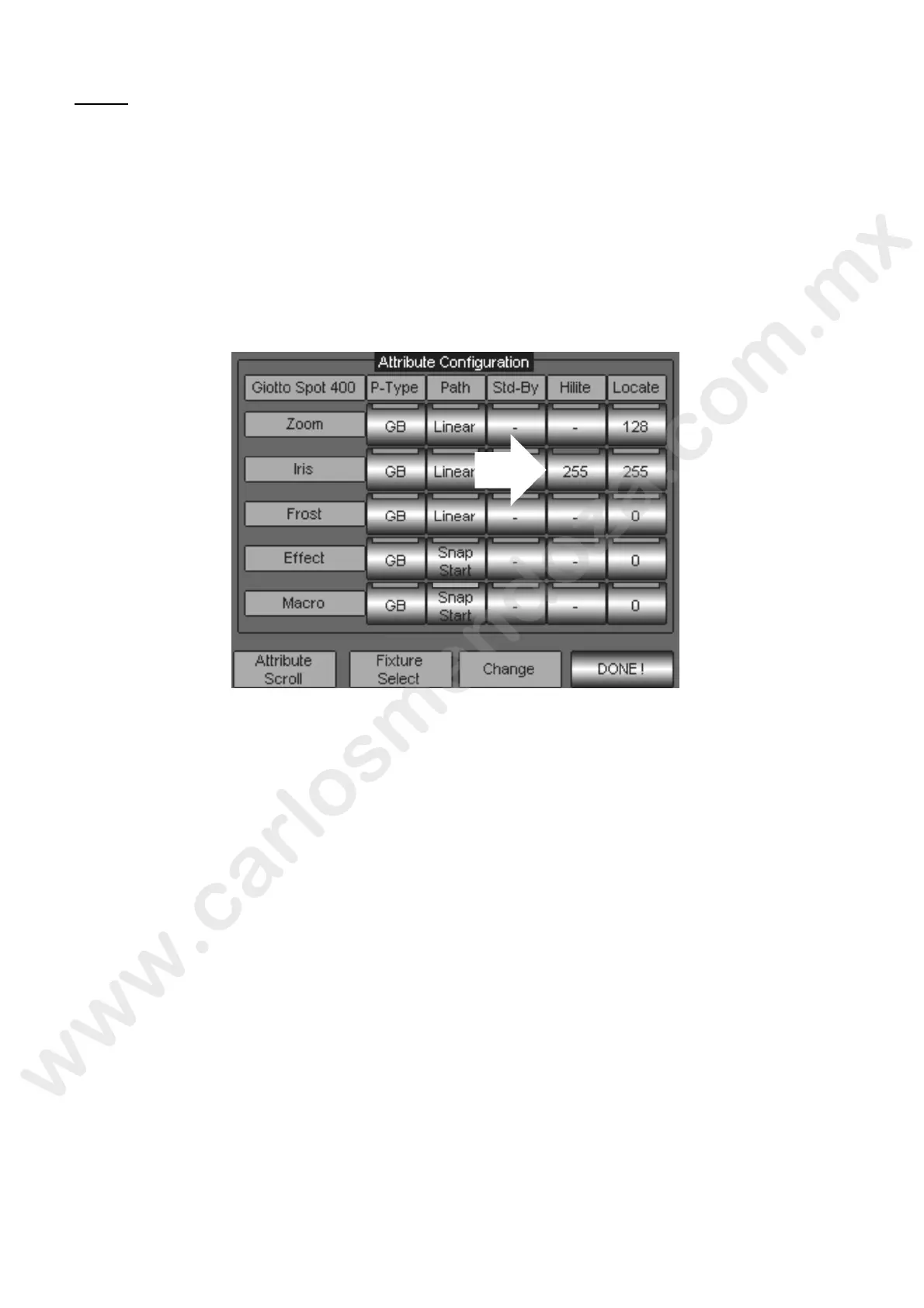
To do it you have to modify the colour attributes in the Hi-Lite status from the Fixture configuration panel.
To modify the association Attribute – Hi-Lite proceed as follows:
S
croll with the wheel “Attribute Sc oll ntil visualizing the attribute to be modified (in the example of
the “Iris” figure).
Press the key of Hi-Lite type (i the picture indicated by the arrow) from the “Hi-Lite” column.
Assign a value (from 0 to 255 through the Wheel “Change”, visible on the key itself, until setting the
one desired.
Press DONE! To confirm
Wait the scroll bar until completing the new configuration saving.



 To Next Page