SGM Technology for lighting GB
Pilot 3000 Us
er’s Manual 1.00
- 41 -
Locate
The “Locate” column delineates the value that each Fixture Attribute has to take up by the LOCATE
command. It is a very important and useful command to find the projectors and start their programming.
The “Locate” command automatically activates all the parameters configured into the editor. This means
that the Locate status already represents a “salvable” status in a Cue, contrarily to the Hi-Lite command.
Moreover Locate assures the data into the Cue and controls all the Attributes of the projectors involved by
the Cue itself. This approach to the programming assures a complete and correct “return”, in the scene, of
the Cues saved.
To program ignoring the “locate” command as first operation, causes the saving, in the Cue, of a part
the Attributes of the fixtures involved in the Cues themselves. This will cause a partial “return”, in he
scene, of the Cues saved.
This last programming method causes different consequences in Playback phase which, if useful ave to be
fore
seen by the operator who has to clearly know which and how many specific Attributes ev ry Cue have
to act.
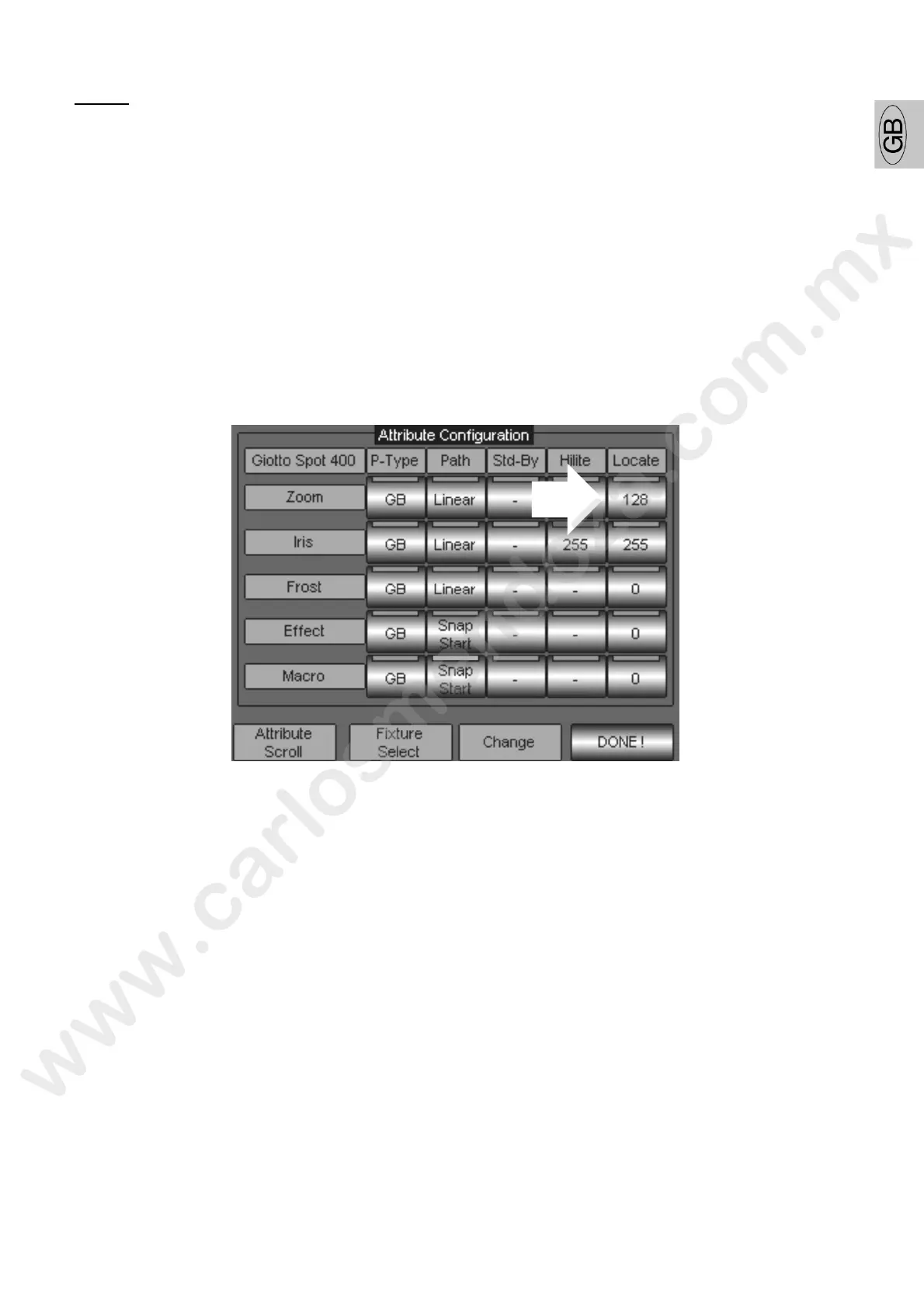
To modify the association Attri ute Locate proceed as follows:
Scroll with the wheel “Attribut Scroll” until visualizing the Attribute to be modified (in the example of
the “Zoom” figure).
Press the key of Locate type (in the picture indicated by the arrow) from the “Locate” column.
Assign a value (from 0 to 255) through the Wheel “Change”, visible on the key itself, until setting the
desired one.
Press DONE! To confirm
Wait t e s roll bar until completing the new configuration saving.



 To Next Page