SGM Technology for lighting GB
Pilot 3000 Us
er’s Manual 1.00
- 65 -
After the Locate command, you can proceed to the Attributes programming for all the projectors desired,
by controlling them through the selection keys:
Intensity
Pan Tilt
Color
Gobo
Prism
Blade
The selection of one of these six keys enables the control of all the Attributes belonging to the family jus
chosen (i.e. Color), through the four wheels corresponding to the cell indicating the Attribute type
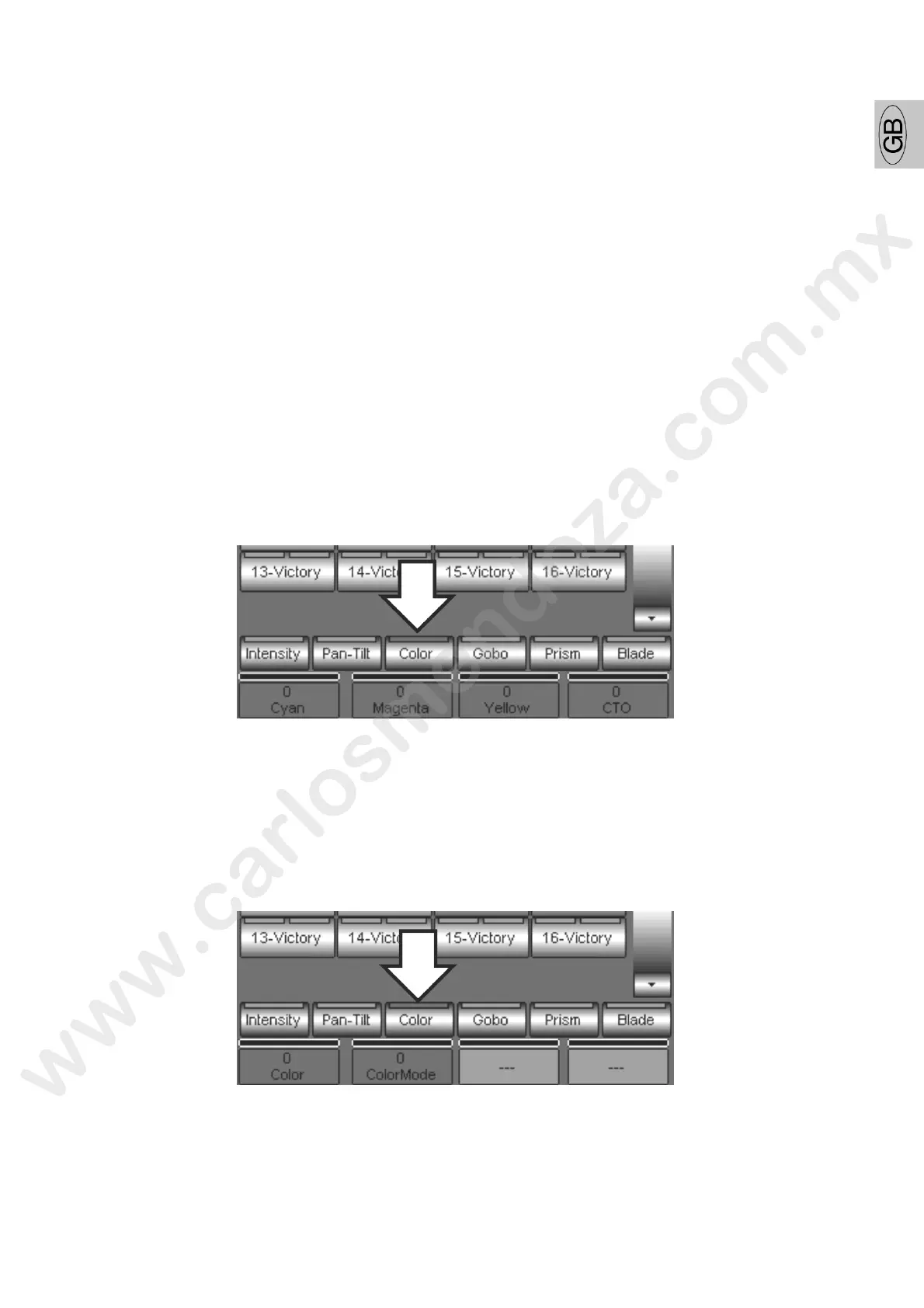
In example, if a Giotto400 CMY is selected, by pressing the Color key you enable, through the fou wheels,
the control of all the Attributes related to the color allowed by the projector. In detail, follow ng the four
wheels order, you will find the control of the following Attributes:
1. Cyan
2. Magenta
3. Yellow
4. CTO
Gi
otto 400 CMY has other Attributes be ng ng to the Color palettes
For having access to them, press aga the Color key.
It is necessary to repeatedly pres the Palette keys in case they include more than four Attributes.
The remaining Attributes belonging to Giotto 400 CMY “Color” family are:
5. Color
6. ColorMode



 To Next Page