SGM Technology for lighting GB
Pilot 3000 Us
er’s Manual 1.00
- 81 -
The Delay and Fade IN timings
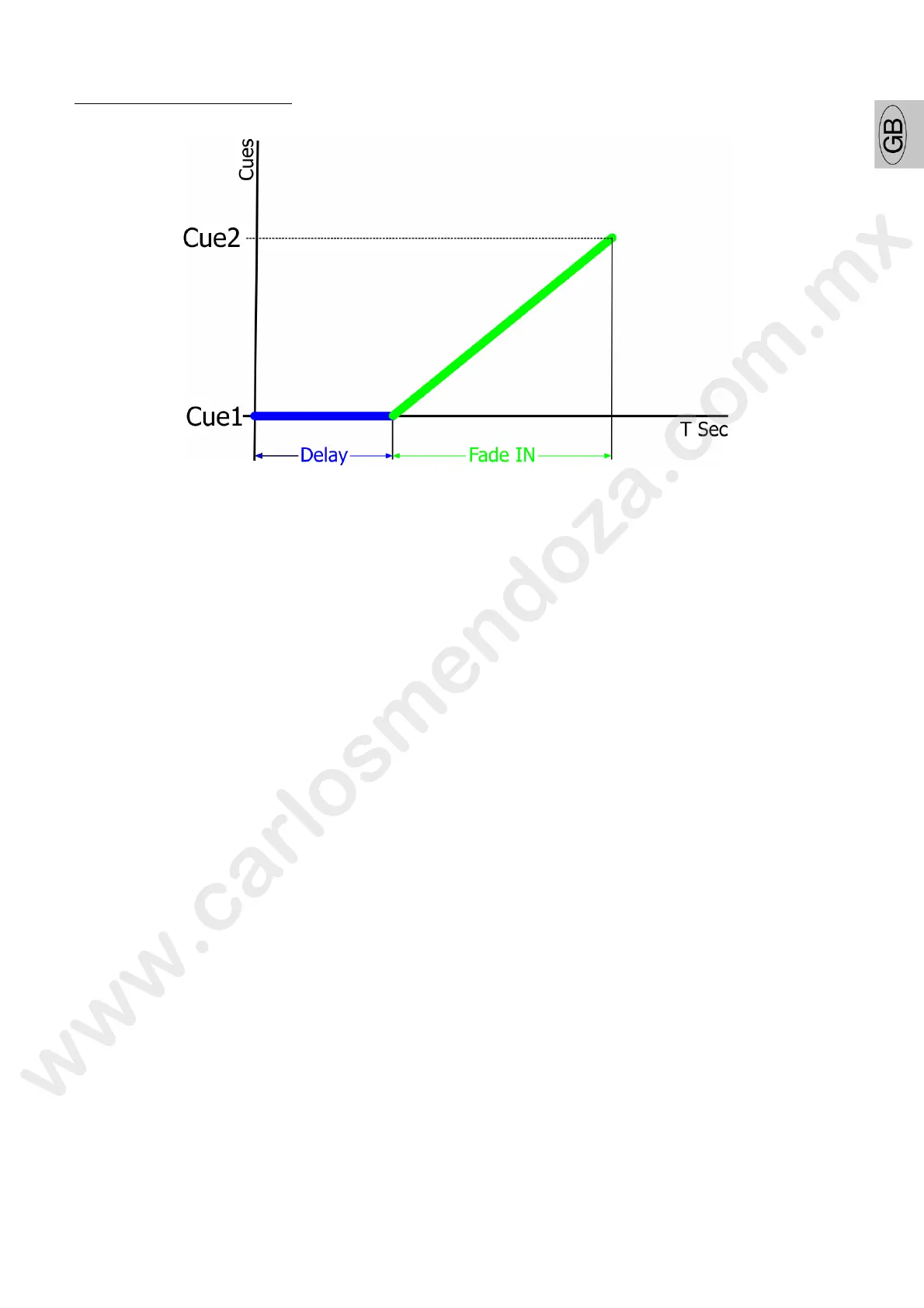
DELAY TIME
The Delay time, literally apply a delay to the start of the incoming Cu keeping frozen the state of the
Attributes controlled by the Cue.
A Cue having a Delay time applied, will react to the triggering command GO, by standing still until the end
of the Delay time. Then the Fade IN time will take over allowing the Cue to run.
Every time a new Cue is created, Pilot 3000 assigns a Delay ti e value of zero seconds by default.
FADE IN TIME
The Fade IN time is the most important time for a Cue and can be defined as a timed transition from one
state to another.
With the Fade IN time each of the Attributes c nt olled by the Cue, change their state within a certain time
as specified during the programming and s o ng procedure. The Fade IN time can also be intended as a
raise time since allows the Cue to enter and reach the new Attribute’ settings stored into the Cue itself.
Every time a new Cue is created, Pilot 000 assigns a Fade IN time value of two seconds by default.



 To Next Page