Uploading Files
This section provides information on how to upload a le to your server using the Share Box
function.
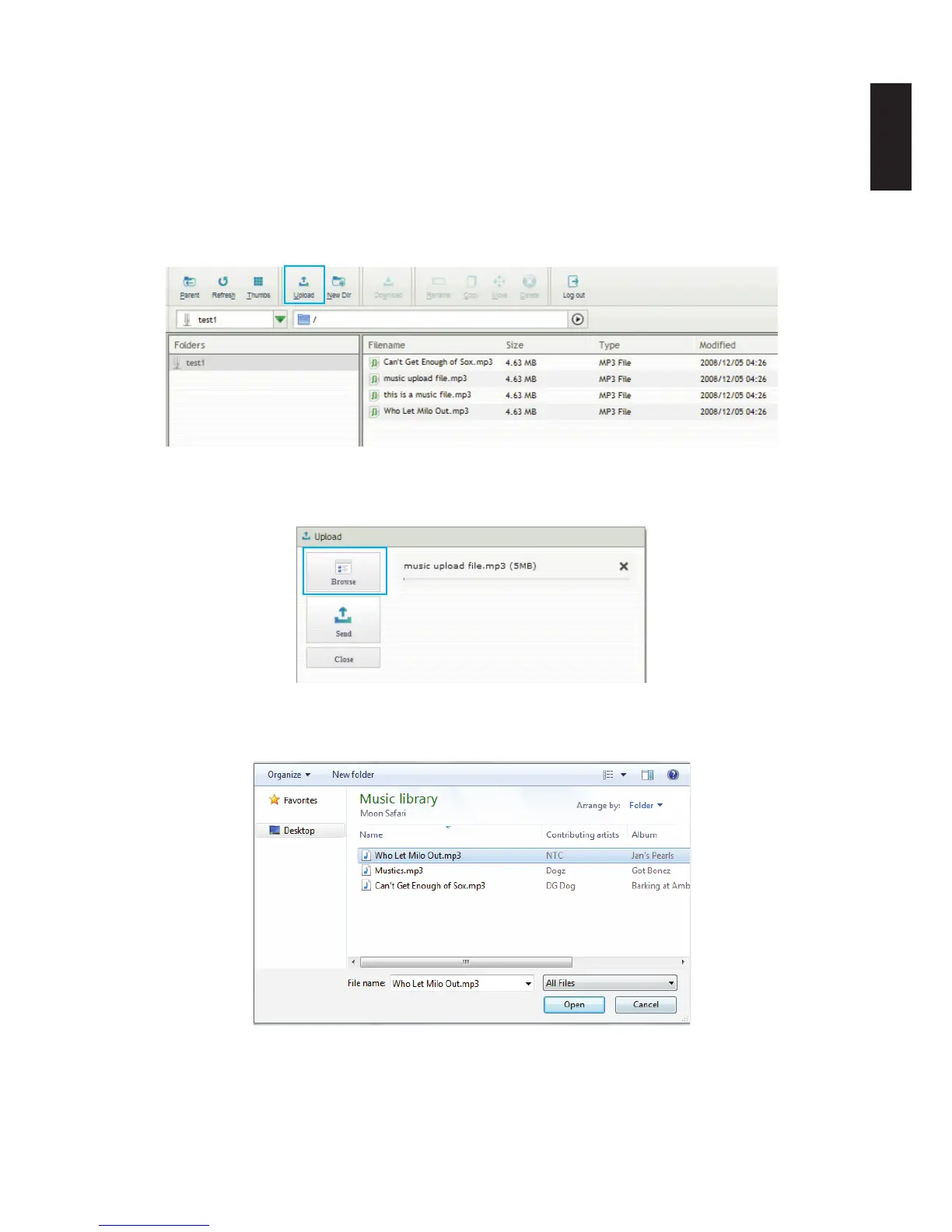
1. Log into the Share Box server, see Accessing Share Box.
2. In Folders, select the destination folder to upload.
3. In the main menu, select Upload to open the Upload menu.
Uploading Files on Share Box
4. Click Browse to open an explorer window on your desktop.
Browse for a File
5. Select the desired le to upload.
Selecting a File



 To Next Page