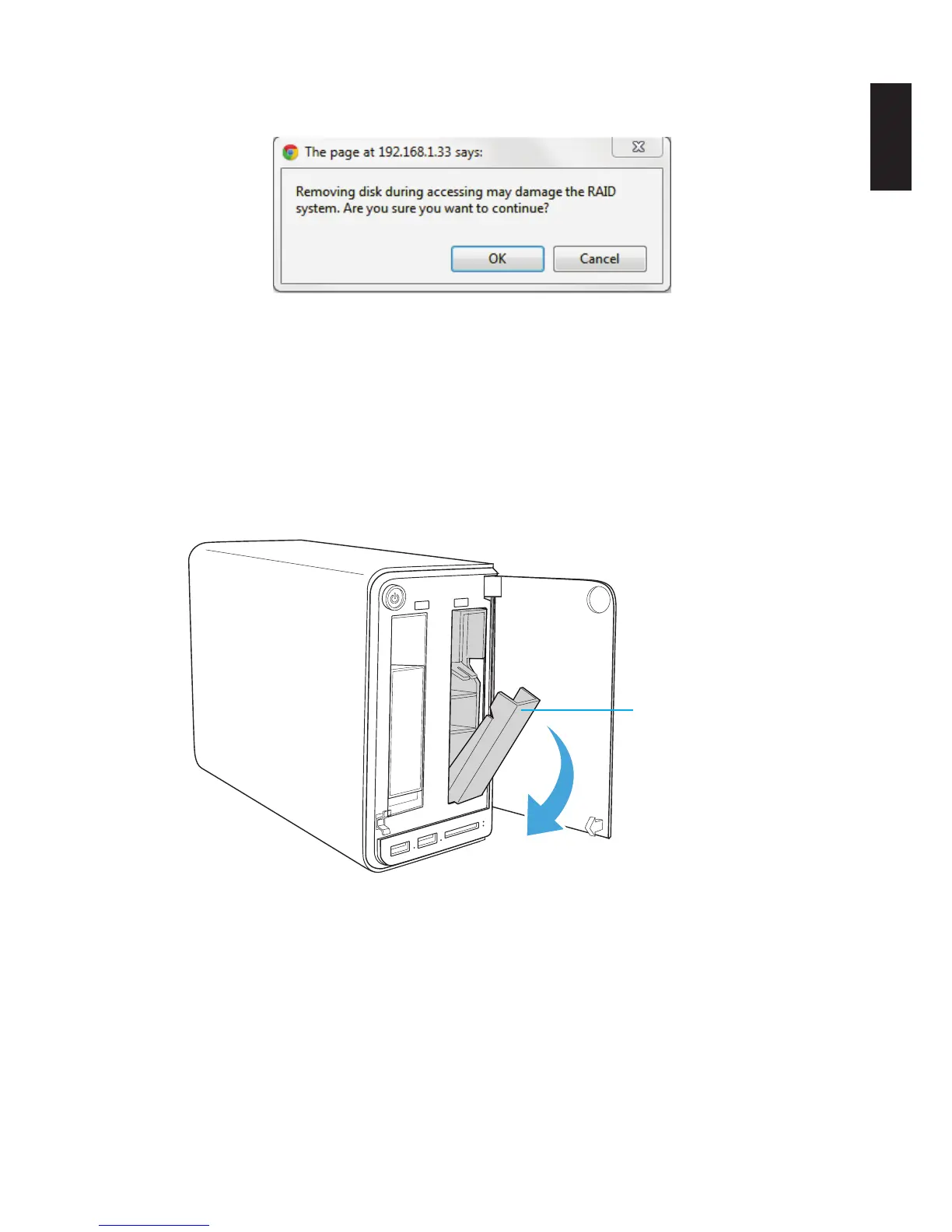
4. An disk access warning prompt displays. Make sure the Disk is not in use at this time, then
click OK.
Hot Swap Through Disk Manager
The status LED on the front panel ashes blue to indicate the on-going process. Once the
LED displays solid blue, the hard drive can be safely removed from the HDD bay.
5. On the bay cover (front panel), press in the indicator to open the cover. The cover pops
open.
6. Extend the cover to allow access to the HDD trays.
7. Pull the tray release to unlock the hard disk tray. An audible sound alerts that the HDD is
undocked.
Tray release
HDD Tray Released
Replace the drive. Once inserted, an audible sound alerts that the HDD is replaced. The
status LED ashes red.
After a short time, the Status tab in Disk Manager detects and displays the new HDD sta-
tus.



 To Next Page