- OPTICAL READER CLAMP-
The display will show:
READER CALIBRATION
Install the Z20
template on reading
clamp. [START]
TheZ20templateshouldbetted,otherwise:
-
Raise the safety shield.
-
Fit the Z20 template on side A of the reading clamp, as if it were a key, and use the gauge as a stop.
-
Lower the gauge and safety shield.
Press START. The display will show:
Reading in progress
X POSITION READING:
X=404 (400)
See operatine manual.
[START]
NOTE: Note: X deviations of +/- 20 hundredths of a mm from the theoretical measurement can be
considered insignicant. Press START to conrm gauging without mechanical regulation.
The X measurement read should be the same as the theoretical one (value = 400 expressed in brackets).
If not, proceed as follows:
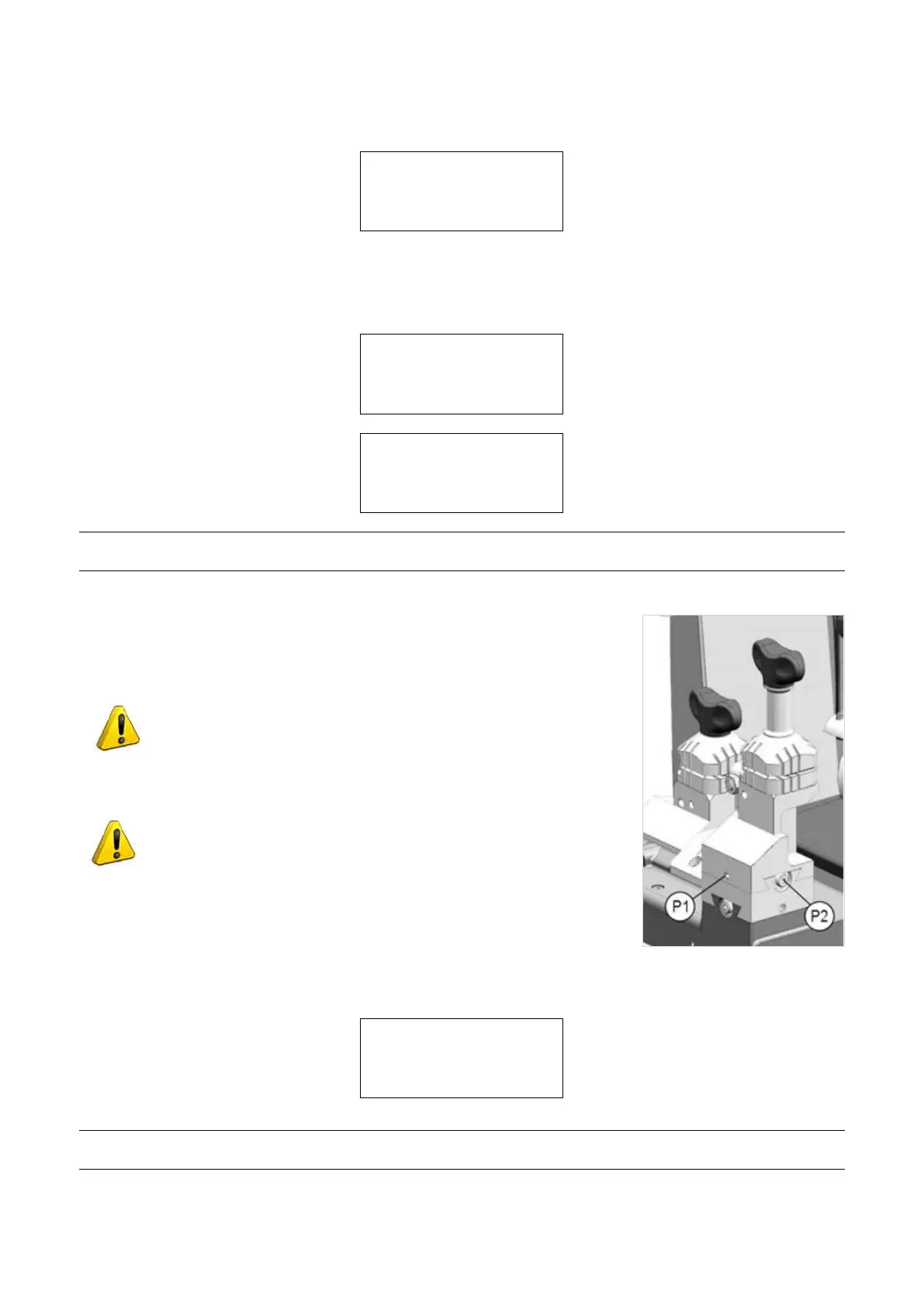
• For X values of less than 400, loosen the grub screw (P1) and use the hex.
wrench to loosen the screw (P2).
ATTENTION: a quarter turn of the screw (P2) makes a movement
of approx. 19 hundredths of a millimetre.
• For X values of over 400, loosen the grub screw (P1) and use the hex. wrench
to tighten the screw (P2).
ATTENTION: a quarter turn of the screw (P2) makes a movement
of approx. 19 hundredths of a millimetre.
Fig. 55
Tighten the grub screw (P1) and press START:
Y POSITION READING:
Y=502 (500)
See operatine manual.
To repeat [START]
NOTE: Y deviations of +/- 20 hundredths of a mm from the theoretical measurement can be considered
insignicant. Press STOP to conrm gauging without mechanical regulation.
Operating Manual UC199
Copyright Silca 2012
45



 To Next Page