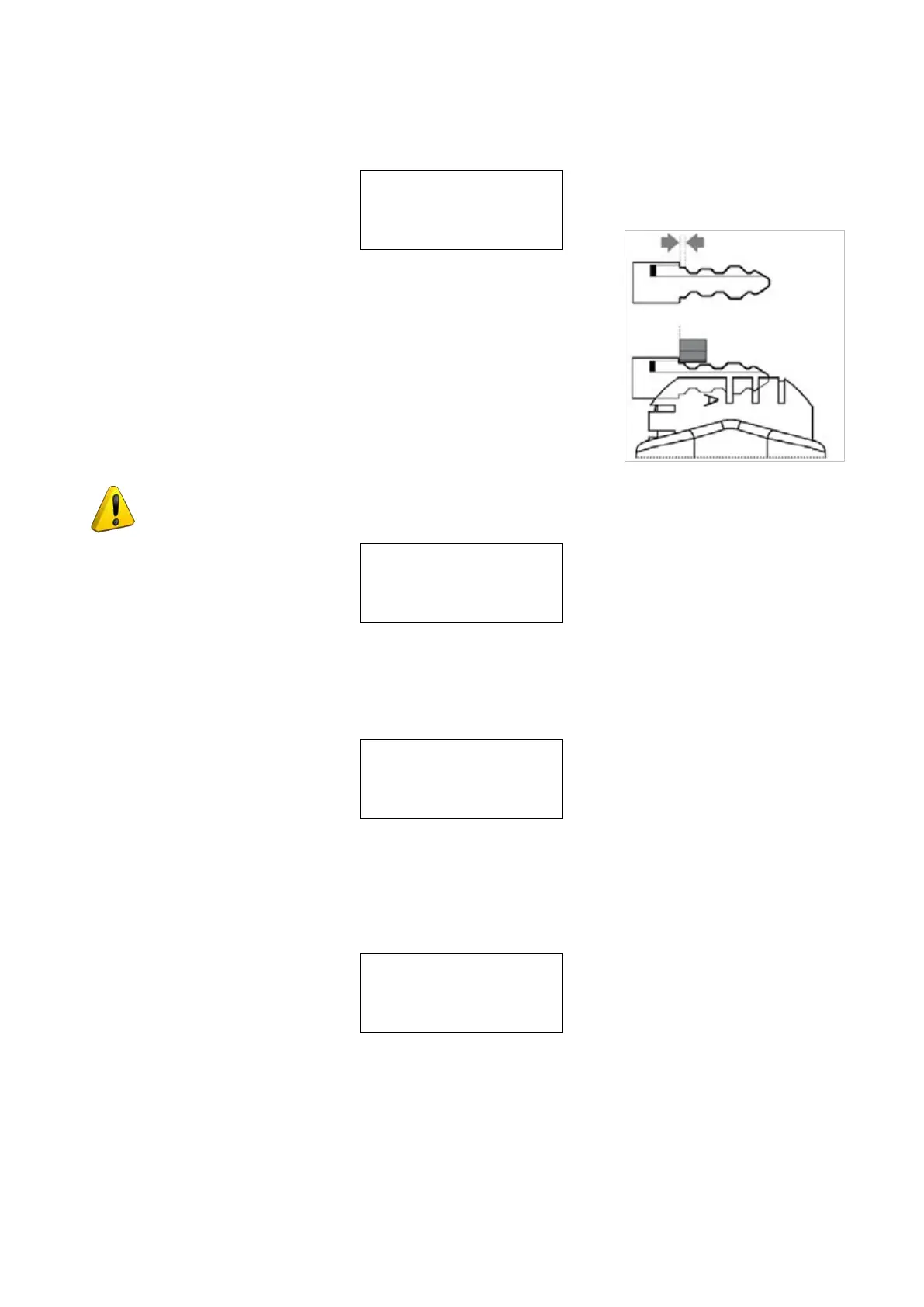
8 - MINIMUM DISTANCE
The number shown on the machine’s displayrepresents the X axis distance between the key blankshoulder and
thebeginningoftherstcut.
Minimum distance
of cut from
key stop = 50
( 0 - 90 )
This function is extremely important with keys thatrequire cuts on
both sides as it ensures precisepositioning on the key 2nd side.
The set gure is 50 hundredths of a mm, which can bevaried
between min.0 - max. 90 hundredths of a mm:
Fig. 69
ATTENTION: settings that are too high may renderprecise cuts impossible, with the following
messageon the display:
MIN. parameter of
DISTANCE FROM STOP
is incompatible with
selected card !
9 - CUTTING CHECK
Enable check on
excluded
combinations: YES
See operating manual
Operating keys: Arrow keys [< >] to select YES or NO. ENTER to conrm.
Example: with the function “Check on excluded combinations” enabled (YES) when the machine receives a
job from the PC (through Silca Key Programs) it checks the path the tool must take to cut a key. In the event of
incongruity, press ENTER and the following message will appear:
Non-feasible
combination
Operating Manual UC199
Copyright Silca 2012
63



 To Next Page