EasyManua.ls Logo

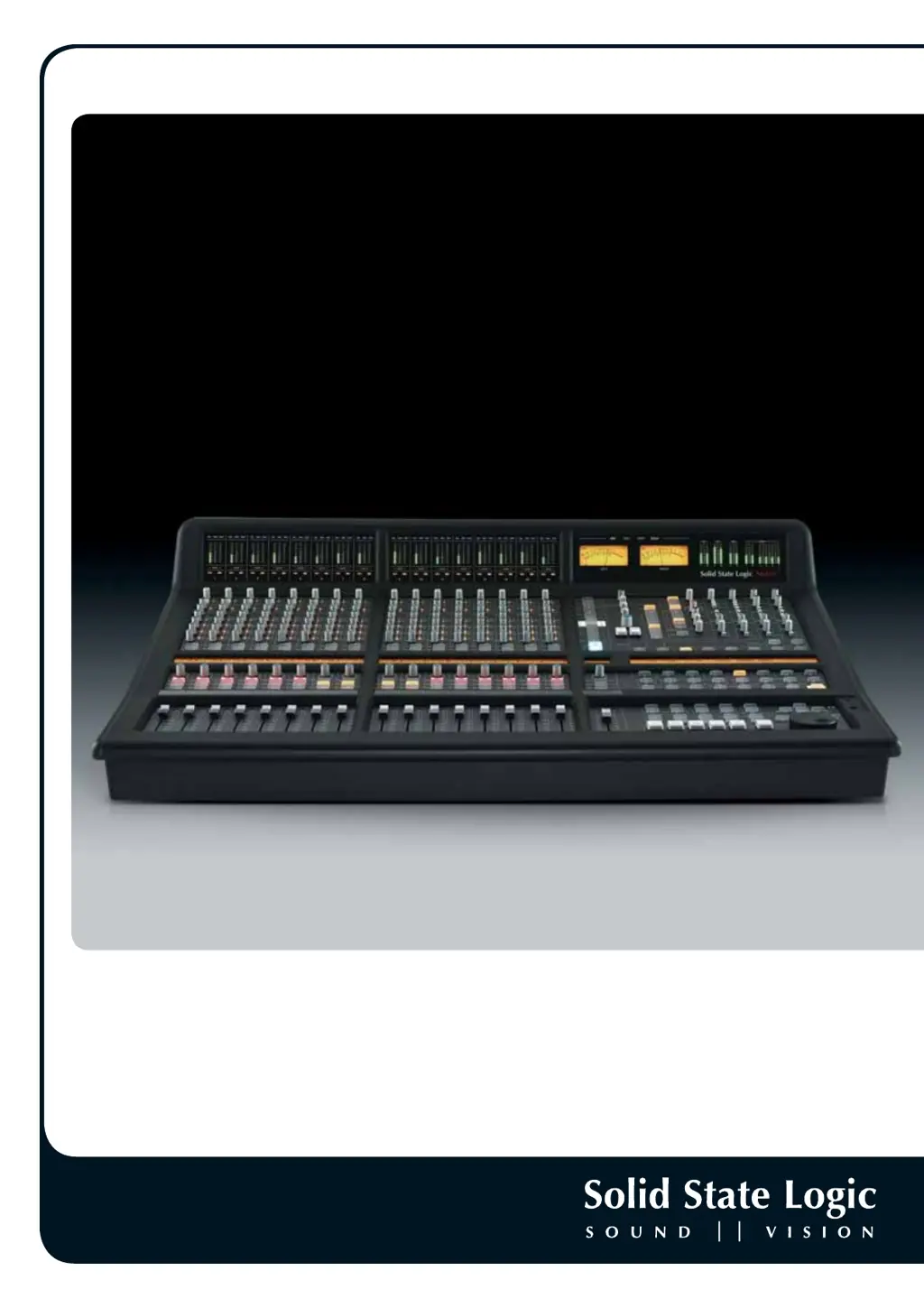
Solid State Logic Matrix2 Delta - User Manual

Solid State Logic Matrix2 Delta
180 pages
Print Icon
To Next Page IconTo Next Page
Loading...
Matrix
2
Delta
Owner’s Manual
www.solidstatelogic.com
Matrix
2
Delta. This is SSL.
The Ultimate Hybrid Studio Centrepiece

Table of Contents

Questions and Answers

  • В
    ВикторMay 5, 2026
    Здравствуйте возникла проблема с Matrix2 Delta, подключаем данный пульт к компьютеру и пытаемся чтоб он начал работать в Cubase 15. Он подключается но работает частично. Не работают все кнопки а точнее не отображаются в Cubase. Если нажимаем на микшере то не отображается в Cubase. Если нажимаем в Cubase то отображается на микшере

    Summary

    Chapter 1 - Installation and Setup

    Matrix Rear Panel Connections

    Details the audio and digital connections on the Matrix rear panel, including XLR, DB25, and digital I/O.

    Data Connections

    Explains network and USB connections between the Matrix and a computer for control and data transfer.

    Matrix Network Connection Examples

    Illustrates direct connection and router/switch connection methods for network setup.

    Software Installation and Configuration

    Guides through installing Matrix Remote, ipMIDI, and SSL Delta Control plugins for Mac and PC.

    Chapter 2 - Getting Started

    Important Concepts

    Introduces fundamental operating principles of the Matrix console, including Master Channel and Focus Modes.

    Focus Modes

    Explains Analogue Focus and DAW Focus modes and their effect on channel controls and metering.

    STEP 1: Bringing Signal into the Channel

    A step-by-step guide to bringing an audio signal into a Matrix channel via D-connectors.

    STEP 5: Global Control of your DAW

    Details how to use Matrix transport controls and DAW LAYER SELECT buttons for DAW operation.

    STEP 11: Inserting Signal Processing into the Channel

    Explains how to insert outboard signal processing using the Insert Matrix via the Matrix Remote.

    Chapter 3 - Analogue Signal Flow

    Introduction to Focus Modes

    Explains the two operational modes, Analogue Focus and DAW Focus, and their effects on the console.

    The Master Channel Strip

    Describes the Master Channel strip and its role in accessing and controlling channel strip functions.

    The Digital Scribble Strip

    Details the function and display of the digital scribble strip in Analogue and DAW Focus modes.

    Monitoring

    Covers control room monitor controls, including volume, DIM, CUT, and source selection.

    SSL Soft Keys

    Explains the function and assignment of SSL soft keys for accessing various console settings.

    Matrix Automation

    Introduces the three methods of analogue automation: Delta Control, MIDI, and A-FADA.

    Chapter 4 - The Matrix Remote

    Introduction to the Matrix Remote

    Overview of the Matrix Remote software and its six main tabs for console configuration.

    The Projects Tab

    Explains how to manage projects and titles, store session notes, and navigate project files.

    Managing Projects

    Details creating, backing up, restoring, renaming, and deleting projects within the Matrix Remote.

    The Total Recall Tab

    Covers storing and recalling console settings, taking, naming, and deleting TR snapshots.

    The Channels Tab

    Explains how to label analogue channels and manage channel name presets.

    The Insert Matrix Tab

    Guides on routing external signal processing, naming devices, and creating chains.

    Chapter 5 - DAW Control

    Introduction

    Explains Matrix's DAW control capabilities using HUI, MCU, and CC protocols.

    Layers

    Describes how Matrix connects to DAWs via virtual layers and assigns profiles.

    Focus Modes

    Details Analogue Focus and DAW Focus modes and their impact on console operation.

    DAW Track Control

    Explains control of DAW track parameters using the Matrix channel strip sections.

    SEL Key Modes

    Details modes like Default, Rec Arm, Plug-in, Param, and Auto Set for DAW control.

    Transport Controls

    Covers the operation of Matrix's dedicated transport controls for DAW playback.

    Standard Profile Soft Key Assignments

    Lists the default assignments for Pro Tools soft keys on the Matrix console.

    Chapter 6 - DAW and CC Configuration

    Matrix Console Layer Selection

    Explains how to select the active DAW layer on the Matrix console.

    Assigning DAW Layers

    Guides on selecting and assigning DAW Profiles for different layers and protocols.

    Soft Keys

    Details the soft key areas, DAW control protocols, and available soft key sets.

    Programming Soft Keys

    Explains how to program soft keys, save assignments, and manage soft key sets.

    Assigning QWERTY Keystrokes

    Details how to assign QWERTY keyboard shortcuts to Matrix soft keys.

    Configuring CC Layers

    Explains how to map CC (Continuous Controller) messages for MIDI devices.

    Solid State Logic Matrix2 Delta Specifications

    General IconGeneral
    Faders16
    TalkbackYes
    Computer ConnectivityEthernet
    Channels40
    EQ4-band parametric per channel
    Aux Sends8
    Busses/Groups4 stereo
    Inserts16 channel inserts
    SoftwareSSL Delta Control
    PowerInternal PSU
    Inputs - Line16 line inputs
    Outputs - Main2 (stereo)
    Control SurfaceYes
    AutomationDAW Automation via Delta Control
    ConnectivityEthernet
    TypeAnalog/Digital Hybrid Mixer

    Related product manuals