4-5
Operating Instructions Operator Manual 056404-443
4.8 Connecting Universal Hand Control
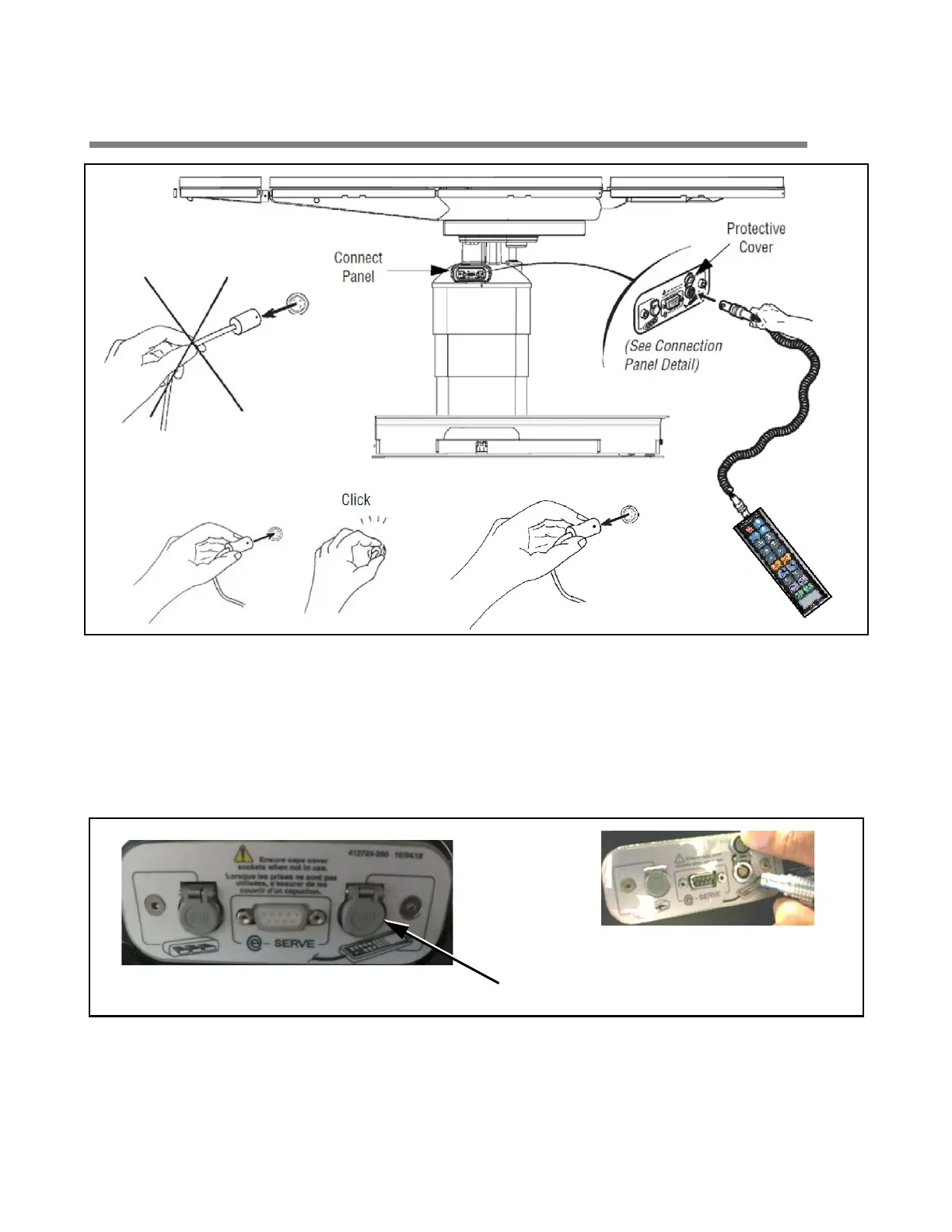
Figure 4-4. Connecting Universal Hand Control
For the following steps, refer to Figure 4-4 and Figure 4-5 as needed.
1. Remove universal hand control from package.
2. Lift hinged plastic protective cover for handle connection socket.
3. Align red mark (or arrow) on hand control plug with red mark on connection socket.
Figure 4-5. Hand Control, Connection Detail
4. Push hand control plug into table socket until a "click" is heard.
5. With the table at the precise location, use the Floor Lock button (on the hand control) to lock the table in
place. (If needed, refer to S
ECTION 5.3, UNIVERSAL HAND CONTROL).
Hand Control connects here.
Lifting plastic protective cover
prior to connecting hand control.














 To Next Page