5-6
056404-443 Operator Manual Operating Instructions
5.4 Operating the Universal Hand Control
Use the Universal Hand Control as follows:
1. Connect Universal Hand Control to Surgical Table and press any key except STOP to activate table.
2. Check the Hand Control display to see which table it is configured to control, for example:
3. If Surgical Table matches compatibility mode shown, the display shows a connectivity message:
Example: HCV 1.22 TCV 2.13
4095 TABLE CONNECTED
• HCV (Hand Control software Version)
• TCV (Table Control software Version)
• Type of surgical table connected
4. After a brief time, the display changes to show symbols representing state of table. When a key is pressed, a
table articulation is commanded. This is normal operating mode. The surgical Table is now ready for use with
the Universal Hand Control.
5. If Surgical Table does not
match compatibility mode, the Universal Hand Control displays a screen
permitting user to select the correct compatibility mode (the mode that matches table type detected during
power on).
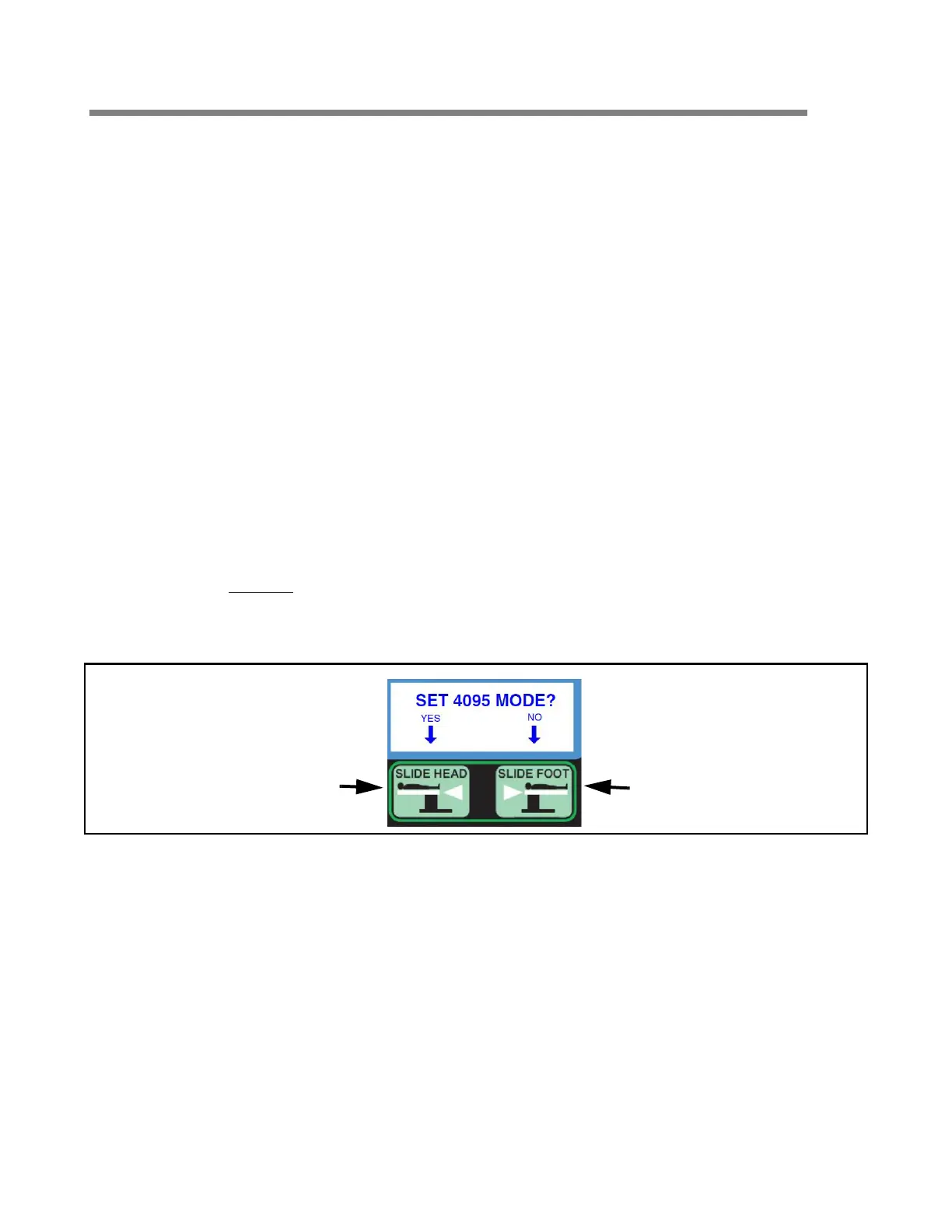
Example: a 4095 Surgical Table is detected but the Universal Hand Control is configured for a different table.
Figure 5-2. Prompt to Select Correct Compatibility Mode
• Pressing SLIDE HEAD (YES) changes the compatibility, in this example, to the 4095 mode.
• Pressing SLIDE FOOT (NO) keeps original compatibility mode of Universal Hand Control and begins table
operation. Subsequent behavior depends upon which table is actually connected to Hand Control.
6. After user selects compatibility mode for Universal Hand Control by pressing SLIDE HEAD (YES), the display
instructs user to restart table.
After Universal Hand Control is powered off and on, it functions according to description beginning in Step 2.
NOTE: A restart is only required after changing compatibility modes.
RESTART THE TABLE
PRESS STOP AND ON TO RESTART
4095 MODE ENABLED
UNIVERSAL HAND CONTROL
or
5095 MODE ENABLED
UNIVERSAL HAND CONTROL
Press
SLIDE HEAD
for "YES"
Press
SLIDE FOOT
for "NO"














 To Next Page