5-3
Operating Instructions Operator Manual 056404-443
6. Position tabletop to LEVEL. (Refer to Section 5.3, Universal Hand Control, if needed)
NOTE: When the Hand Control and Foot Control are both installed, Hand Control has priority.
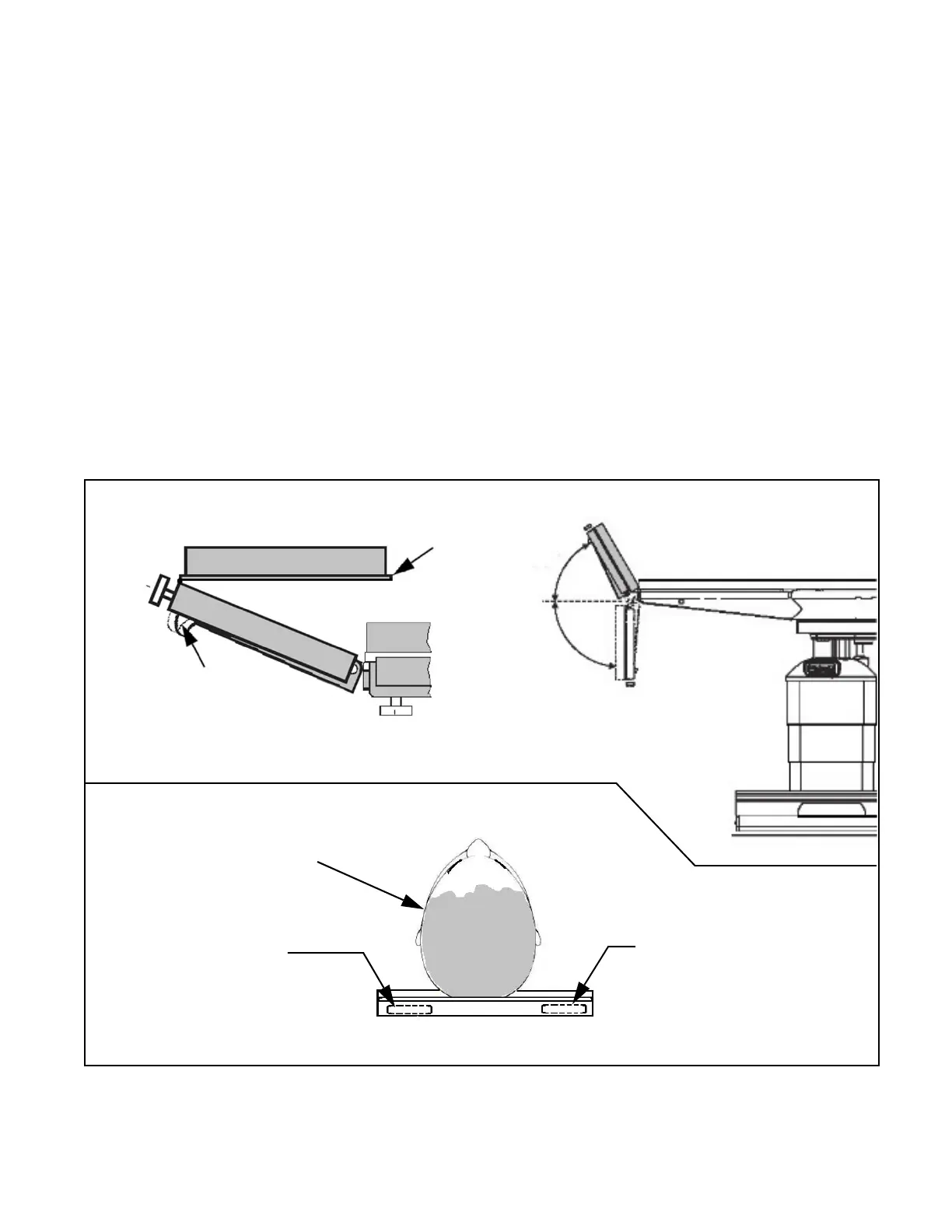
7. Manually adjust the head rest, if applicable, as described in steps 7.a through 7.d.
NOTE: The head rest may be positioned UP or DOWN 90° from horizontal (level).
NOTE: For information on Installing/Removing Head Rest refer to S
ECTION 4, INSTALLING/REMOVING DUAL-
A
RTICULATING HEAD REST.
a. While holding head rest securely in one hand, pull release handle (spring loaded) located under right
side of head rest and tilt head rest to desired angle (level in this case).
b. Release handle to lock head rest at desired angle. Move headrest slightly until ratchet mechanism locks
headrest in position.
NOTE: An audible “CLICK” is heard when the headrest locks into position.
c. While holding head rest securely in one hand, pull the spring-loaded release handle
(located under left side of head rest) and raise head board to desired angle.
d. Release handle to lock head board in place.
NOTE: Locking is immediate when handle is released. There is no audible "click."
Figure 5-1. Adjusting the Dual-Articulating Head Rest
Head Board
Handle
Head Rest
Raised
Head Rest
Lowered
90°
Head Rest Detail
Handle (left)-side
Handle (right-side)
Head Rest (Straight On View)
Moves entire Head Rest
Moves Head Board Only
Patient’s Head
(reference)
Head Rest Handle Operation














 To Next Page