6-12
056404-443 Operator Manual Routine Maintenance
6.11 Sealing Table Covers
Whenever the Table Column cover assembly and/or Table Base cover are removed and then returned, the covers
need sealed to prevent fluid intrusion to meet IPX4 requirements. Seal the covers as follows:
NOTE: Remove all old sealant and clean all mating parts before reapplying the silicone sealant. Use RTV 123
Black Silicone Sealant (R005300-568).
6.11.1 Two-Part Base Cover (Stainless Steel)
NOTE: To aid in loosening RTV between stainless-steel base covers for future procedures, spray Dry Lubricant
Spray NG 202 (P752870-091) along the front base shroud edge that contacts the RTV before applying the RTV.
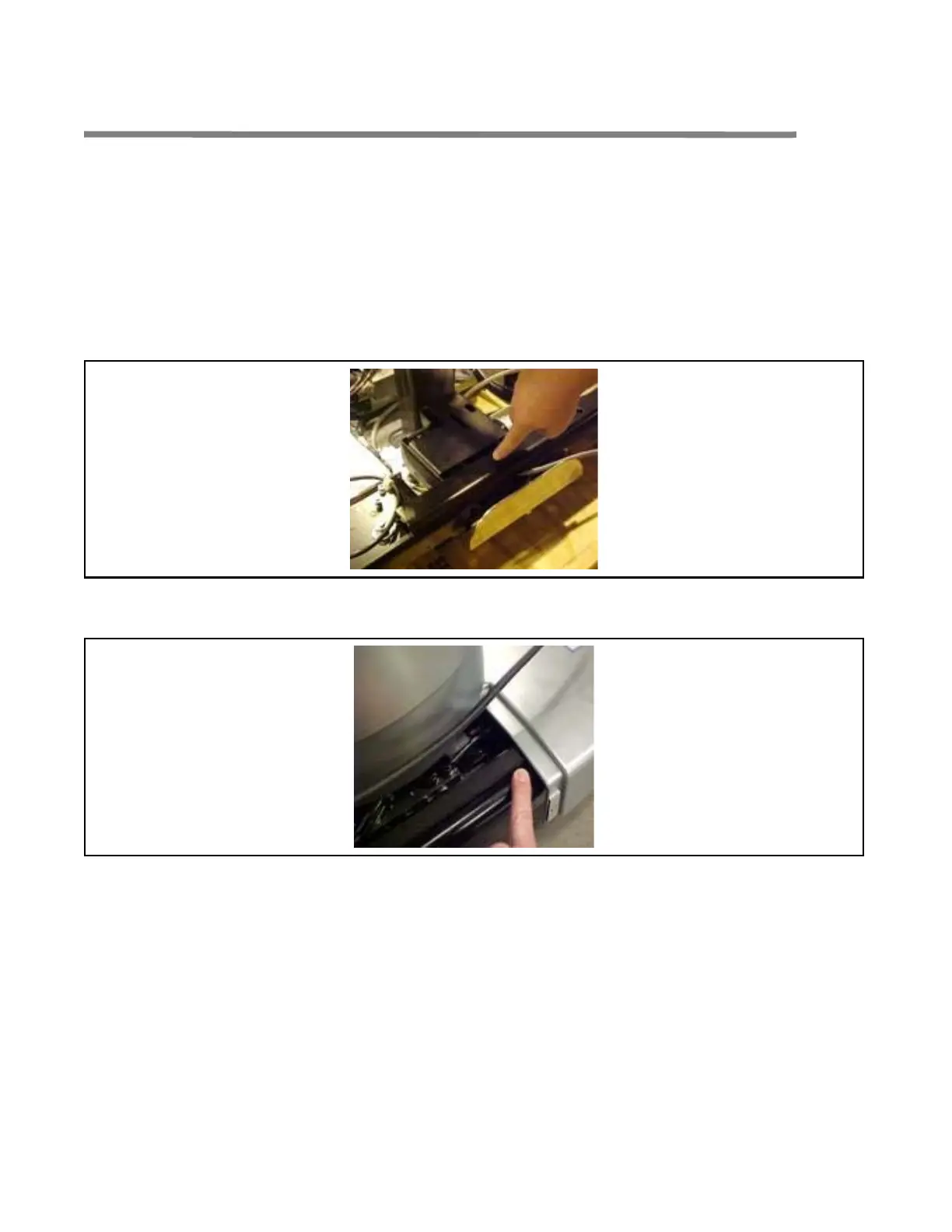
1. Apply 1/4 x 3/4" closed cell foam tape (R007200-964) to top of mounting brackets (see F
IGURE 6-3). Do not
apply tape to portion of table base where plastic cover touches base (see F
IGURE 6-4).
Figure 6-3. Apply Tape to Mounting Bracket
2. Install base cover. Ensure base cover sits flush on base (see FIGURE 6-4) at base cover insert opening.
Figure 6-4. Ensure Base Cover Sits Flush on Base at Insert Opening
3. Seal mating areas between front and rear base covers as shown in FIGURE 6-5.
NOTE: Ensure RTV is applied to both left and right sides of base covers before assembly.














 To Next Page