4. Remove the system unit cover.
Refer to “Removing the System Unit Cover” on page 32 in Chapter 4.
5. Attach the wrist strap.
Refer to “Attaching the Wrist Strap” on page 34 in Chapter 4.
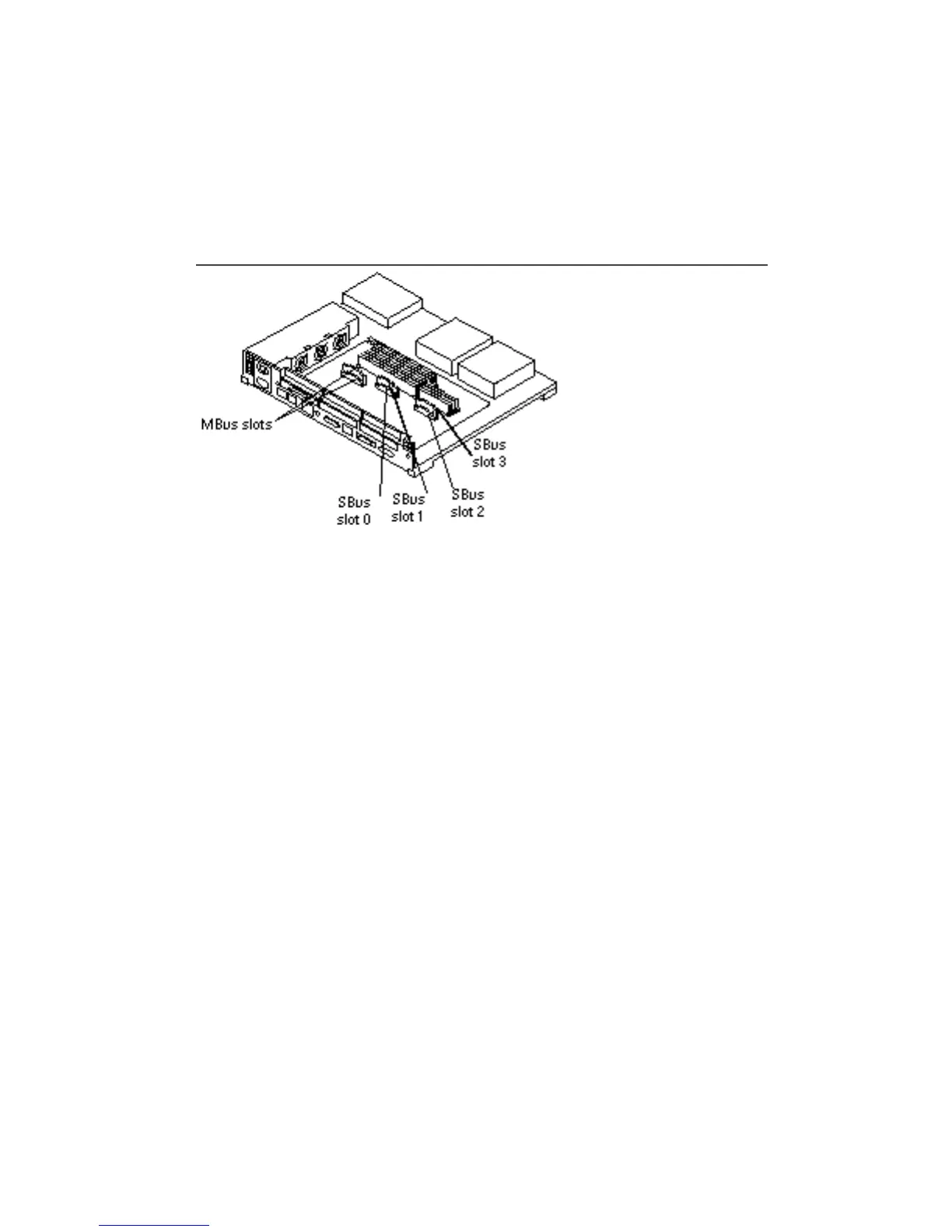
6. Note the SBus card location. See Figure 10–1.
Start with card(s) mounted in the top slot first.
Figure 10–1 SBus Slot Locations
7. Remove the screws and washers from the outside of the rear panel where the
SBus card is fastened. See Figure 10–2.
Single-width SBus cards have two sets of fastening hardware, double-width SBus
cards have four sets, and triple-width SBus cards have six sets. Save the screws
and washers for future use.
106
SPARCstation 10 Service Manual ♦ Revision A, July 1993














 To Next Page