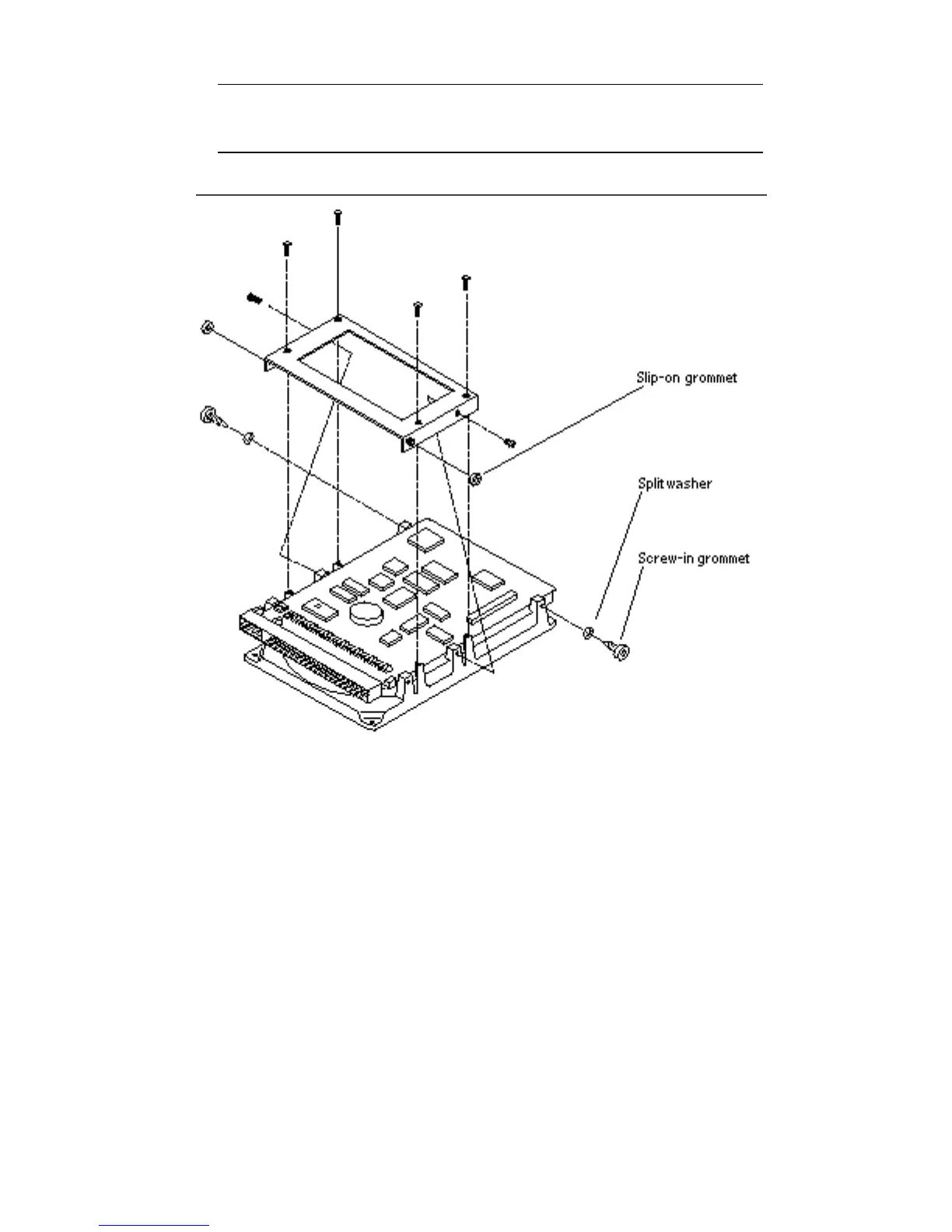
Note - When fastening the new mounting bracket to the drive base, you must
use the six screws supplied with the mounting bracket (four screws on the base,
two on the sides).
Figure 12–10 Positioning the Mounting Bracket over the Drive
9. Position the bracket over the drive and align the screw slots over the drive
circuit board.
10. Insert one screw on each side of the bracket to fasten the bracket sides to the
drive sides.
130
SPARCstation 10 Service Manual ♦ Revision A, July 1993














 To Next Page