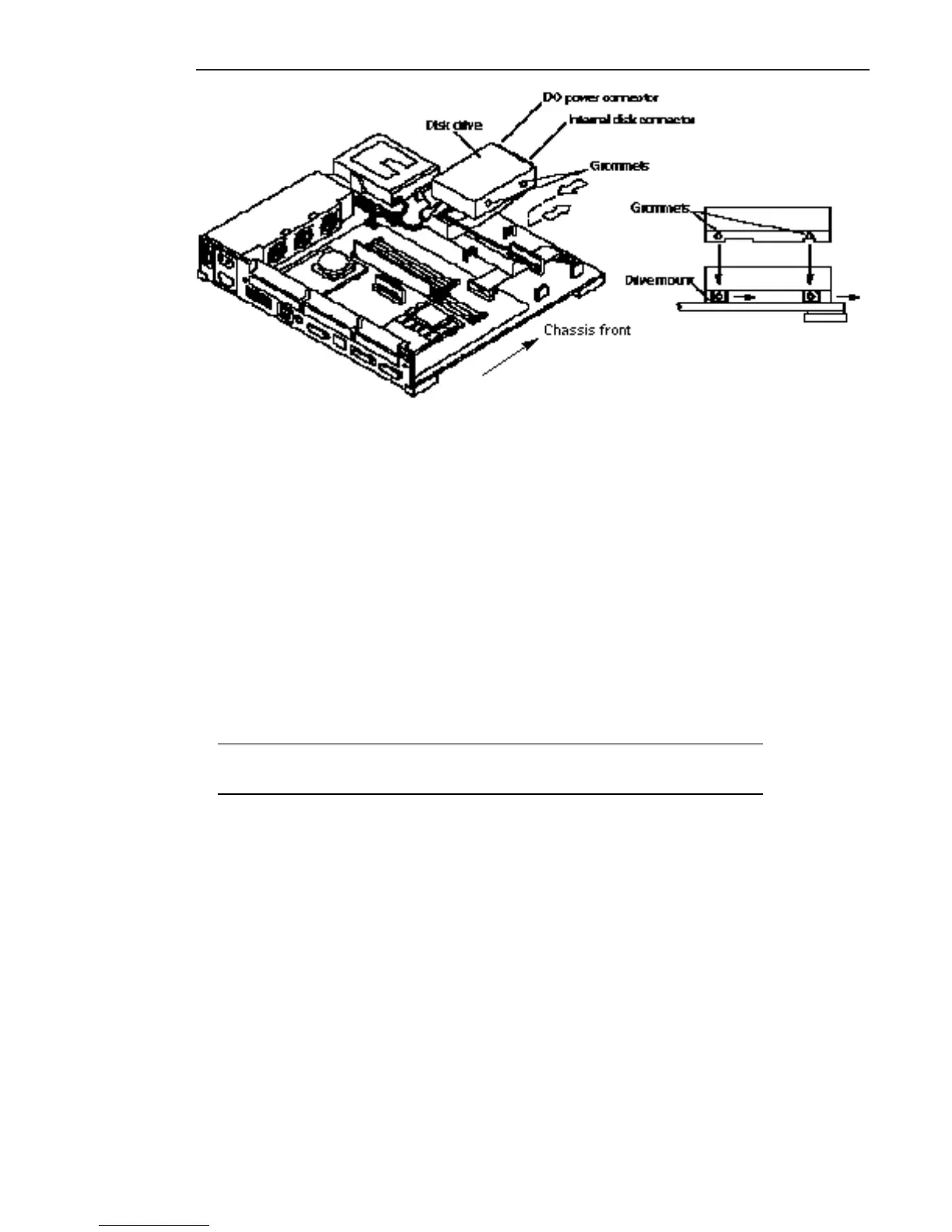
Figure 14–5 Installing the Disk Drive
7. Connect the internal disk connector to the disk drive.
The connector is keyed so it will fit only one way.
8. Connect the DC power connector to the disk drive.
The connector is keyed so it will fit only one way.
9. Lower the drive and slide it forward toward the front of the chassis until the
grommets sit tightly in the drive mounts.
10. Follow steps 4 through 9 if a second drive is to be installed.
Note - The system cover may not close correctly, if the drive is not pushed
forward far enough.
11. Follow the instructions in Chapter 17 to detach the wrist strap, install the cover,
connect the expansion unit(s), and power on the system.
146
SPARCstation 10 Service Manual ♦ Revision A, July 1993














 To Next Page