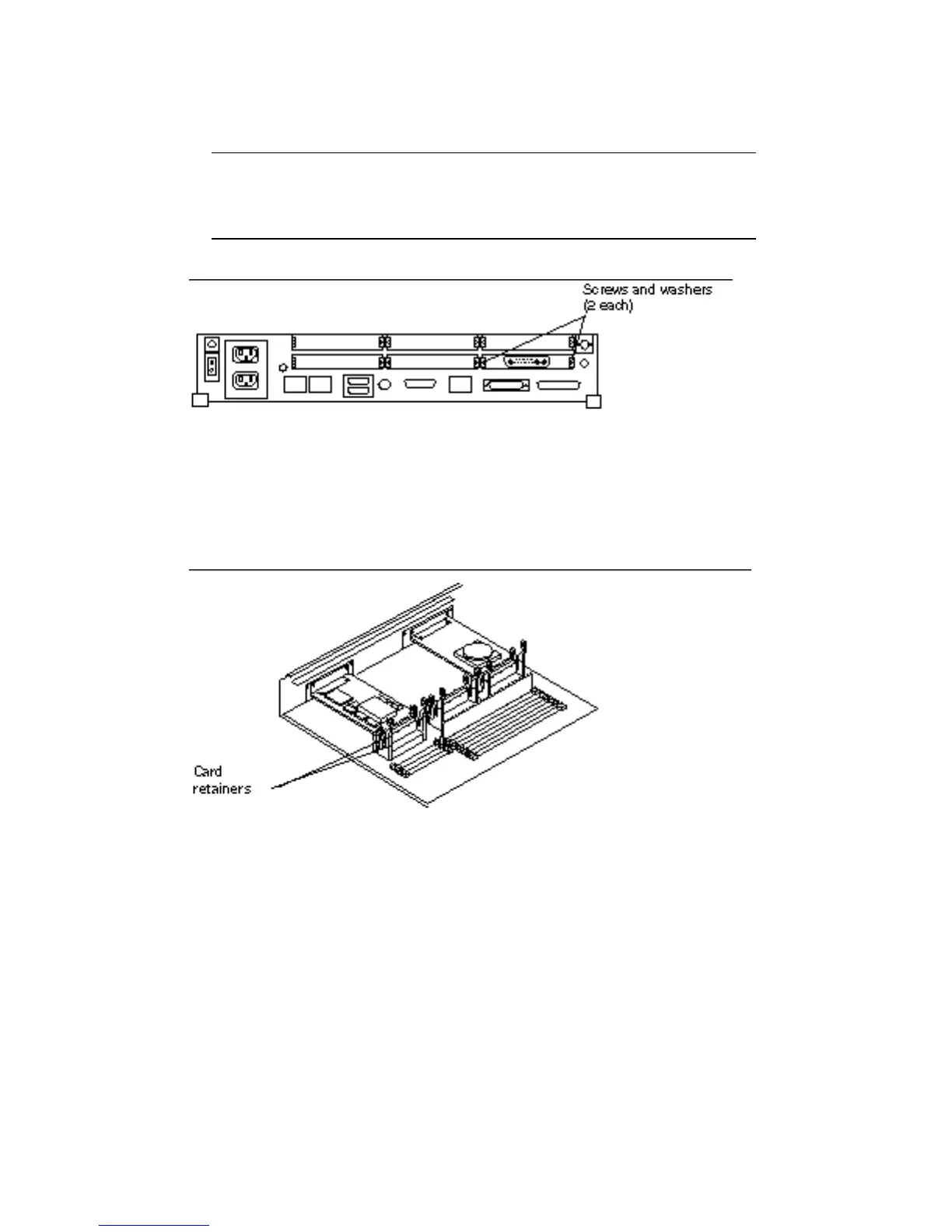
2. Remove the screws and washers from the outer rear panel that secure the SBus
card(s).
Figure 5–2 shows fastening hardware for a single-width SBus card.
Note - Single-width SBus cards have two sets of screws and washers.
Double-width SBus cards have four sets of screws and washers. Triple-width
SBus cards have six sets of screws and washers. Save the screws and washers for
future use.
Figure 5–2 Rear Panel—Screws and Washers
3. Push back all card retainers holding an SBus card.
See Figure 5–3.
Figure 5–3 Card Retainers
Main Logic Board 41














 To Next Page