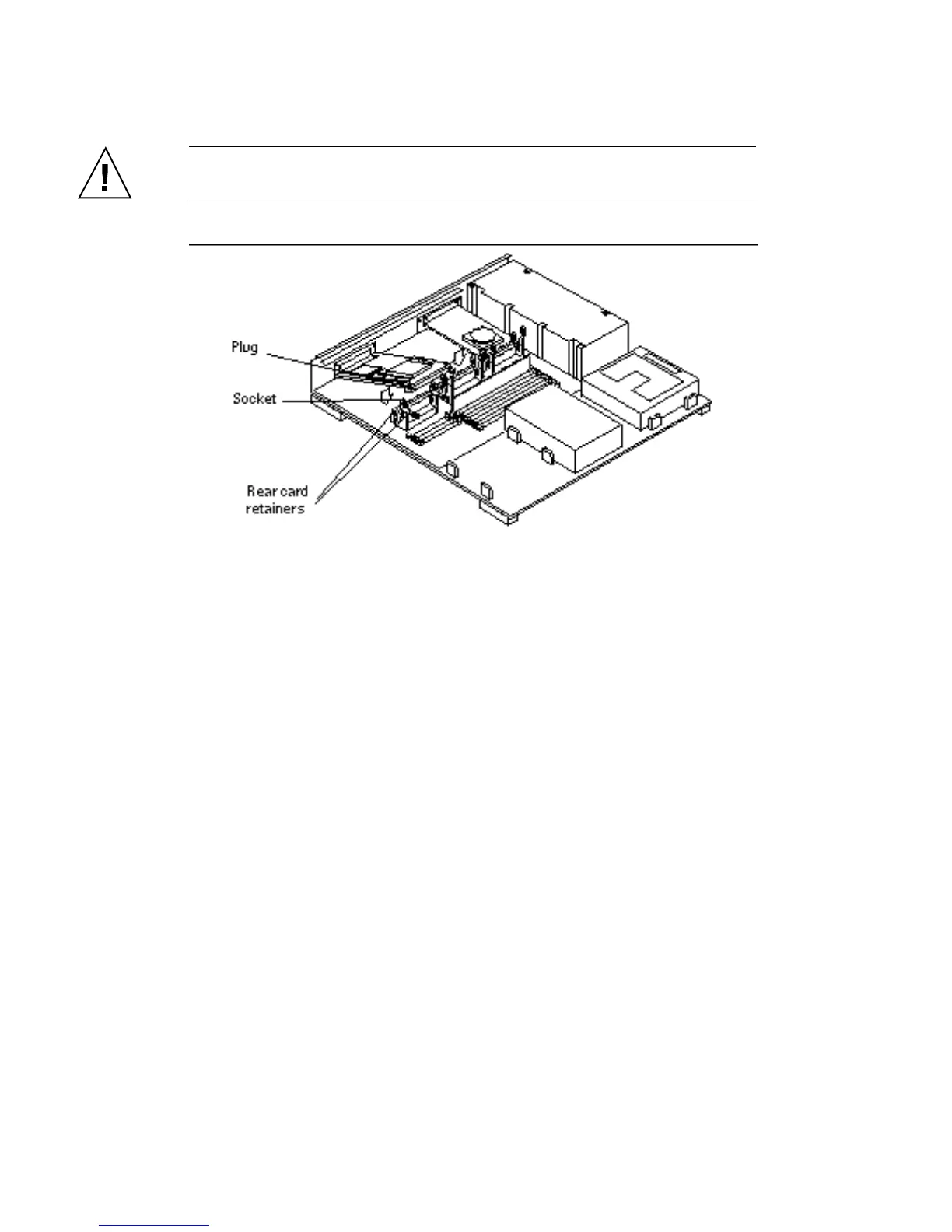
4. Align the plug with the socket. Press the corners of the card to push the plug
into the socket.
See Figure 5–31.
Caution - Do not force the card. Using excessive force may bend or damage the pins.
Figure 5–31 SBus Card Plug, Socket and Retainers
5. Push the rear card retainers forward over the edge of the SBus card, locking
them in place.
6. Install the washers and screws you removed earlier into the screw holes
adjacent to the SBus card on the back panel using a Phillips screwdriver. The
long side of the washer should be oriented vertically. See Figure 5–32.
Main Logic Board 65














 To Next Page