Caution - Printed circuit boards are made of delicate electronic components that are
extremely sensitive to static electricity. Ordinary amounts of static from your clothes
or work environment can destroy the boards.
Wear a grounding wrist strap when handling the boards. Attach the wrist strap to
the metal casing of the power supply at the rear of the unit top. Handle boards only
by the non-conducting edges. Do not touch the components themselves or any metal
parts.
1. Check that the green LED at the front of the chassis is not lit.
2. Make sure that the system power cord remains connected to the system and the
wall outlet.
3. Remove the system unit cover.
Refer to “Removing the System Unit Cover” on page 32 in Chapter 4.
4. Attach the wrist strap.
Refer to “Attaching the Wrist Strap” on page 34 in Chapter 4.
5. Remove any SBus cards from slot 2 and 3.
If there is an SBus card in slot 2 or 3, follow steps a through g for each card
starting with the top card. Note the SBus card location. Go to step 6 otherwise.
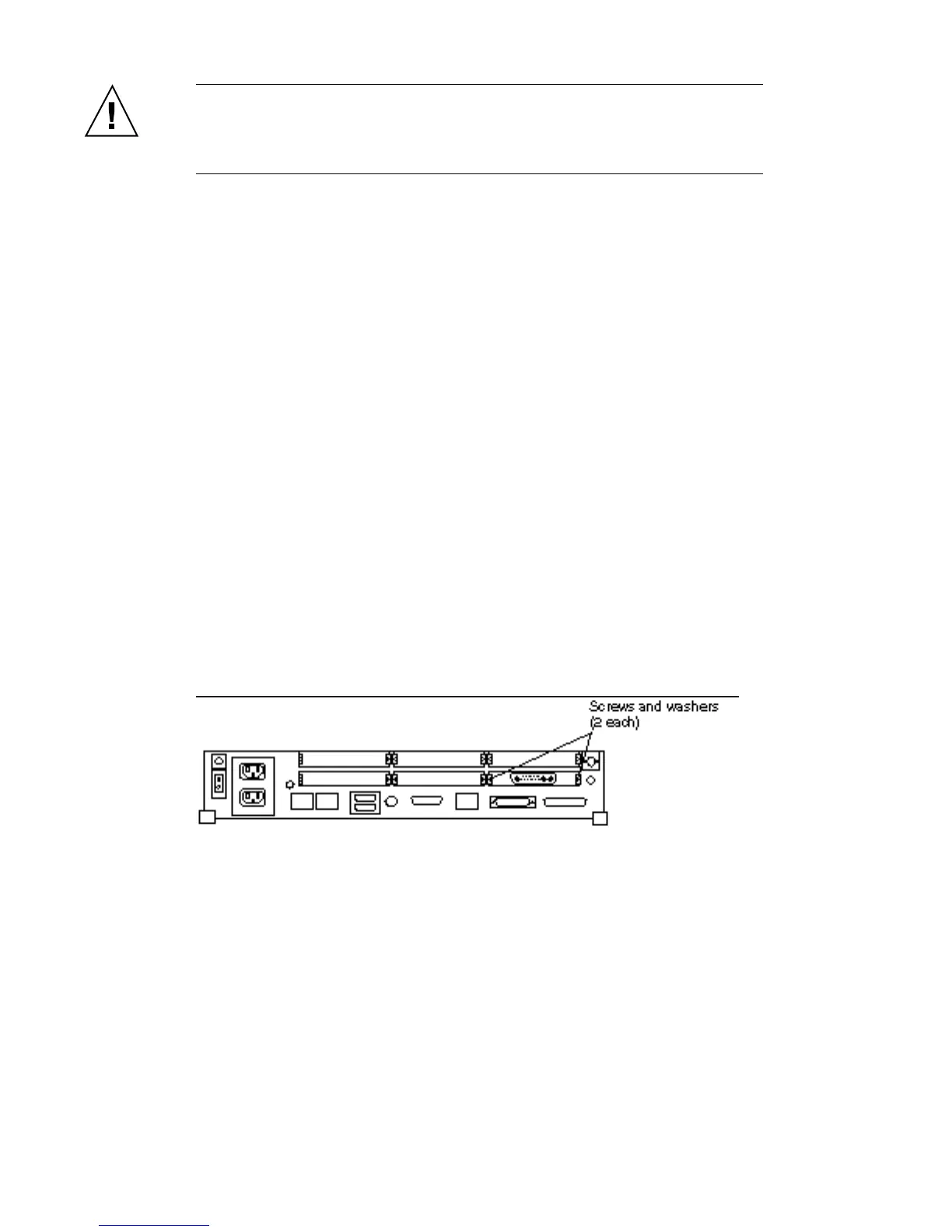
6. Remove the screws and washers from the outside of the rear panel where the
SBus card is. See Figure 6–1.
Single width SBus cards have two screws and washers. Double width SBus cards
have four screws and washers. Triple width SBus cards have six screws and
washers. Save the screws and washers for future use.
Figure 6–1 Rear Panel—Screws and Washers
74
SPARCstation 10 Service Manual ♦ Revision A, July 1993














 To Next Page