12 Software description
154 CyFlow
®
Cube 8 | Operating Manual | May 2018 | Revision 032
12.7 Playlist pane
The Playlist pane is displayed in Playlist mode and by default docked to the
left of the Workspace, nested with the other panes.
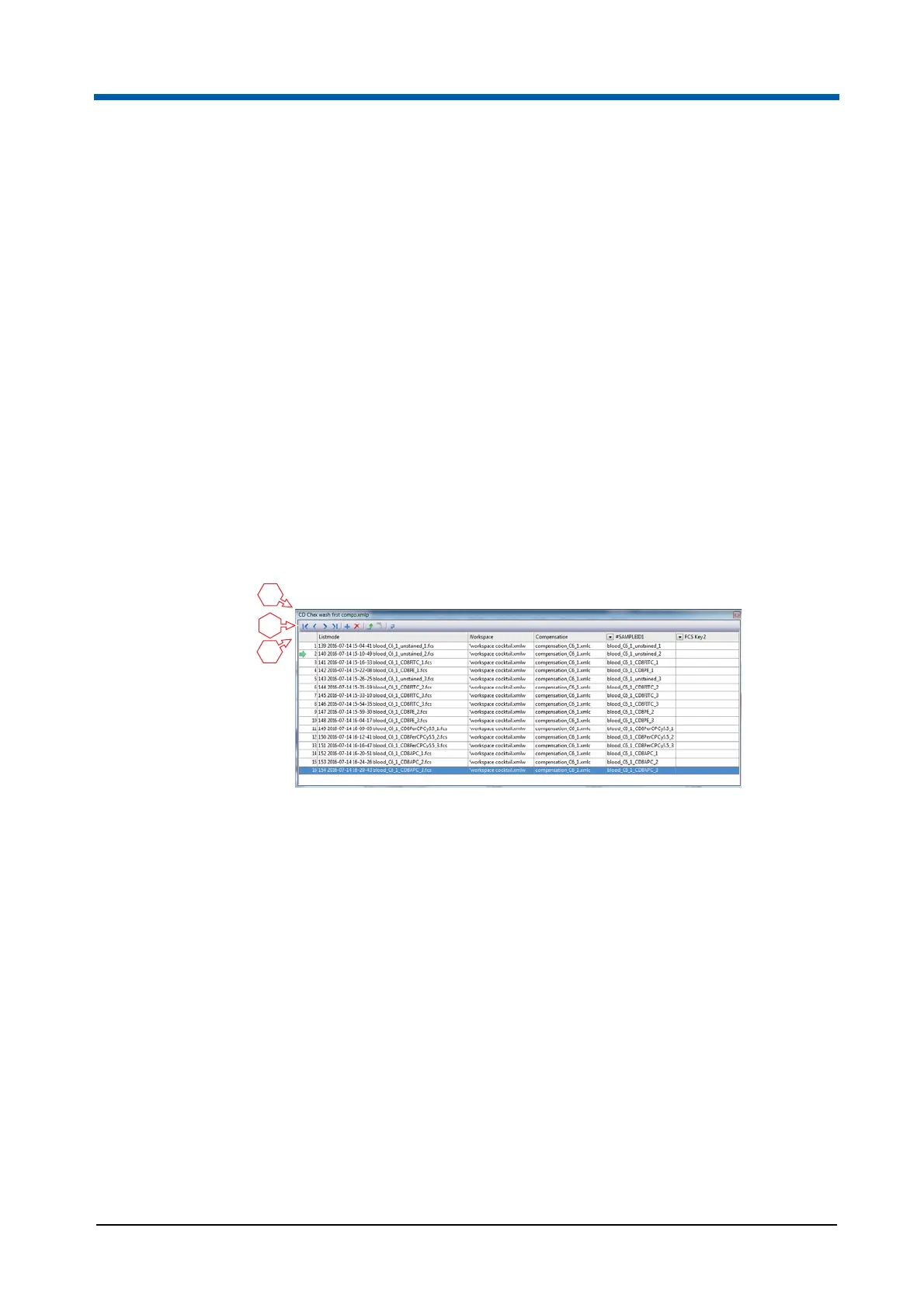
The Playlist pane contains a Playlist. Each row of the Playlist is a Playlist
item and represents one acquired sample. A Playlist item contains a
listmode file (FCS file) with associated Workspace and compensation files.
Up to 400 Playlist items can be provided in the Playlist. The Playlist can be
used to analyse data and to predefine settings for future measurements by
editing the Workspaces and compensations associated to the LMD files.
The Playlist pane allows you to create a list of files that you wish to analyse
and contains controls for navigating through the files. Multiple files can be
selected for simultaneous analyses. Files can be reordered and Workspace
and compensation files can be applied to each file as desired.
The Playlist can be saved as a Playlist file.
When loading a Playlist, the Workspace and compensation are read from the
Playlist (not from their original files). The report is also read from the Playlist.
Playlist title bar
The Playlist title bar displays the name of the Playlist file. When a Playlist
has not been saved, it displays "Untitled Playlist".
When the Playlist pane is undocked, right-clicking on the Playlist title bar
displays a context menu providing the following options:
Move changes the cursor to a move cursor. The Playlist pane can then
be moved using the arrow keys on the keyboard.
Size changes the cursor to a size cursor when over the edges of the
pane. The Playlist pane can then be resized using the arrow keys on the
keyboard.
Hide is always disabled.
1 Playlist title bar
2 Playlist toolbar
3 Playlist



 To Next Page