12 Software description
184 CyFlow
®
Cube 8 | Operating Manual | May 2018 | Revision 032
12.9 Status bar
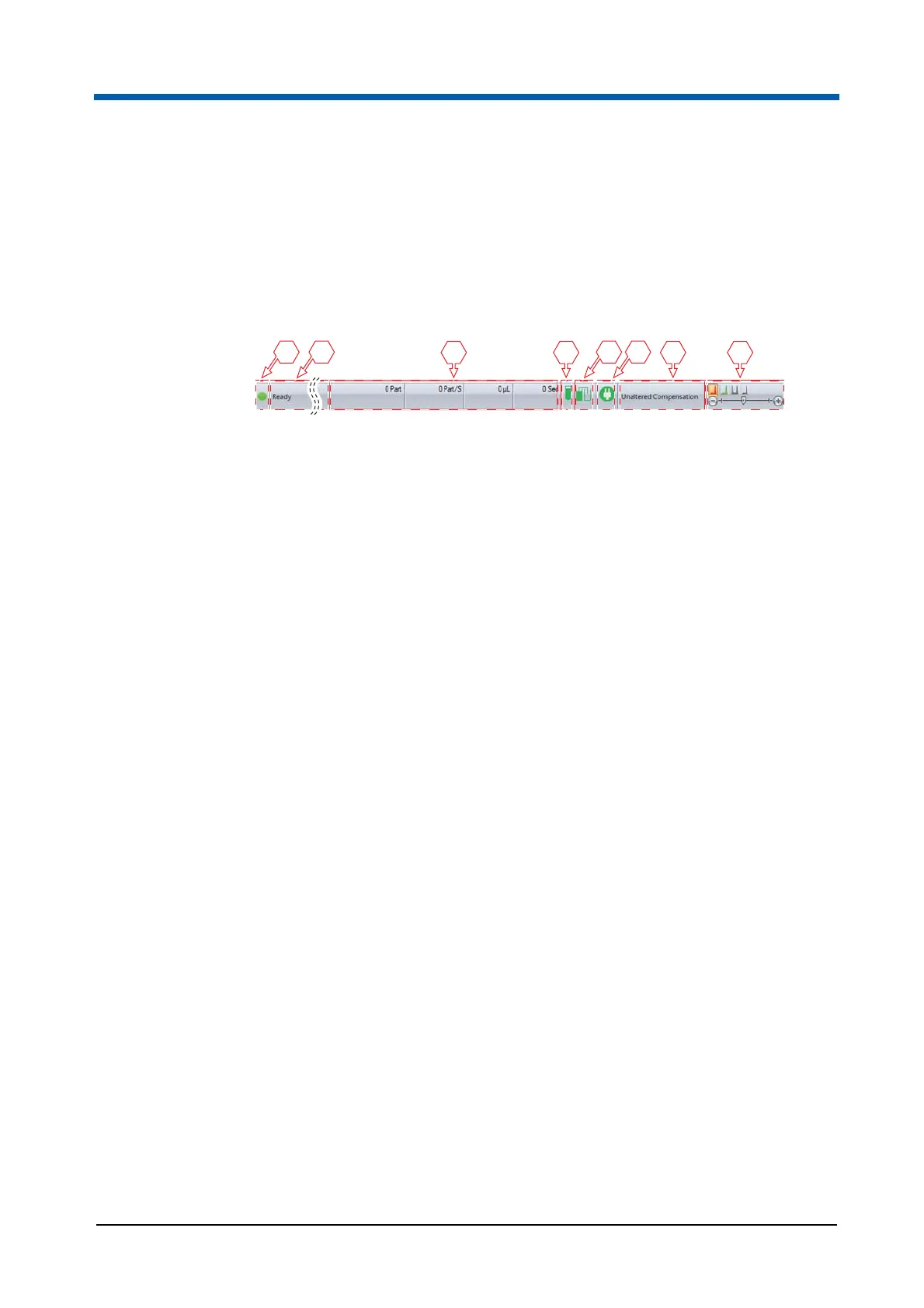
The status bar is located at the bottom of the software window. The status
bar displays the current status of calculations, of the current measurement
and of compensation settings. When regions are modified, it displays the
coordinates. The status bar also provides a resize slider for plots and
overlays.
Calculation indicator
The Calculation indicator indicates if the processing of results has been
completed:
When all items are up to date, a green icon is displayed.
When background calculation is in progress, an orange icon is displayed.
When background calculation is off and some items have not been
calculated, a red icon is displayed. This icon acts as a button. Clicking it
is equivalent to clicking the Calculate Now button of the Playlist tab of
the Ribbon and will recalculate all results.
Miscellaneous messages
In this area of the status bar, the following messages are displayed:
Ribbon controls: For each Ribbon control, a status bar message is
displayed describing the function of the control.
Window controls: For the Quick Access Toolbar icons and the File menu
options, a status bar message is displayed describing the function of the
option.
Print preview: When the print preview is displayed, the status bar will
show the current displayed page or page range.
Region coordinates display: When a control point of a region on a plot is
moved, the coordinates of the region are displayed.
Cell cycle analysis: While a noise threshold estimate marker is being
repositioned, information regarding the noise threshold, G1 and G2
estimates and the upper noise threshold is displayed.
Device functions or fluid level errors: During a device function, a status
bar message stating the name of the function currently being performed
will be displayed. If a fluid level error occurs, the appropriate error
message is displayed.
1 Calculation indicator
2 Miscellaneous messages
3 Status of acquisition
4 Sample level indicator
5 Sheath fluid and waste level indicator
6 Status of the device
7 Status of compensation settings
8 Resize options
3 874
5 61 2



 To Next Page