12 Software description
CyFlow
®
Cube 8 | Operating Manual | May 2018 | Revision 032 185
Status of acquisition
During acquiring, the current status of the acquisition process is displayed:
Part displays the absolute number of particles recorded.
Part/S displays the rate of measurement in particles per second.
µL displays the absolute volume.
Sec displays the absolute time.
If a stop condition is in use, a progress bar under the relevant counter(s) will
be displayed.
Fluid level indicators
The icons indicate the fluid level of a tube on the manual sample probe and
that of the sheath and waste bottles as detected by the respective
electrodes:
Sample level: The icon is green when the sample is full or low. The icon
is red if there is no sample tube attached or the sample is below both
electrodes. Hover over the icon to display a corresponding tooltip on the
sample level.
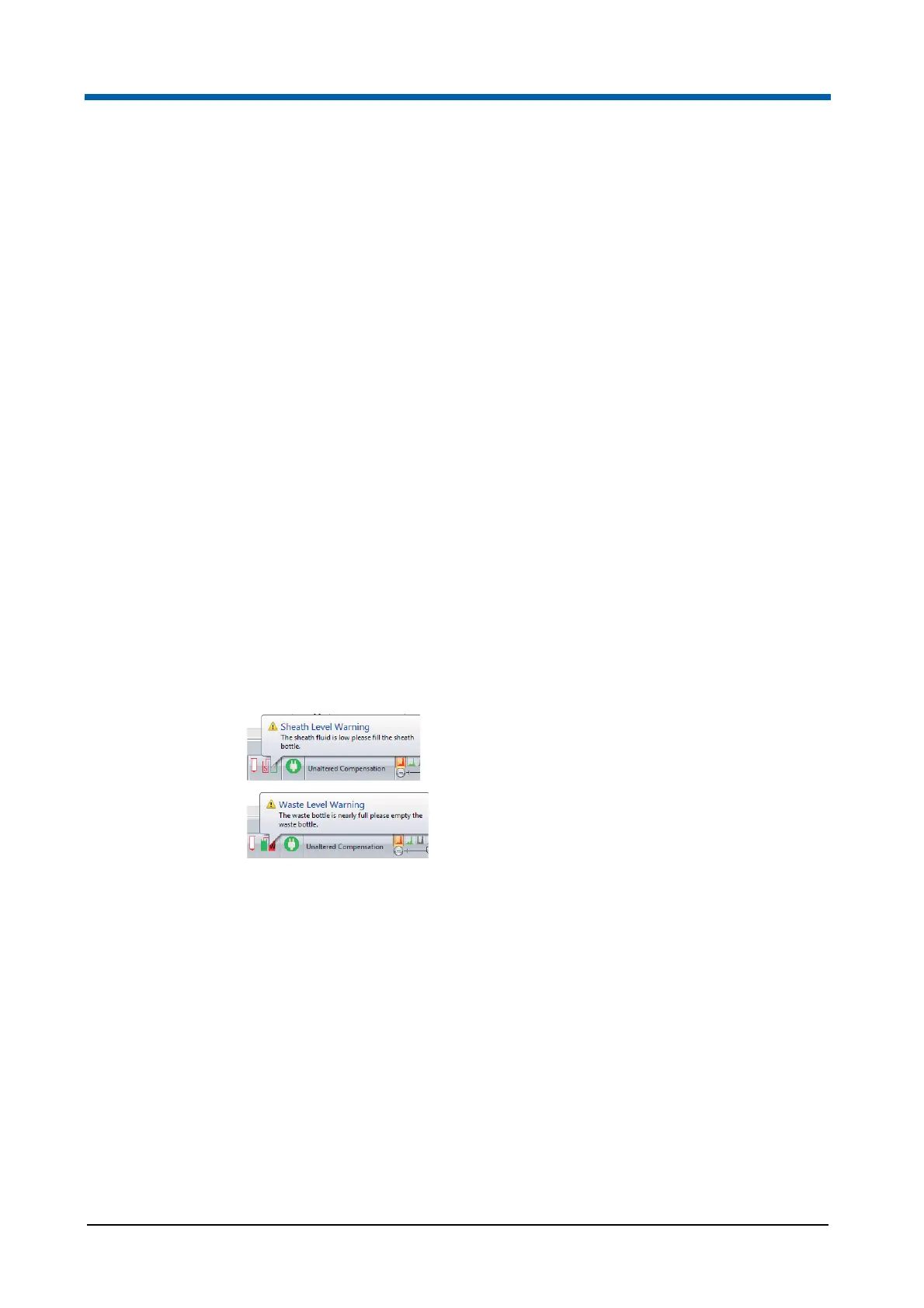
Sheath and waste level: The icon is green when the sheath and waste
levels are sufficient. The left part of the icon is red if the sheath level is
too low. The right part of the icon is red if the waste level is too high.
Hover over the icon to display a corresponding tooltip on the levels.
On change of fluid level status, a warning balloon will be displayed above the
status bar icon. When the sheath fluid bottle is empty or the waste bottle is
full, a warning balloon pops up automatically, to signalise the critical fluid
level. If the device is measuring a sample when a fluid level error occurs, a
timer will start, and you will be allowed to continue acquiring the current
sample for up to 10 minutes. If the error condition is not corrected, the
warning balloon will be redisplayed at 5 minutes remaining, 3 minutes,
2 minutes and 1 minute remaining. After that, acquisition will automatically
be stopped and the appropriate fluid level error message displayed
If an instrument function is not taking place and a sheath or waste level error
is detected, the fluid level error message is displayed immediately. If any
other instrument function is taking place, that function will be allowed to
complete and the error displayed at completion.



 To Next Page