12 Software description
160 CyFlow
®
Cube 8 | Operating Manual | May 2018 | Revision 032
12.8 Workspace
In the Workspace area of the software window, the Workspace of the
currently active Playlist item or Worklist item is displayed and can be edited.
A Workspace includes plots, regions, gates, colour precedence, selected
statistics and displayed parameters. A Workspace can be saved as a
Workspace file.
The Workspace contains four tabs:
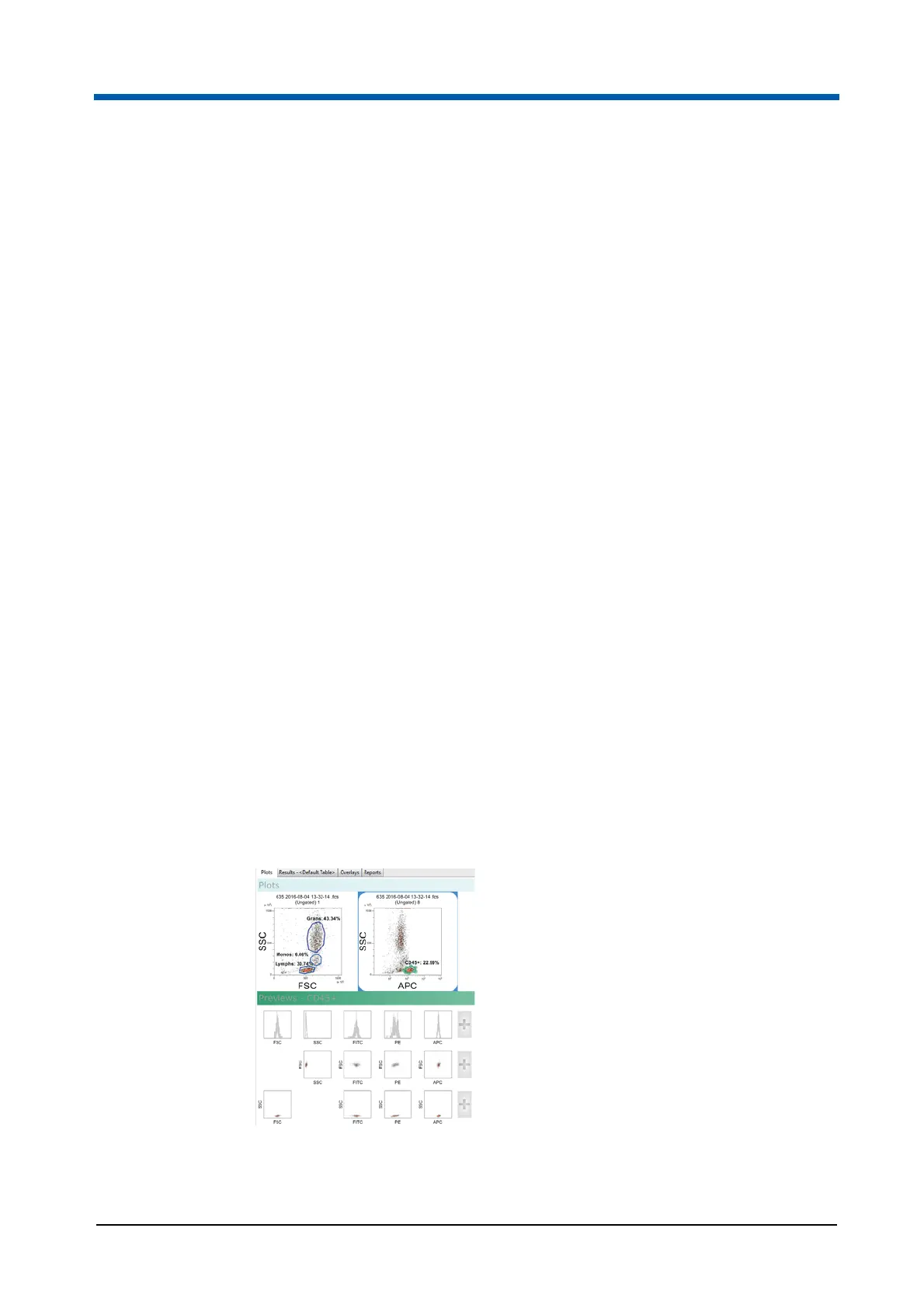
The Plots tab contains two areas: Plots and Previews. The Previews area
automatically displays plots once a listmode file is opened. Plots can be
added to the Plots area as required for further analysis. The Plots tab is
open by default.
The Results tab displays the statistics selected in the Statistics tab of the
Ribbon.
The Overlays tab allows the creation of single and dual parameter
overlay plots.
The Reports tab allows you to create and modify reports.
12.8.1 Plots tab of the Workspace
Plots are displayed in the Plots tab of the Workspace.
The Plots tab of the Workspace consists of two areas:
Plots area: Selected plots are displayed in the Plots area and can be
analysed and modified in this area.
Previews area: When an LMD file is opened, the Previews area of the
Workspace automatically displays all single parameter histogram plots
and all dual parameter colour density plots associated with the opened
LMD file. The axis displays the stain name taken from the FCS header of
the opened LMD file.



 To Next Page